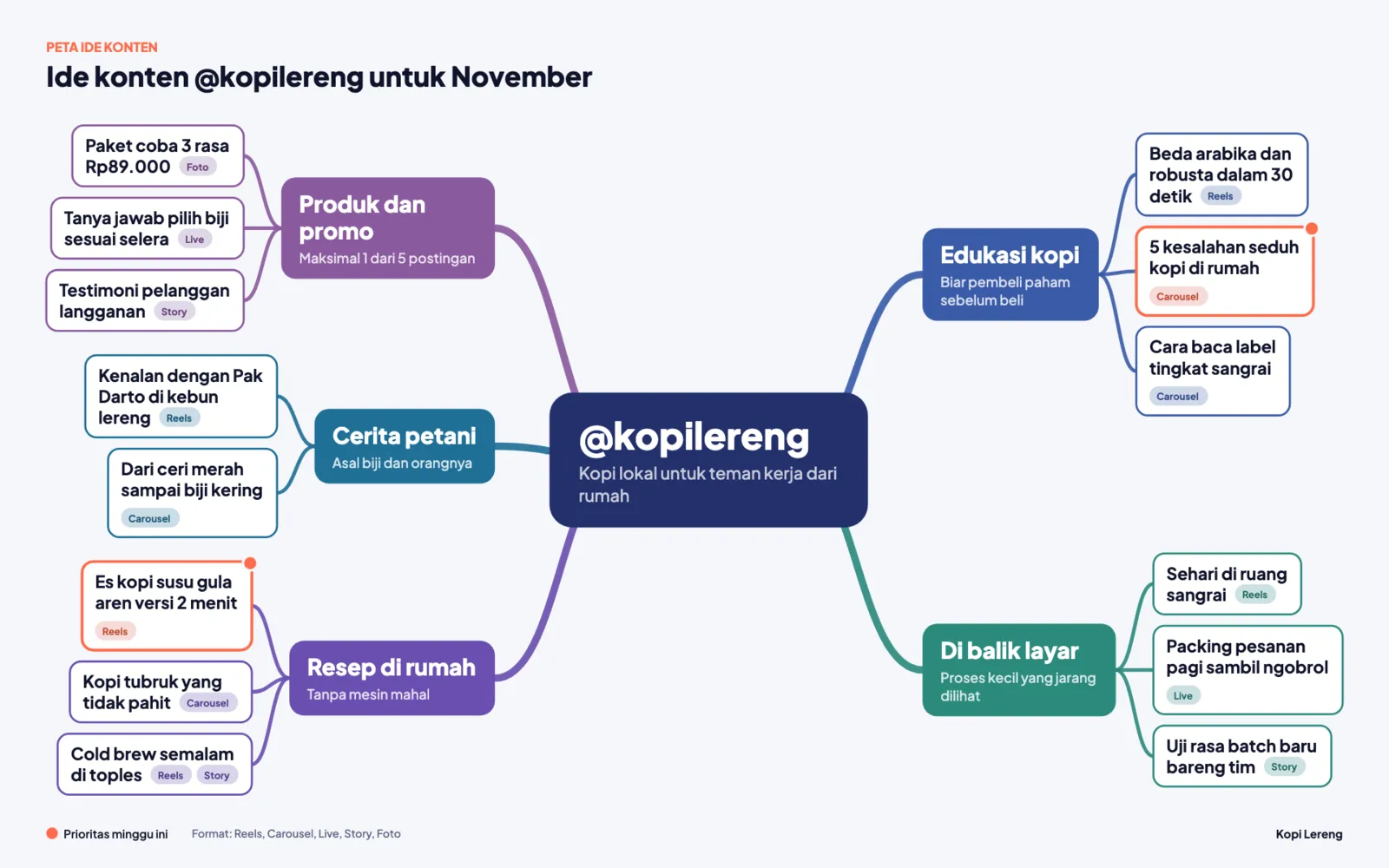
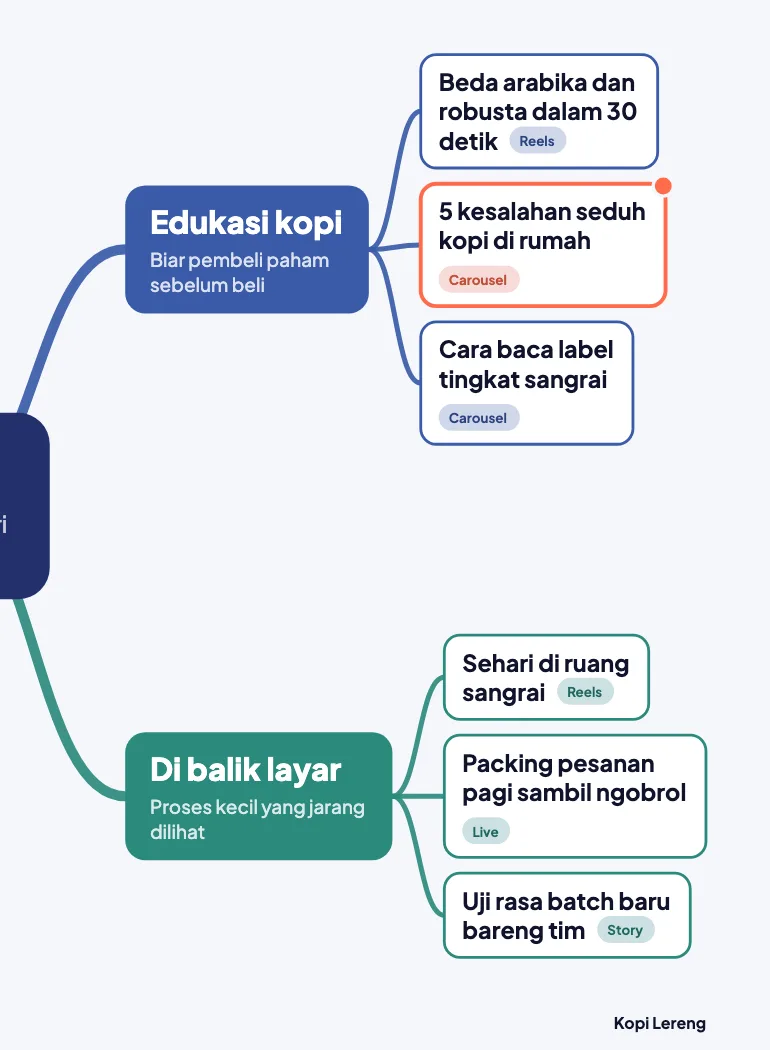
Coffee account ideas map: 5 pillars, ideas with format tags, priorities marked in coral
SKILL.md contents
Premium subscribers can read, copy, and install this skill.
Unlock with Premium Sign inContent Ideas Mind Map
Description
A one-page content ideas mind map for one account: the account in the centre, content pillars as branches and ready-to-make post ideas as leaves, each with a format tag (Reels, Carousel, Live, Story, Photo), an optional hook and a mark for priority ideas. The layout is calculated automatically and the result downloads as a PDF and PNG for content meetings or the wall.
Verified by SkillFlow
We checked every file in this skill automatically: no command that downloads and runs a program, no hidden code, no instruction telling your AI to ignore you.
- Loads from outside
- Fonts: Google Fonts SkillFlow: directory.skillflow.ai.id
See the 6 files inside
skill.json6 KBSKILL.md9 KBprompt.md4 KBprompt.en.md4 KBfiles/contoh/klinik-gigi-8-pilar.html28 KBfiles/mindmap.html27 KB
Checked 14 Nov 2026
Part of SkillFlow Pro
Pro opens every skill in every category: copy, ZIP, Send to AI, install, save, and request new skills.
Get Pro Already subscribed? Sign inWhat you get
- A 1920x1200 mind map (or 1200x1600 portrait) with 3-8 pillars and 2-5 ideas per pillar
- A format tag per idea and a coral mark for priority ideas, explained in the legend
- Download PDF and Download PNG buttons
- An HTML template with one MINDMAP object and 3 palettes (indigo, hutan, senja)
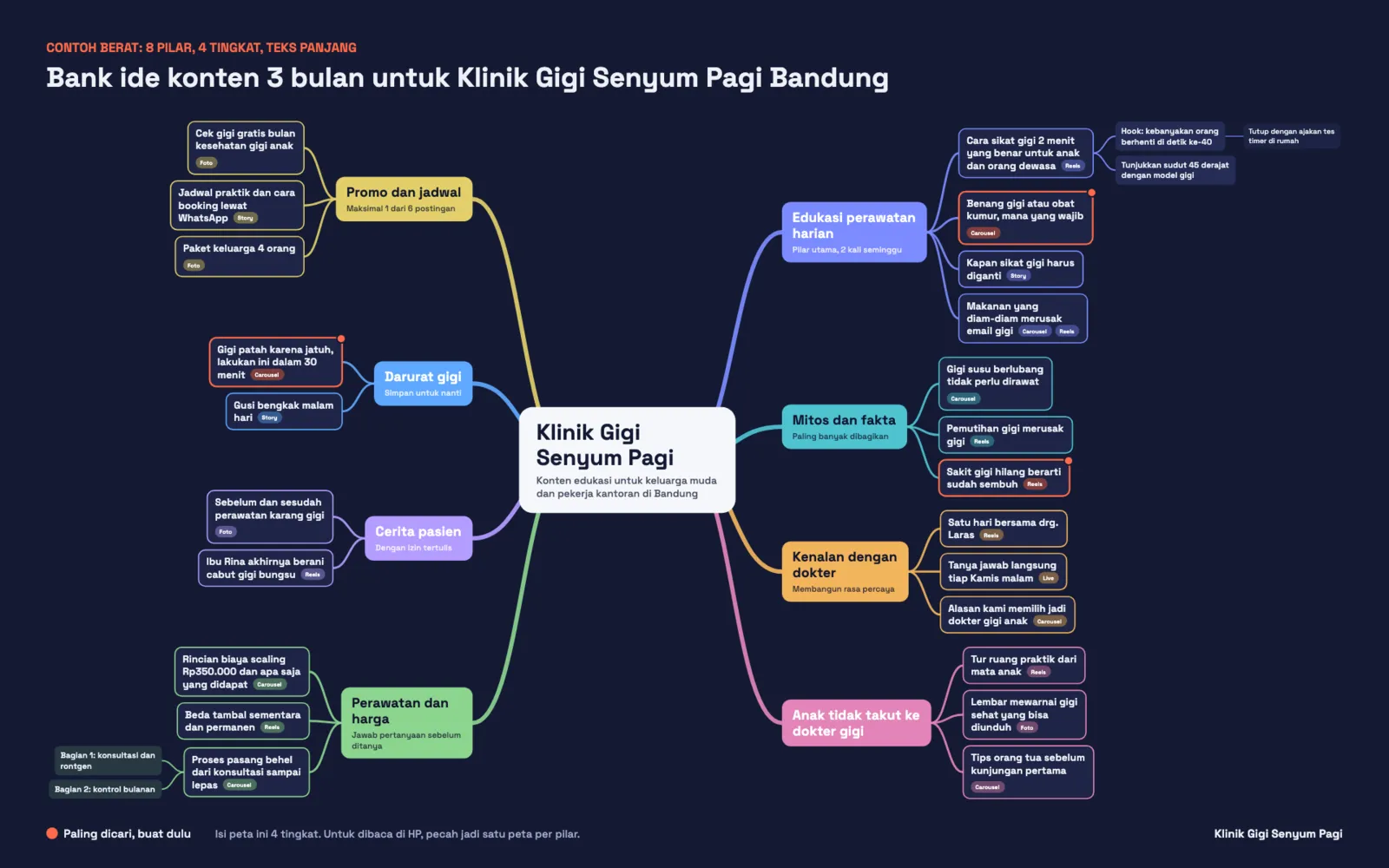
- A heavy example with 8 pillars and up to 4 levels
Good fit
- Business owners who run their own social accounts and keep running out of ideas
- Content admins or teams who need material for a monthly ideas meeting
- Creators who want to see the balance of their pillars in one picture
Not for
- Not a calendar: it does not schedule ideas to dates
- Not a drag-and-drop mind map app; you change the content in the file object or through the AI
- It does not write full scripts or captions for each post
About this skill
/mind-map-ide-konten Make a content ideas mind map for my bakery account for December, using Reels, Carousel and Story.
Show more
A one-page content ideas mind map for one account: the account in the centre, content pillars as branches and ready-to-make post ideas as leaves, each with a format tag (Reels, Carousel, Live, Story, Photo), an optional hook and a mark for priority ideas. The layout is calculated automatically and the result downloads as a PDF and PNG for content meetings or the wall.
User reviews
FAQ
What if I have more than 40 ideas?
Split them into several maps, for example one per month or one per two pillars. One file can hold several maps, and the PNG button downloads them as a ZIP.
Can I use my brand colours?
Yes. Pick the indigo, hutan or senja palette, or set a hex colour per pillar in the MINDMAP object.
Which AI can I use it with?
Copy the prompt into a chat AI (ChatGPT, Claude, Gemini, DeepSeek); or download the ZIP and install it in an AI agent (Claude Code, Codex, Antigravity, Hermes Agent, Cursor, GitHub Copilot, Gemini CLI, OpenCode, Kimi Code, Trae), which then builds the files for you.
What is in the ZIP?
One folder named mind-map-ide-konten with SKILL.md (the instructions an AI agent reads) and the prompt, 6 files in all. Extract it into your agent's skills folder, or install it with npx skillflow-ai add mind-map-ide-konten. Pro only.
Is there a per-use fee or credits?
Not from SkillFlow. The skill runs on the AI you already use, so any cost follows that plan.
Which plan includes it?
SkillFlow Pro. It opens every skill in every category.
Can I use my own colours and brand?
Yes. Pick a colour theme on this page, or fill in your brand profile once; both go into the prompt you copy and into the ZIP.
Can I share what I made?
Pro members can upload the result and get a page at share.skillflow.ai.id to send to anyone. The page carries a small "Made with SkillFlow AI" mark.
Is there a download limit?
Yes, per day: 50 skills on Pro, 10 on other plans. Downloading a skill again on the same day does not count.