

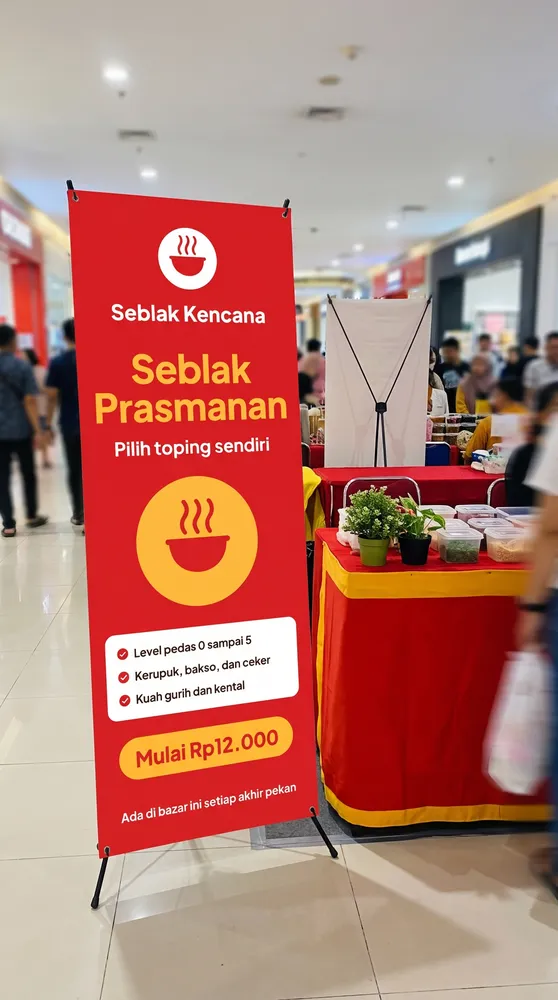
Seblak Kencana, Colourful pop: an X-banner for a seblak menu at a bazaar booth in a mall, straight on
SKILL.md contents
Premium subscribers can read, copy, and install this skill.
Unlock with Premium Sign inBanner and X-Banner Mockup
Description
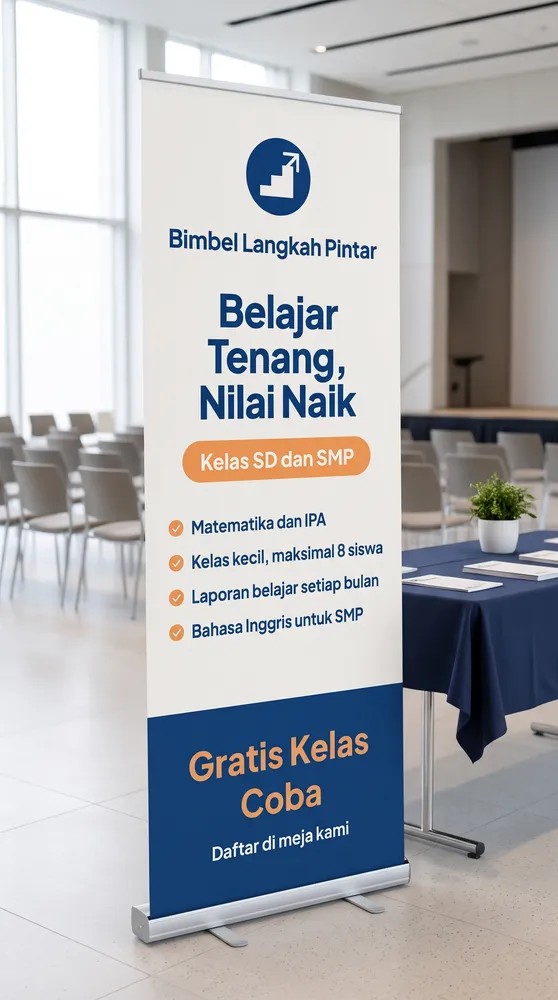
A prompt for an image-capable AI chat: attach your banner design, fill in a few details, and the AI creates a realistic mockup photo of an X-banner, roll-up, or Y-banner at a bazaar booth, shop entrance, seminar room, exhibition stand, or cafe terrace, with your design fitted exactly. The JSON art director brief pulls its values from your details: banner type and size, frame, setting, people around, brand colours in hex, style, camera, lighting, materials, composition, ratio, text rules, and negatives such as other readable banners.
Verified by SkillFlow
We checked every file in this skill automatically: no command that downloads and runs a program, no hidden code, no instruction telling your AI to ignore you.
- Loads from outside
- Nothing. Everything it needs is inside the ZIP.
See the 4 files inside
skill.json9 KBSKILL.md10 KBprompt.md8 KBprompt.en.md8 KB
Checked 15 Nov 2026
Part of SkillFlow Pro
Pro opens every skill in every category: copy, ZIP, Send to AI, install, save, and request new skills.
Get Pro Already subscribed? Sign inWhat you get
- A paste-ready prompt for an image-capable AI chat, with your banner design attached
- A JSON art director brief: banner, frame, setting, people, camera, lighting, materials, negatives
- A photo of an X-banner, roll-up, Y-banner, or two X-banners side by side
- 5 ready styles: Dark luxury, Light minimal, Natural wood, Colourful pop, Studio white
- 5 settings (bazaar, shop door, seminar, exhibition, cafe terrace) and 3 camera angles
- Exact design rules: never redrawn, cropped, or stretched
- A believable frame and people nearby with no clear faces
- An offer of 2 to 3 venue or banner type variations
Good fit
- Businesses joining bazaars, exhibitions, or events who want to see the banner before printing
- Designers presenting a banner design to a client
- Event teams preparing booth promotion materials
Not for
- It does not design the banner; attach your own design
- It does not work out print file size, resolution, or bleed
- Not a horizontal storefront banner (use the Print-Ready Storefront Banner skill)
- Not a print proof: size, print colour, and cut lines are not precise; use a design tool for that
About this skill
/mockup-banner-dan-xbanner Make a mockup photo of a 60 x 160 X-banner for my seblak bazaar booth, banner design attached, inside a mall with blurred passers-by
Show more
A prompt for an image-capable AI chat: attach your banner design, fill in a few details, and the AI creates a realistic mockup photo of an X-banner, roll-up, or Y-banner at a bazaar booth, shop entrance, seminar room, exhibition stand, or cafe terrace, with your design fitted exactly. The JSON art director brief pulls its values from your details: banner type and size, frame, setting, people around, brand colours in hex, style, camera, lighting, materials, composition, ratio, text rules, and negatives such as other readable banners.
User reviews
FAQ
My design is very tall. Will it be cropped?
It should not be: the prompt asks for the whole design with no cropping or stretching. Pick a 9:16 ratio so a tall banner fits in the photo, and make sure the attached design is already in banner proportions (e.g. 60 x 160). If the top or bottom gets cut, regenerate with a wider angle.
Can I use the result as a print proof?
No. An AI mockup is a concept visual for a catalogue, social media, or a pitch. Text and logos can shift slightly, and size, print colour, and cut lines are not precise. For files going to a printer, use a design tool and your original design file.
What if the logo changes or the text is misspelled?
Ask the AI to regenerate the image with the logo and text rules repeated in the request, rather than asking for a small fix. Attach a sharp PNG logo and keep the extra line as short as possible so it misses less often.
The result only has the brand name in type, without the logo icon. Why?
Usually the logo was not attached. Attach the logo file (a sharp PNG) in the same message as the prompt and check that it shows in the chat box before sending. This prompt asks the AI to check with you first if it cannot see the attachment.
My AI does not have the ratio I picked, and the variation came back identical. What now?
Pick the closest ratio, for example Gemini has no 4:5, so use 3:4. If you ask for a variation and get the same picture back, write "make a NEW image, do not reuse the previous one", or open a new chat with the same prompt.
Which AI can I use it with?
Copy the prompt into a chat AI (ChatGPT, Gemini).
What is in the ZIP?
One folder named mockup-banner-dan-xbanner with SKILL.md (the instructions an AI agent reads) and the prompt, 4 files in all. Extract it into your agent's skills folder, or install it with npx skillflow-ai add mockup-banner-dan-xbanner. Pro only.
Is there a per-use fee or credits?
Not from SkillFlow. The skill runs on the AI you already use, so any cost follows that plan.
Which plan includes it?
SkillFlow Pro. It opens every skill in every category.
Can I use my own colours and brand?
Yes. Pick a colour theme on this page, or fill in your brand profile once; both go into the prompt you copy and into the ZIP.
Can I share what I made?
Pro members can upload the result and get a page at share.skillflow.ai.id to send to anyone. The page carries a small "Made with SkillFlow AI" mark.
Is there a download limit?
Yes, per day: 50 skills on Pro, 10 on other plans. Downloading a skill again on the same day does not count.



