

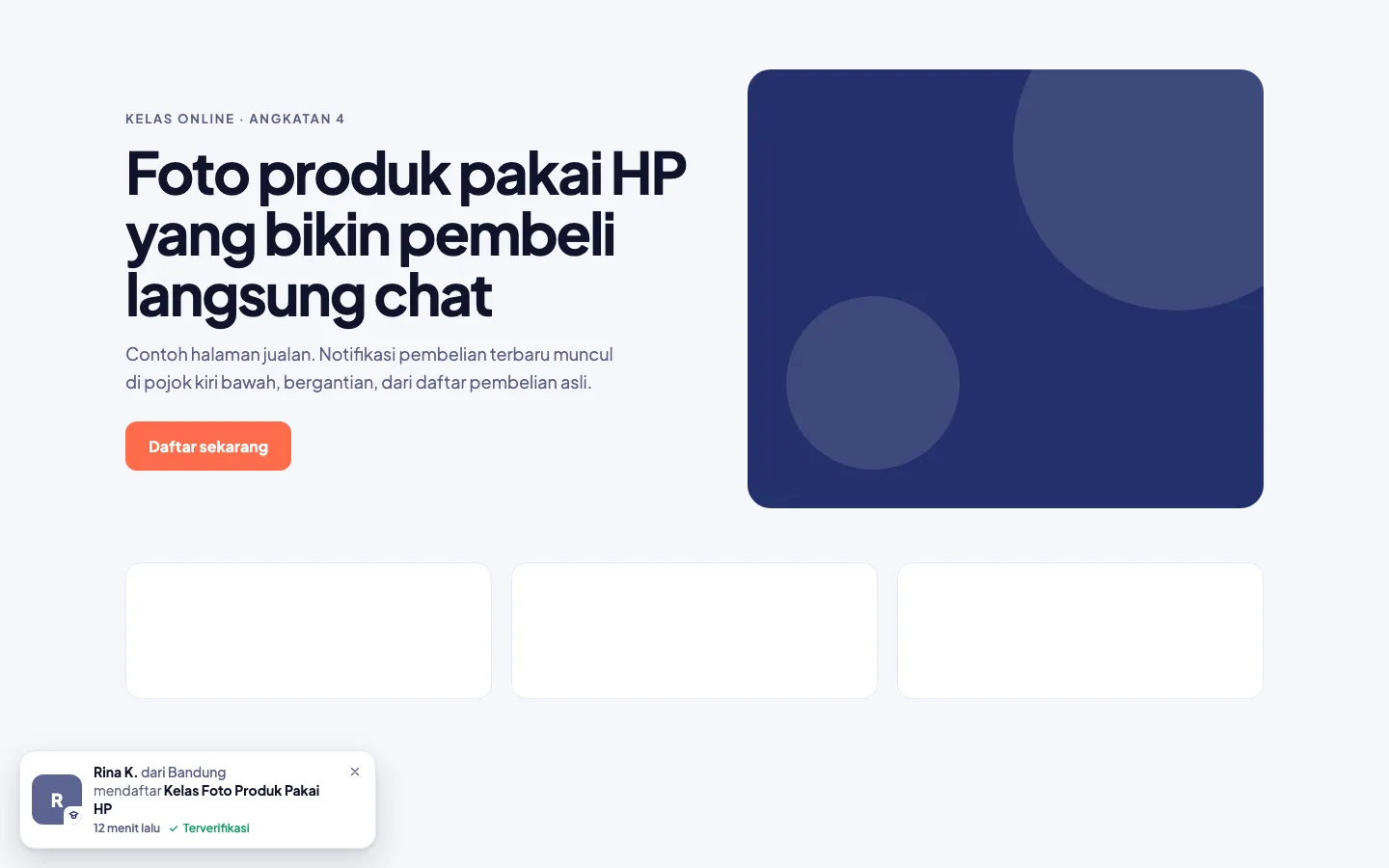
On a sales page: a course sign-up popup appears in the bottom left corner
SKILL.md contents
Premium subscribers can read, copy, and install this skill.
Unlock with Premium Sign inRecent Purchase Popups (Section)
Description
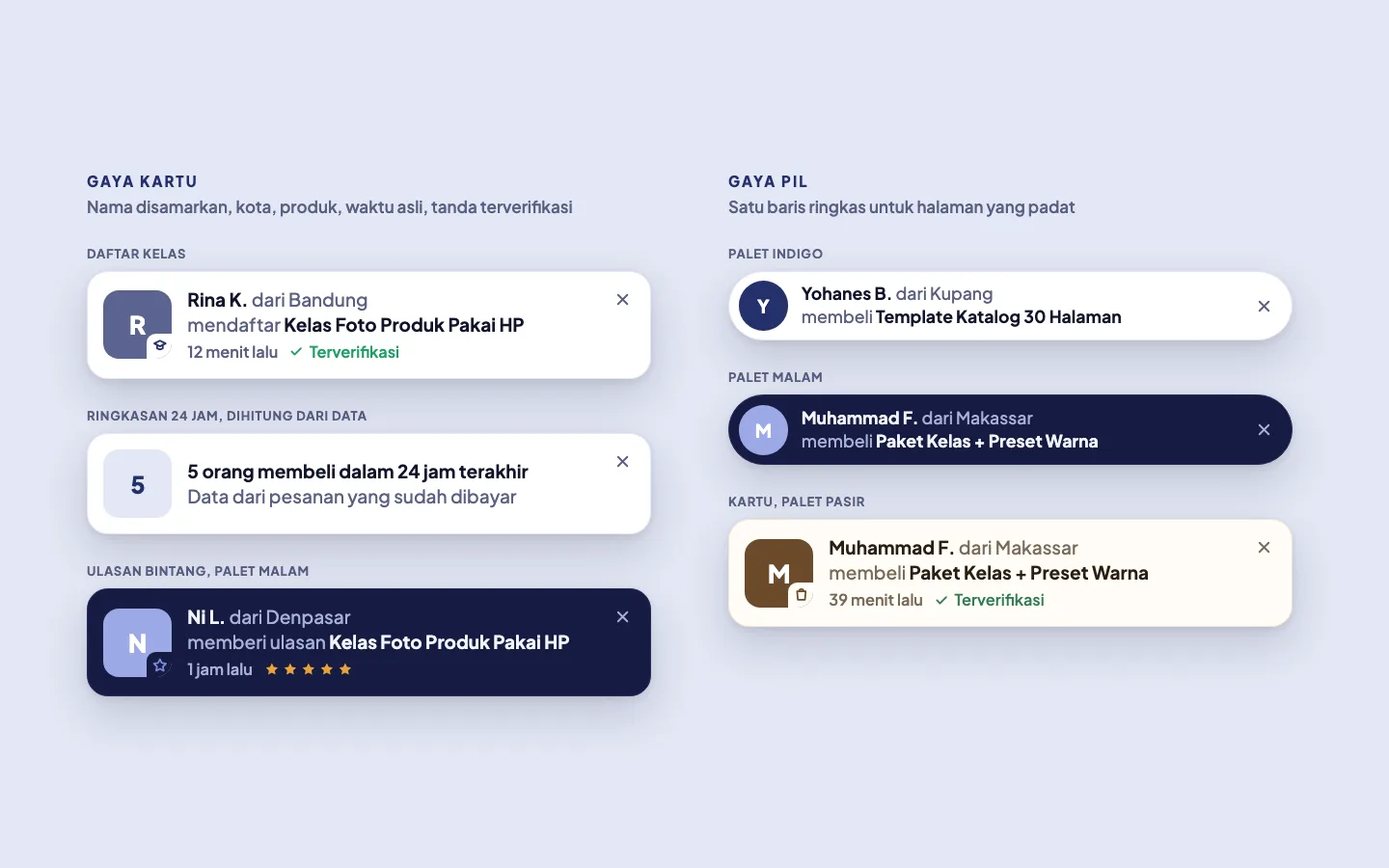
Small popups in the corner of a sales page that show recent purchases in turn: the buyer's name masked automatically (Rina K.), city, the product bought or course joined, a time worked out from the real order time, a verified tick or review stars, plus one summary of how many people bought in the last 24 hours, counted from the data. The data comes from your real order list or your shop's JSON feed, is capped at a few per visit, can be dismissed by visitors, and pauses on hover. Two styles, three palettes, one paste-safe snippet.
Verified by SkillFlow
We checked every file in this skill automatically: no command that downloads and runs a program, no hidden code, no instruction telling your AI to ignore you.
- Loads from outside
- Fonts: Google Fonts
See the 5 files inside
skill.json9 KBSKILL.md7 KBprompt.md4 KBprompt.en.md4 KBfiles/notifikasi-pembelian.html18 KB
Checked 14 Nov 2026
Part of SkillFlow Pro
Pro opens every skill in every category: copy, ZIP, Send to AI, install, save, and request new skills.
Get Pro Already subscribed? Sign inWhat you get
- A single-block notification snippet (HTML + CSS + a little JS), CSS scoped to .sfnp, paste-safe before </body>
- Data from a real order list in the file or an https JSON feed, old orders dropped automatically
- Names masked automatically (Rina K. or R***a), a "12 minutes ago" label worked out from the order time
- Purchase, course sign-up, and star review types, plus a 24-hour purchase summary from the data
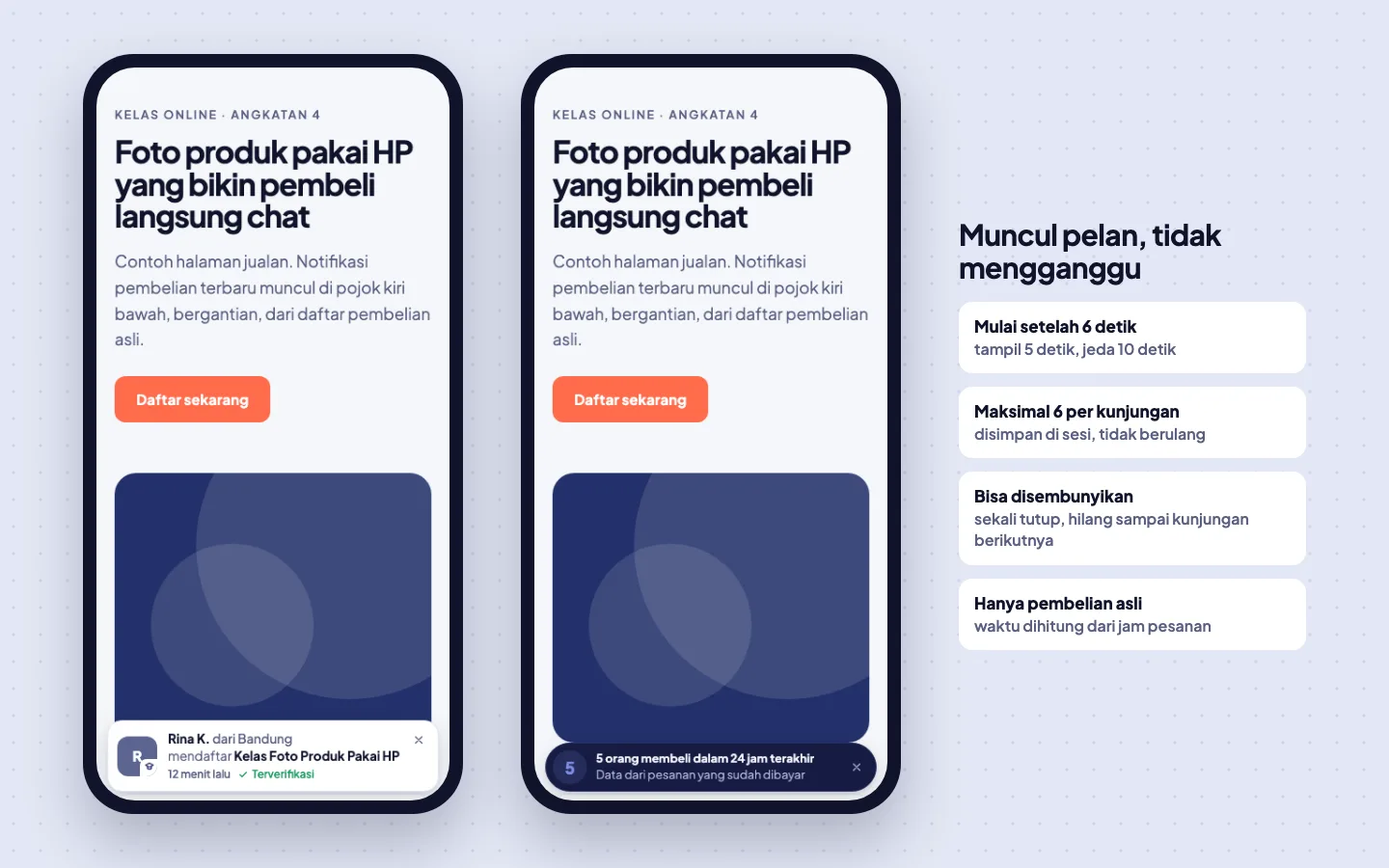
- Adjustable timing, a per-visit cap, a dismiss button, pauses on hover
- 2 styles (card, pill), 3 palettes (indigo, night, sand), left or right corner, bottom centre on phones
- A check mode ?statis=1&tampil=N and ?sekarang= for screenshots and checking the time labels
Good fit
- Landing pages for courses, ebooks, templates, or physical products with regular sales
- Pre-order or enrolment periods when visitors need to see others have joined
- Shops that can refresh an order list or have a JSON feed from their store system
- Sales pages needing social proof without taking up space
Not for
- It never shows fake purchases; without real data no popups appear
- It never shows phone numbers, emails, full addresses, or per person amounts
- Time labels come from the order time and must not be typed by hand
- Not an order notification video for content
About this skill
/notifikasi-pembelian-terbaru Build recent purchase popups for our course sales page from 20 real orders I will paste, names masked, at most 6 popups per visit, card style at bottom left
Show more
Small popups in the corner of a sales page that show recent purchases in turn: the buyer's name masked automatically (Rina K.), city, the product bought or course joined, a time worked out from the real order time, a verified tick or review stars, plus one summary of how many people bought in the last 24 hours, counted from the data. The data comes from your real order list or your shop's JSON feed, is capped at a few per visit, can be dismissed by visitors, and pauses on hover. Two styles, three palettes, one paste-safe snippet.
User reviews
FAQ
Where does the order data come from?
From an order list in the file with name, city, product, type, and order time, or from your store's https JSON feed. If the feed fails, the file data is used, and orders older than the age limit are dropped.
How are buyer names masked?
By default as first name and initial like Rina K., or starred like R***a. Full names only with the buyer's permission, and the city is just the city name.
When does the 24 hour summary appear?
Only when there are at least 3 orders in the last 24 hours, and the number is calculated from data, not typed. Timing, maximum per visit, and left or right position are adjustable.
Which AI can I use it with?
Copy the prompt into a chat AI (ChatGPT, Claude, Gemini, DeepSeek); or download the ZIP and install it in an AI agent (Claude Code, Codex, Antigravity, Hermes Agent, Cursor, GitHub Copilot, Gemini CLI, OpenCode, Kimi Code, Trae), which then builds the files for you.
What is in the ZIP?
One folder named notifikasi-pembelian-terbaru with SKILL.md (the instructions an AI agent reads) and the prompt, 5 files in all. Extract it into your agent's skills folder, or install it with npx skillflow-ai add notifikasi-pembelian-terbaru. Pro only.
Is there a per-use fee or credits?
Not from SkillFlow. The skill runs on the AI you already use, so any cost follows that plan.
Which plan includes it?
SkillFlow Pro. It opens every skill in every category.
Can I use my own colours and brand?
Yes. Pick a colour theme on this page, or fill in your brand profile once; both go into the prompt you copy and into the ZIP.
Can I share what I made?
Pro members can upload the result and get a page at share.skillflow.ai.id to send to anyone. The page carries a small "Made with SkillFlow AI" mark.
Is there a download limit?
Yes, per day: 50 skills on Pro, 10 on other plans. Downloading a skill again on the same day does not count.



