

Rendered sample video
SKILL.md contents
Premium subscribers can read, copy, and install this skill.
Unlock with Premium Sign inLive Shopping Overlay
Description
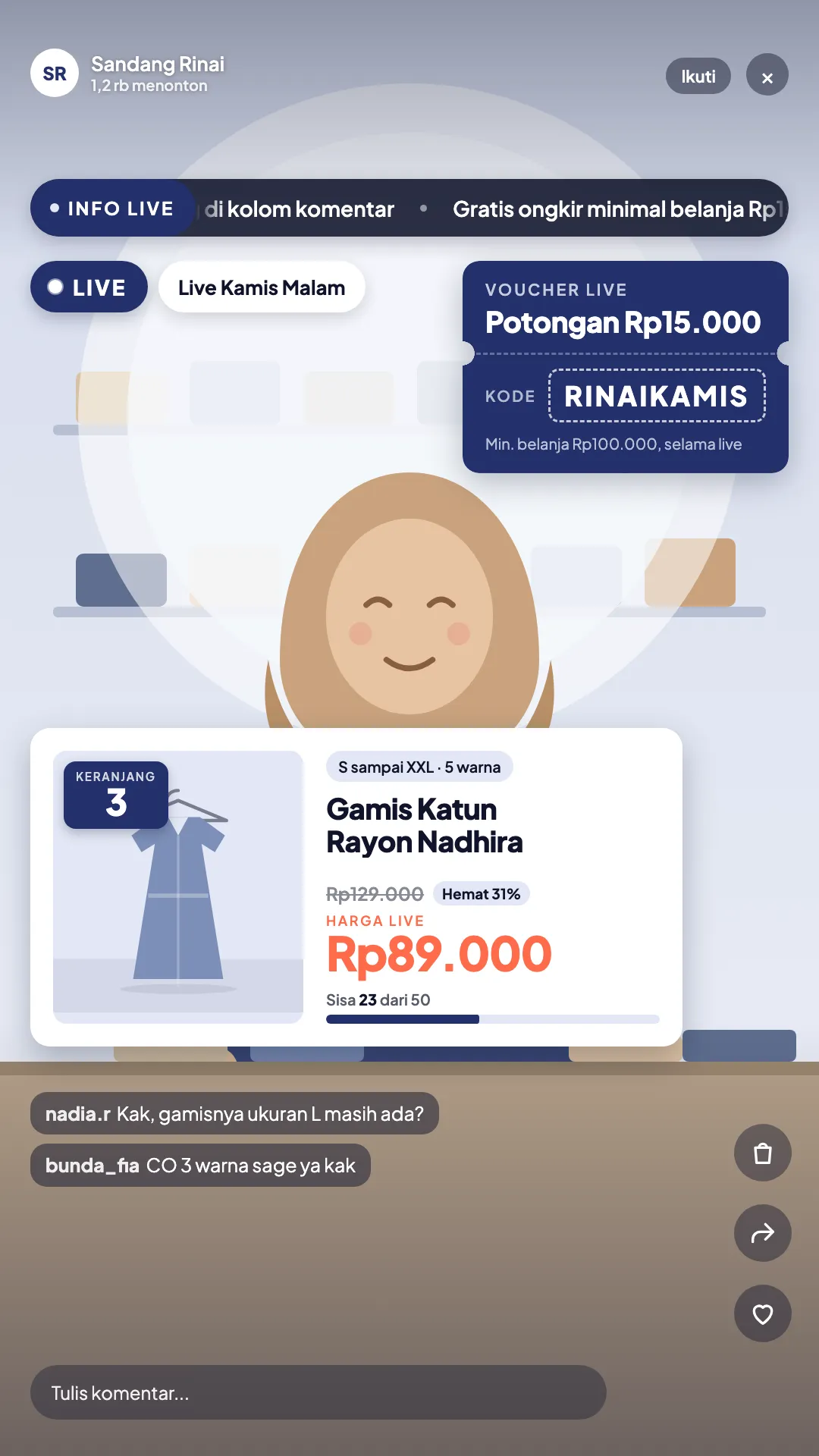
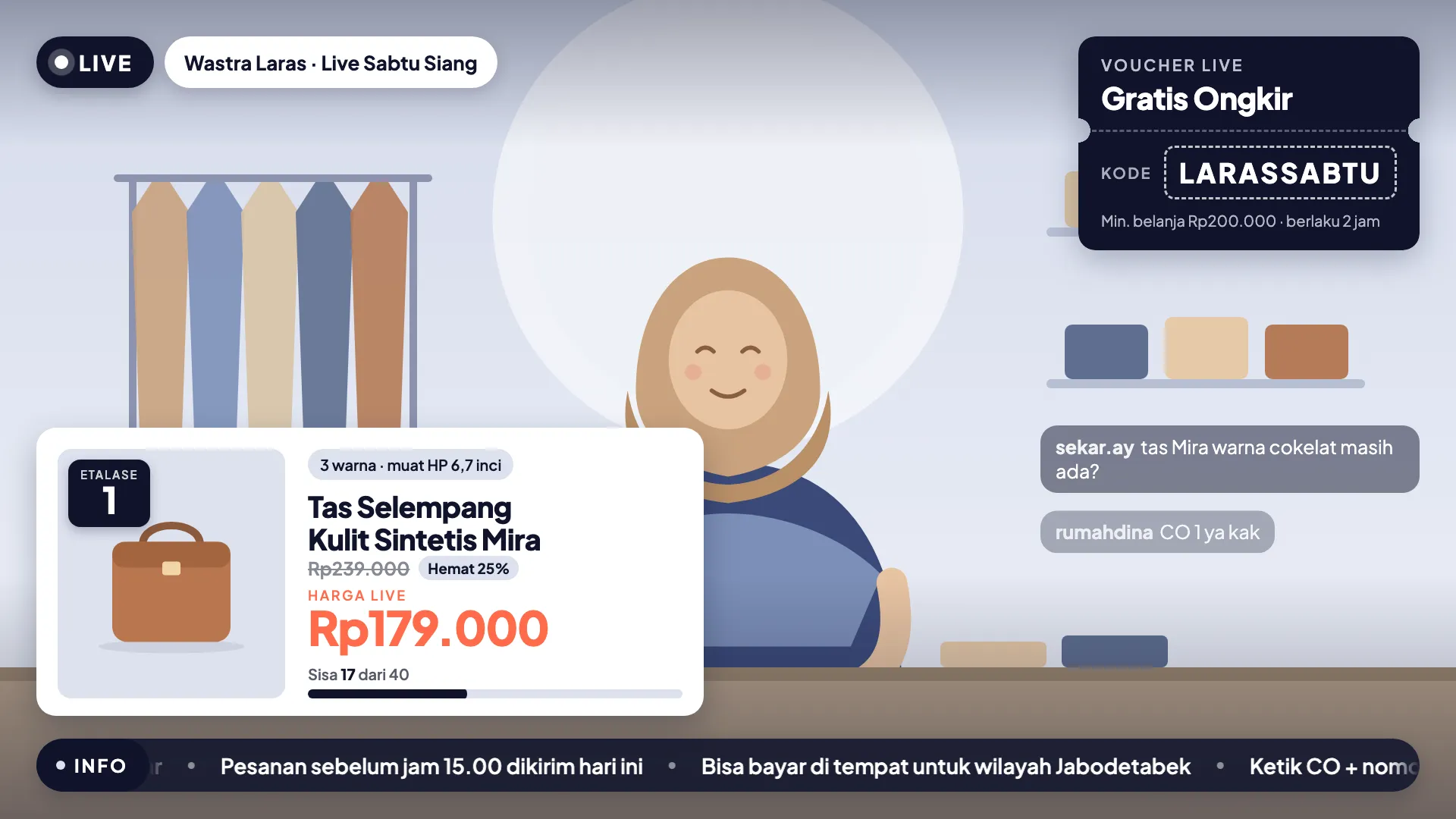
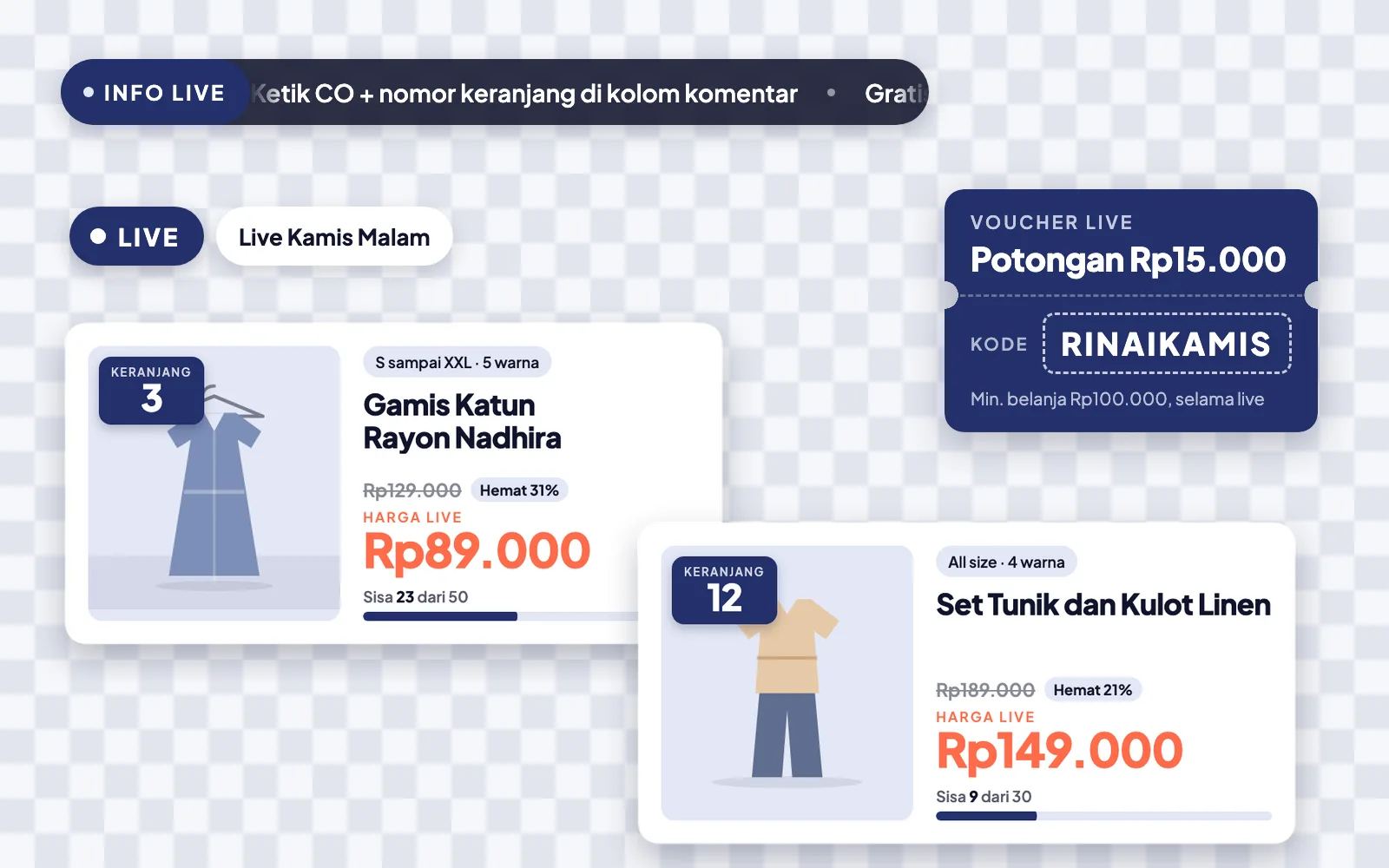
A transparent overlay for live selling streams: a product card with basket number, struck-through price, live price and units left that cycles through products, a voucher code ticket, a pulsing LIVE badge, and a scrolling info ticker. Comes in 9:16 for phone streams (clear of the comment and button zones) and 16:9 for laptop streams, and can loop seamlessly. Exports to video with alpha (MOV/WebM), transparent PNGs per element, or a green-screen MP4 for chroma key, or runs directly as a browser source.
Verified by SkillFlow
We checked every file in this skill automatically: no command that downloads and runs a program, no hidden code, no instruction telling your AI to ignore you.
Good to know: Starts programs on the computer (files/ekspor-overlay.mjs) . These are tools that run on your own computer when you ask your agent to use them.
- Loads from outside
- Fonts: Google Fonts
See the 7 files inside
skill.json9 KBSKILL.md10 KBprompt.md7 KBprompt.en.md7 KBfiles/contoh-etalase-16x9.html35 KBfiles/ekspor-overlay.mjs5 KBfiles/overlay.html36 KB
Checked 14 Nov 2026
Part of SkillFlow Pro
Pro opens every skill in every category: copy, ZIP, Send to AI, install, save, and request new skills.
Get Pro Already subscribed? Sign inWhat you get
- Overlay copy: 1-4 products, voucher, session name, 2-5 ticker lines
- A transparent HTML overlay driven by one config object, ready as a browser source
- Transparent MOV ProRes 4444 or WebM VP9 video through an export script
- Transparent PNGs per element (each product, voucher, badge, ticker) + one full-frame PNG
- A green-screen MP4 for chroma key and a preview MP4 over a sample stream
- 9:16 (1080x1920) and 16:9 (1920x1080), seamless loop mode, 3 palettes
Good fit
- Live sellers of fashion, skincare, snacks, and homewares streaming from a phone or laptop
- Sellers who call out basket numbers and want the number and price always visible
- Shops giving vouchers just for live viewers or running flash sales on air
- Stream operators using a browser source, transparent video, or chroma key
Not for
- Not a standalone ad; the overlay sits on top of your stream
- Plain MP4 cannot be transparent; use HTML, MOV, WebM, PNG, or green screen
- It does not copy the logos, icons, or layout of any live selling app
- It is not connected to your stock or basket; you enter remaining stock yourself
About this skill
/overlay-live-shopping Make a live selling overlay for our Thursday night show, 3 products with basket numbers, normal and live prices, a 15,000 off voucher code, and a scrolling how to order ticker, in 9:16
Show more
A transparent overlay for live selling streams: a product card with basket number, struck-through price, live price and units left that cycles through products, a voucher code ticket, a pulsing LIVE badge, and a scrolling info ticker. Comes in 9:16 for phone streams (clear of the comment and button zones) and 16:9 for laptop streams, and can loop seamlessly. Exports to video with alpha (MOV/WebM), transparent PNGs per element, or a green-screen MP4 for chroma key, or runs directly as a browser source.
User reviews
FAQ
Which format do I use for live from a phone?
Phone live apps usually only take images or stickers, so use the transparent PNG per element plus one full screen PNG. From a laptop, the HTML file can be a browser source directly without rendering.
Is the savings percent calculated for me?
Yes, from the normal price and the live price. If the live price is not lower, the crossed out price row is hidden. Keep voucher codes to 12 characters or fewer so they stay large.
Can it loop throughout the stream?
Yes. Loop mode drops the intro animation so the last frame meets the first seamlessly. Each layer, the ticker, LIVE badge, voucher, and product cards, can be turned on or off.
Which AI can I use it with?
Copy the prompt into a chat AI (ChatGPT, Claude, Gemini, DeepSeek): you get an HTML file; open it in Chrome and press Download MP4 (silent video, a minute or two to render); or download the ZIP and install it in an AI agent (Claude Code, Codex, Antigravity, Hermes Agent, Cursor, GitHub Copilot, Gemini CLI, OpenCode, Kimi Code, Trae), which then builds the files for you.
What is in the ZIP?
One folder named overlay-live-shopping with SKILL.md (the instructions an AI agent reads) and the prompt, 7 files in all. Extract it into your agent's skills folder, or install it with npx skillflow-ai add overlay-live-shopping. Pro only.
Is there a per-use fee or credits?
Not from SkillFlow. The skill runs on the AI you already use, so any cost follows that plan.
Which plan includes it?
SkillFlow Pro. It opens every skill in every category.
Can I use my own colours and brand?
Yes. Pick a colour theme on this page, or fill in your brand profile once; both go into the prompt you copy and into the ZIP.
Can I share what I made?
Pro members can upload the result and get a page at share.skillflow.ai.id to send to anyone. The page carries a small "Made with SkillFlow AI" mark.
Is there a download limit?
Yes, per day: 50 skills on Pro, 10 on other plans. Downloading a skill again on the same day does not count.



