

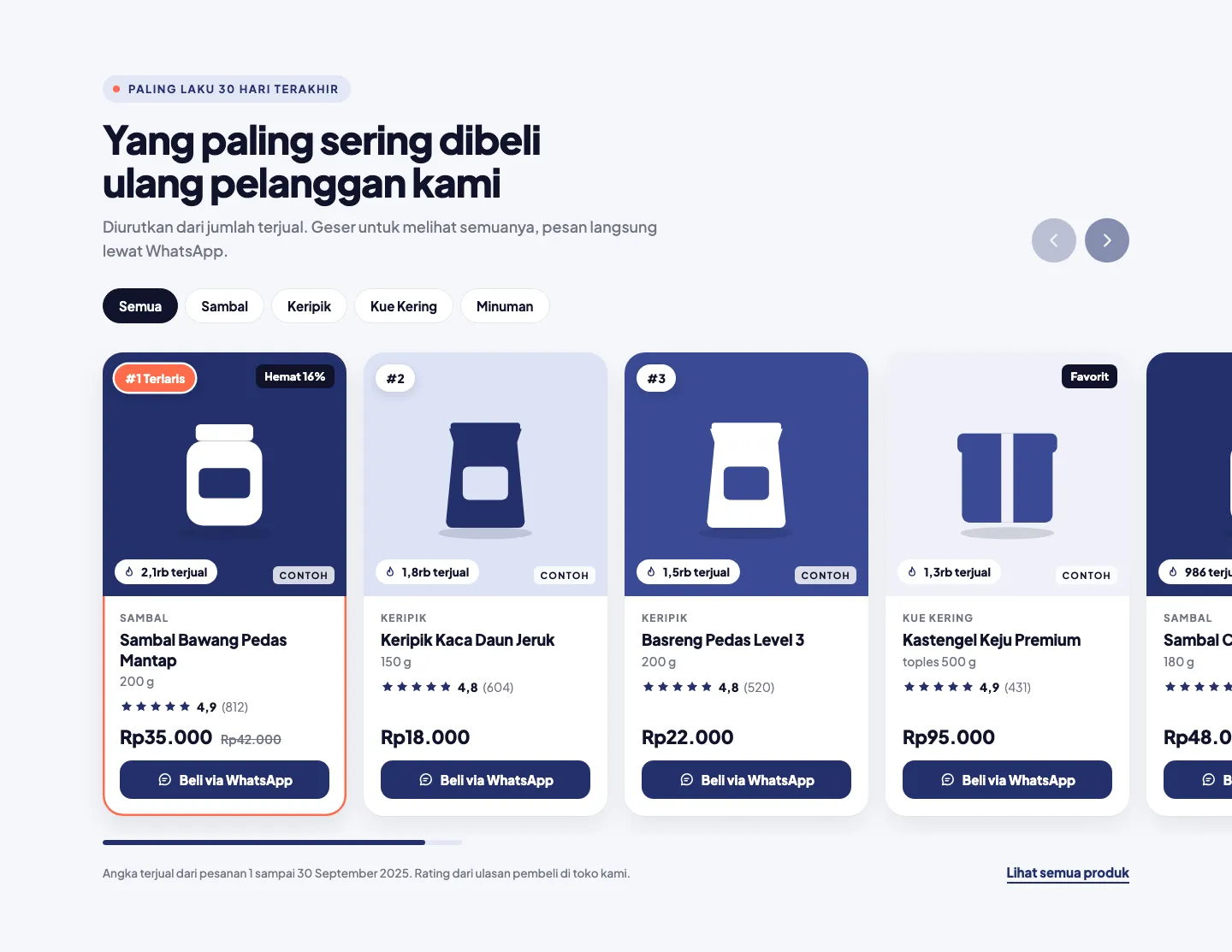
Indigo city palette: products sorted by units sold, a #1 best seller badge, category chips
SKILL.md contents
Premium subscribers can read, copy, and install this skill.
Unlock with Premium Sign inBest Sellers Carousel (Section)
Description
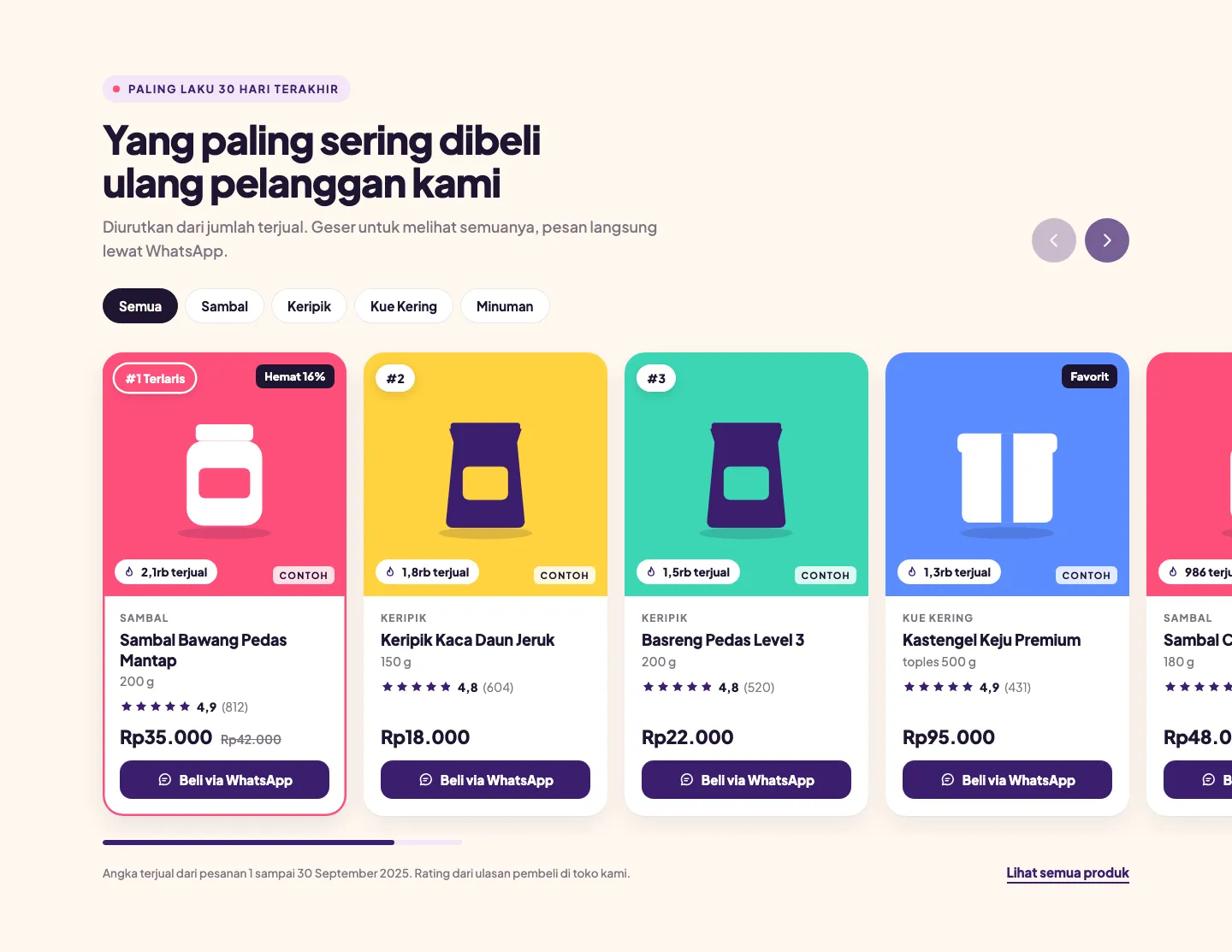
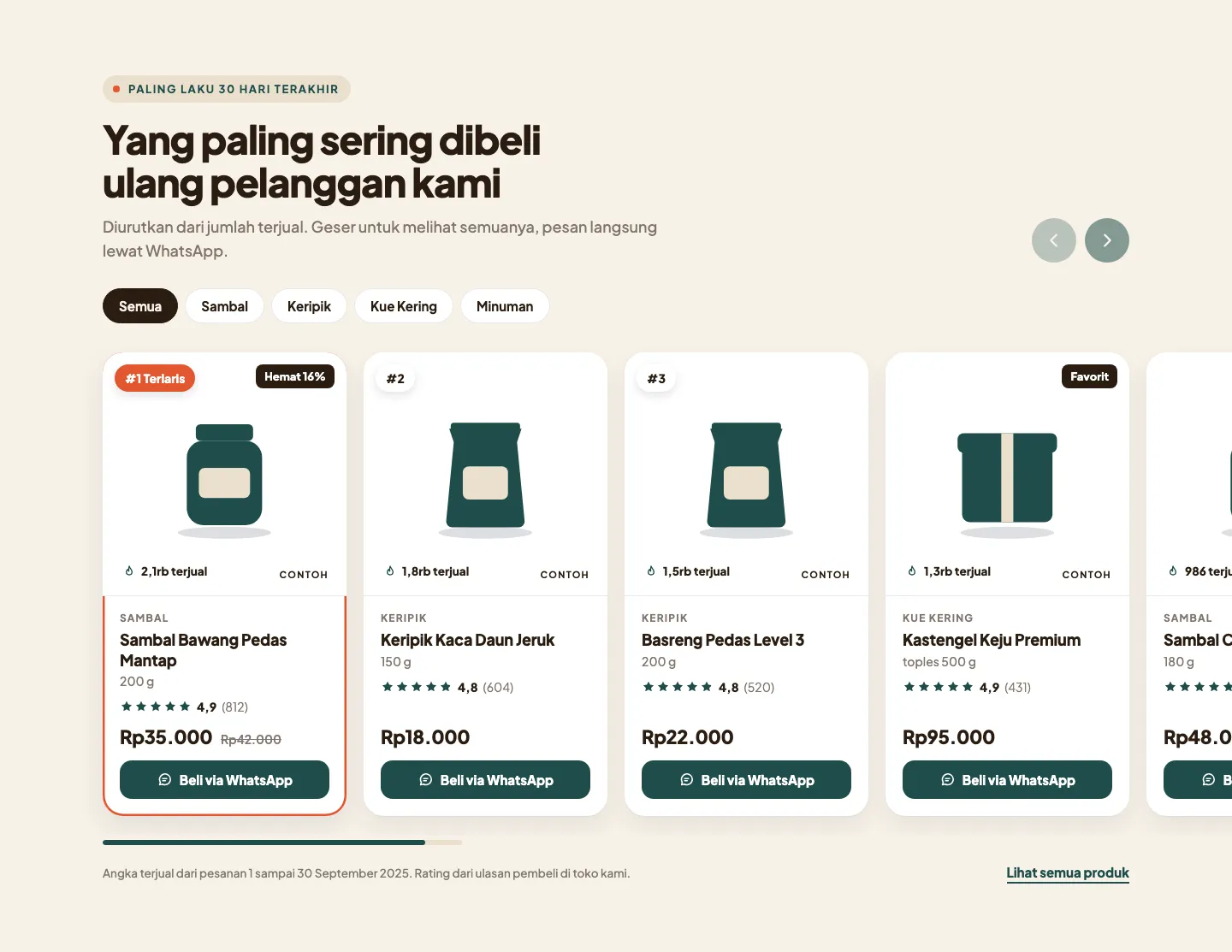
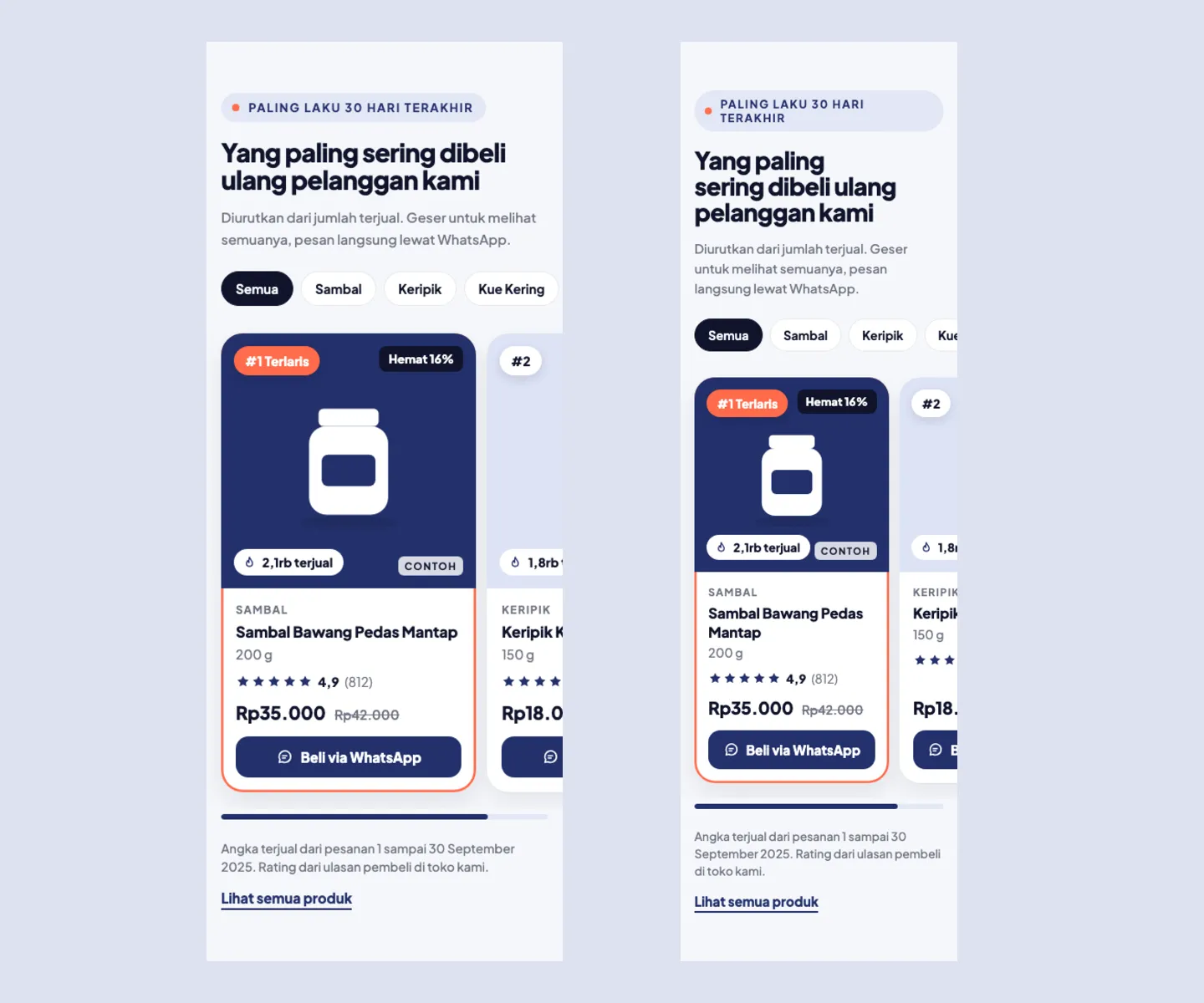
A best sellers carousel section for online shops: product cards on bold colour blocks that slide sideways, sorted by units sold, #1 to #3 rank badges, sold labels in the 2.1k style, star ratings with review counts, crossed out prices with an automatic savings percentage, category chips, and a buy button that opens WhatsApp naming the product, variant, and price. Three palettes, two card styles, arrows, a position bar, optional autoplay, and a source note. One HTML file that is safe to paste into any landing page.
Verified by SkillFlow
We checked every file in this skill automatically: no command that downloads and runs a program, no hidden code, no instruction telling your AI to ignore you.
- Loads from outside
- Fonts: Google Fonts
See the 5 files inside
skill.json10 KBSKILL.md8 KBprompt.md4 KBprompt.en.md4 KBfiles/produk-terlaris.html25 KB
Checked 14 Nov 2026
Part of SkillFlow Pro
Pro opens every skill in every category: copy, ZIP, Send to AI, install, save, and request new skills.
Get Pro Already subscribed? Sign inWhat you get
- A one-file HTML carousel section, scoped CSS so it is safe to paste into other pages
- Product cards sorted by units sold, #1 to #3 rank badges, sold labels in the 2.1k style
- Precise star ratings (4.8 shows as 96%), crossed out prices, and an automatic savings percentage
- Category filter chips, arrow buttons, a position bar, swipe and keyboard scrolling
- A buy button to WhatsApp with a message naming the product, variant, and price
- 3 palettes (indigo city, candy, market), 2 card styles, and plain sample shapes until photos are ready
Good fit
- Online shops selling through WhatsApp that want to push their best sellers
- Shop landing pages or link in bio pages needing a product row without a cart
- Sellers with sales and review records who want them shown neatly
- Promo pages wanting proof of popularity above the full catalogue
Not for
- Not a cart or checkout; each button opens a WhatsApp chat for one product
- It does not invent units sold, ratings, or reviews; every number must come from shop records
- It does not pull data from marketplaces; numbers are typed into the config object
- It does not photograph products; sample images are plain shapes until real photos are ready
About this skill
/produk-terlaris-bergeser Build a best sellers section for our snack shop, 8 products with units sold over the last 30 days, real ratings and review counts, 2 discounted items, category filters, and a buy button through WhatsApp
Show more
A best sellers carousel section for online shops: product cards on bold colour blocks that slide sideways, sorted by units sold, #1 to #3 rank badges, sold labels in the 2.1k style, star ratings with review counts, crossed out prices with an automatic savings percentage, category chips, and a buy button that opens WhatsApp naming the product, variant, and price. Three palettes, two card styles, arrows, a position bar, optional autoplay, and a source note. One HTML file that is safe to paste into any landing page.
User reviews
FAQ
How are units sold shown?
Write the real number, such as 2140. The section shows 2.1k sold and always rounds down, so it never overstates. Mention the counting period in the source note, such as the last 30 days.
How are products ordered?
By default automatically from the most units sold, and the top three get #1 to #3 badges. For your own order choose manual sorting; the number of badges can be changed or turned off.
What does the WhatsApp message say?
It follows a pattern you can edit, such as Hi Nara Snacks, I would like to order Garlic Chilli Sauce (200 g) at the listed price. Local numbers starting with 0 are converted, so the admin knows straight away which product is being asked about.
Which AI can I use it with?
Copy the prompt into a chat AI (ChatGPT, Claude, Gemini, DeepSeek); or download the ZIP and install it in an AI agent (Claude Code, Codex, Antigravity, Hermes Agent, Cursor, GitHub Copilot, Gemini CLI, OpenCode, Kimi Code, Trae), which then builds the files for you.
What is in the ZIP?
One folder named produk-terlaris-bergeser with SKILL.md (the instructions an AI agent reads) and the prompt, 5 files in all. Extract it into your agent's skills folder, or install it with npx skillflow-ai add produk-terlaris-bergeser. Pro only.
Is there a per-use fee or credits?
Not from SkillFlow. The skill runs on the AI you already use, so any cost follows that plan.
Which plan includes it?
SkillFlow Pro. It opens every skill in every category.
Can I use my own colours and brand?
Yes. Pick a colour theme on this page, or fill in your brand profile once; both go into the prompt you copy and into the ZIP.
Can I share what I made?
Pro members can upload the result and get a page at share.skillflow.ai.id to send to anyone. The page carries a small "Made with SkillFlow AI" mark.
Is there a download limit?
Yes, per day: 50 skills on Pro, 10 on other plans. Downloading a skill again on the same day does not count.



