

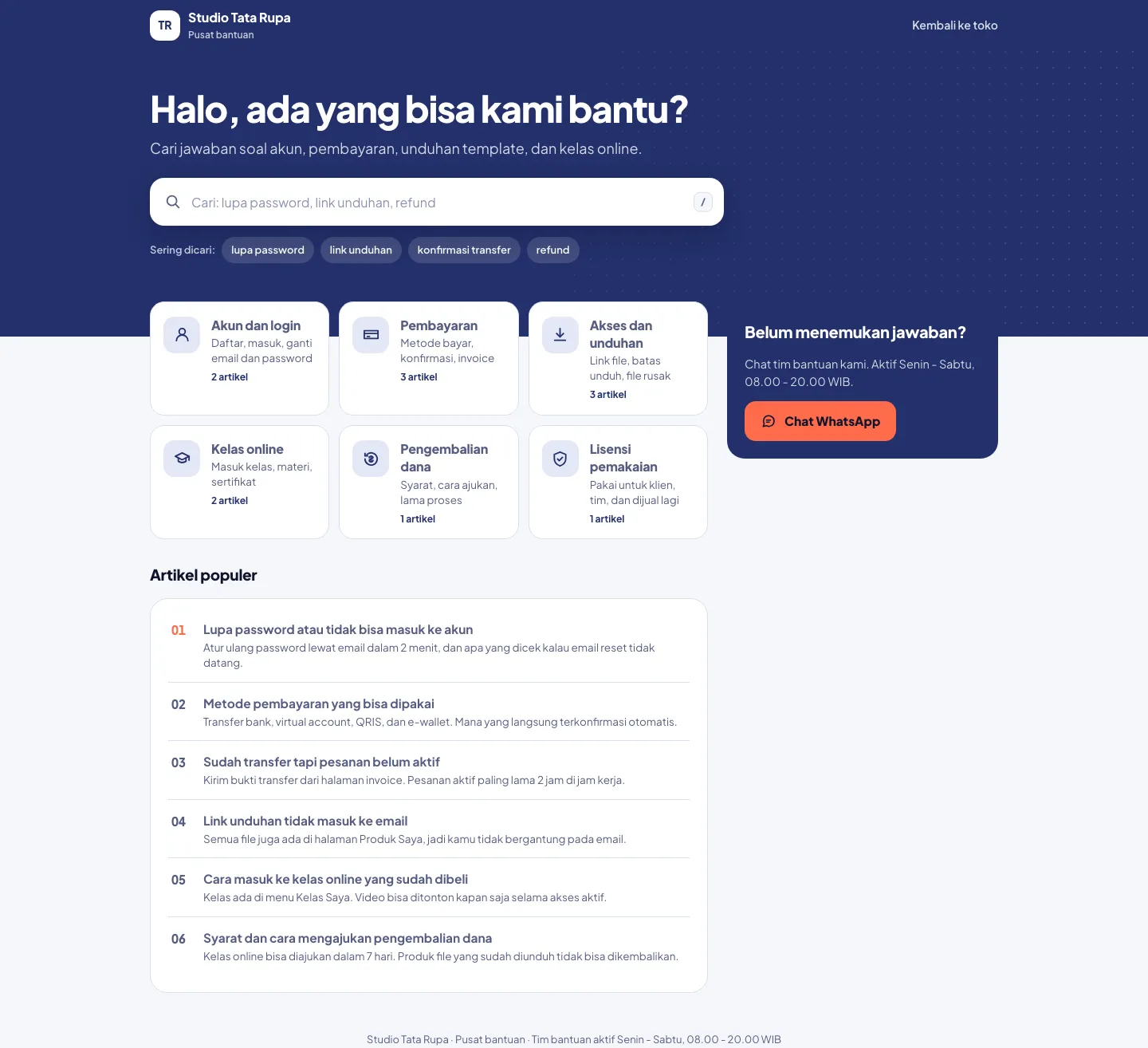
Wide screen: a big search box, categories with article counts, popular articles, a chat card
SKILL.md contents
Premium subscribers can read, copy, and install this skill.
Unlock with Premium Sign inHelp Center
Description
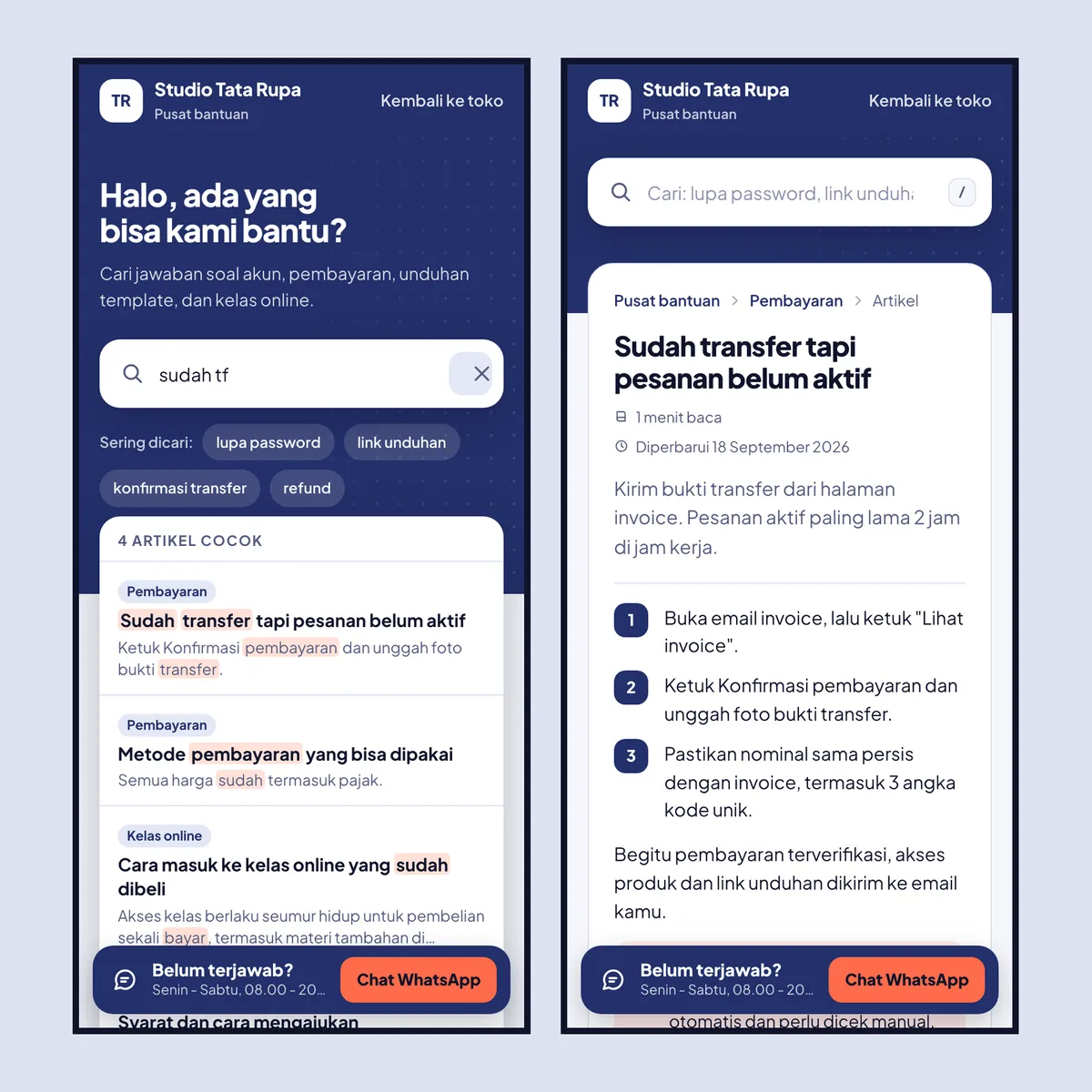
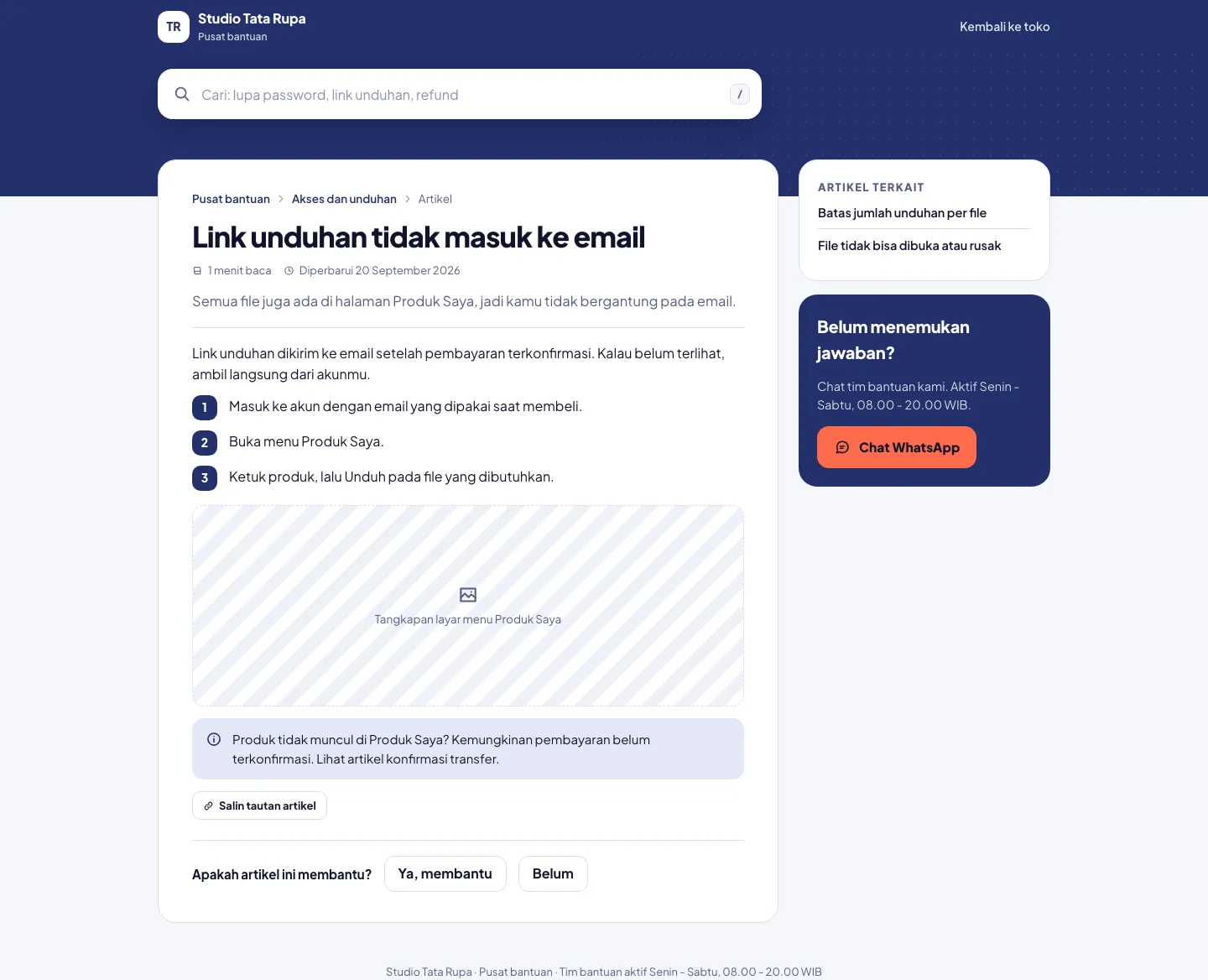
A help center page for digital product shops, online courses, or online stores: a search box that really searches article content in the browser (it understands synonyms such as tf and transfer and highlights matches), category cards, popular articles, then articles that open on the same page with numbered steps, info and warning boxes, a table of contents, related articles, and a was-this-helpful question. Anything unanswered goes to WhatsApp with a message holding the search words or the article title. Every article has its own address for support staff to send in chat.
Verified by SkillFlow
We checked every file in this skill automatically: no command that downloads and runs a program, no hidden code, no instruction telling your AI to ignore you.
- Loads from outside
- Fonts: Google Fonts
See the 5 files inside
skill.json10 KBSKILL.md7 KBprompt.md5 KBprompt.en.md5 KBfiles/bantuan.html47 KB
Checked 14 Nov 2026
Part of SkillFlow Pro
Pro opens every skill in every category: copy, ZIP, Send to AI, install, save, and request new skills.
Get Pro Already subscribed? Sign inWhat you get
- A one-file HTML page driven by one content object (categories, articles, synonyms, WhatsApp)
- Client-side search: synonyms, filler words dropped, matches highlighted, keyboard navigation, / shortcut
- In-page articles: numbered steps, bullet points, info and warning boxes, screenshot placeholders
- Direct addresses per article and category (#/artikel/...), plus ?q= for a prefilled search
- A was-this-helpful prompt and a WhatsApp button holding the search words or the article title
- Table of contents and related articles on wide screens, a sticky chat bar at the bottom on phones
- 3 palettes (indigo, sea, leaf)
Good fit
- Template, ebook, preset, or online course shops getting the same questions repeatedly
- Online shops wanting one guide page for shipping, returns, and payment
- Communities or subscription services needing a member guide
- Support teams who want to send a link to one article
Not for
- Not a short FAQ section; for fewer than 10 short Q&As use the FAQ section
- Not a chatbot; search matches words and synonyms in the articles
- It needs no server or database and does not store reader feedback
- Screenshot placeholders need real images where required
About this skill
/pusat-bantuan Build a help centre for our template shop, 14 articles in 5 categories such as forgotten password, transfer confirmation, and download links, buyer term synonyms, and a support chat button to WhatsApp
Show more
A help center page for digital product shops, online courses, or online stores: a search box that really searches article content in the browser (it understands synonyms such as tf and transfer and highlights matches), category cards, popular articles, then articles that open on the same page with numbered steps, info and warning boxes, a table of contents, related articles, and a was-this-helpful question. Anything unanswered goes to WhatsApp with a message holding the search words or the article title. Every article has its own address for support staff to send in chat.
User reviews
FAQ
How do I write article titles people can find?
Write them the way buyers ask or complain, like paid but my order is not active, not internal jargon, up to about 70 characters. Put other likely search words in the keyword list, not the title.
Which links can the support team share?
Every article and category has its own address, such as help.html#/artikel/forgot-password or #/kategori/payment, and ?q=refund opens a prefilled search. Do not change article ids after links have spread.
Search does not find the right article, what should I do?
Test with 5 to 10 real buyer phrases. If the right article does not show near the top, add keywords or synonyms such as pay, transfer, and tf, rather than stuffing the title with keywords.
Which AI can I use it with?
Copy the prompt into a chat AI (ChatGPT, Claude, Gemini, DeepSeek); or download the ZIP and install it in an AI agent (Claude Code, Codex, Antigravity, Hermes Agent, Cursor, GitHub Copilot, Gemini CLI, OpenCode, Kimi Code, Trae), which then builds the files for you.
What is in the ZIP?
One folder named pusat-bantuan with SKILL.md (the instructions an AI agent reads) and the prompt, 5 files in all. Extract it into your agent's skills folder, or install it with npx skillflow-ai add pusat-bantuan. Pro only.
Is there a per-use fee or credits?
Not from SkillFlow. The skill runs on the AI you already use, so any cost follows that plan.
Which plan includes it?
SkillFlow Pro. It opens every skill in every category.
Can I use my own colours and brand?
Yes. Pick a colour theme on this page, or fill in your brand profile once; both go into the prompt you copy and into the ZIP.
Can I share what I made?
Pro members can upload the result and get a page at share.skillflow.ai.id to send to anyone. The page carries a small "Made with SkillFlow AI" mark.
Is there a download limit?
Yes, per day: 50 skills on Pro, 10 on other plans. Downloading a skill again on the same day does not count.



