

Rendered sample video
SKILL.md contents
Premium subscribers can read, copy, and install this skill.
Unlock with Premium Sign inAffiliate Commission Recap
Description
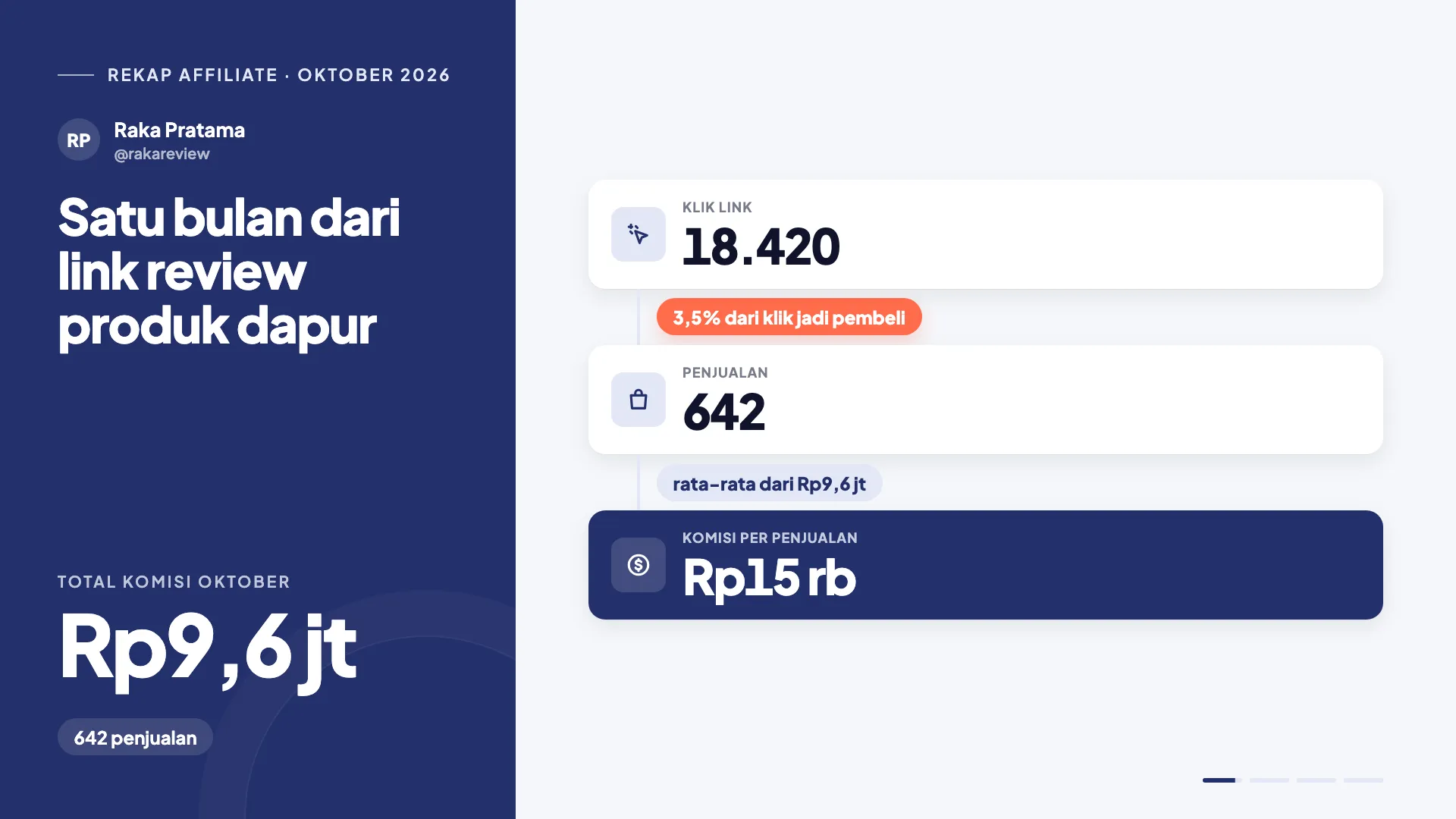
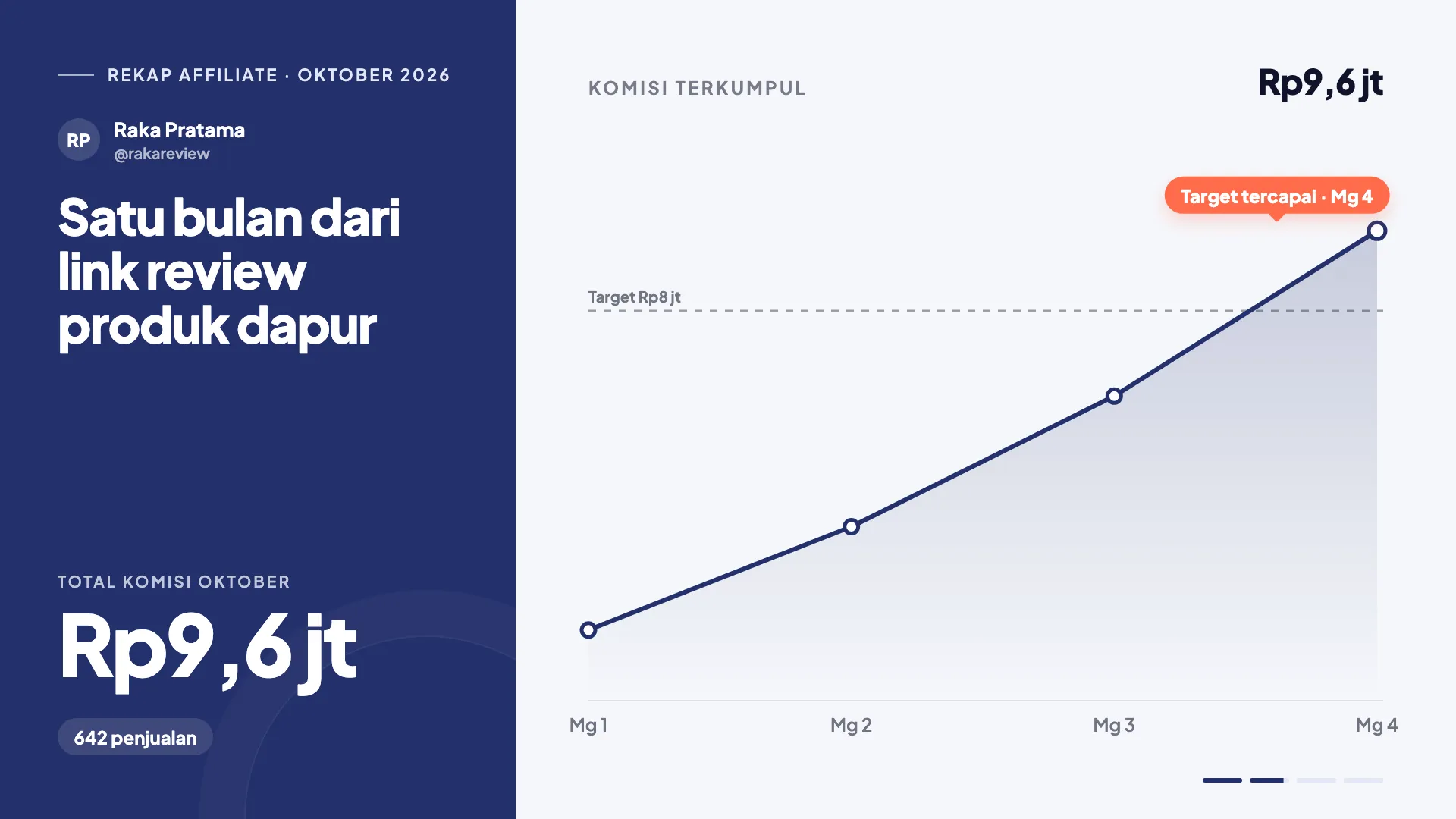
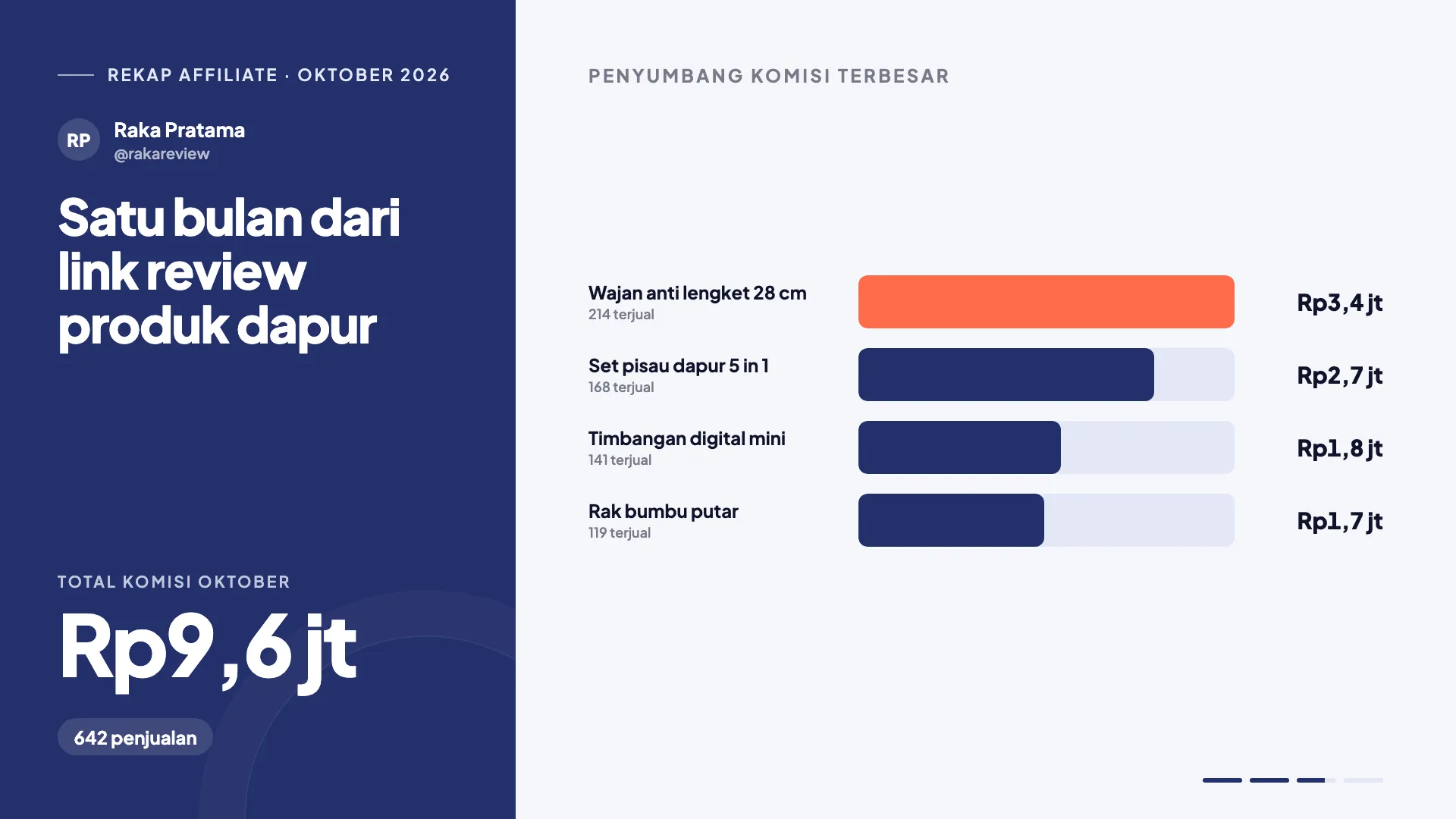
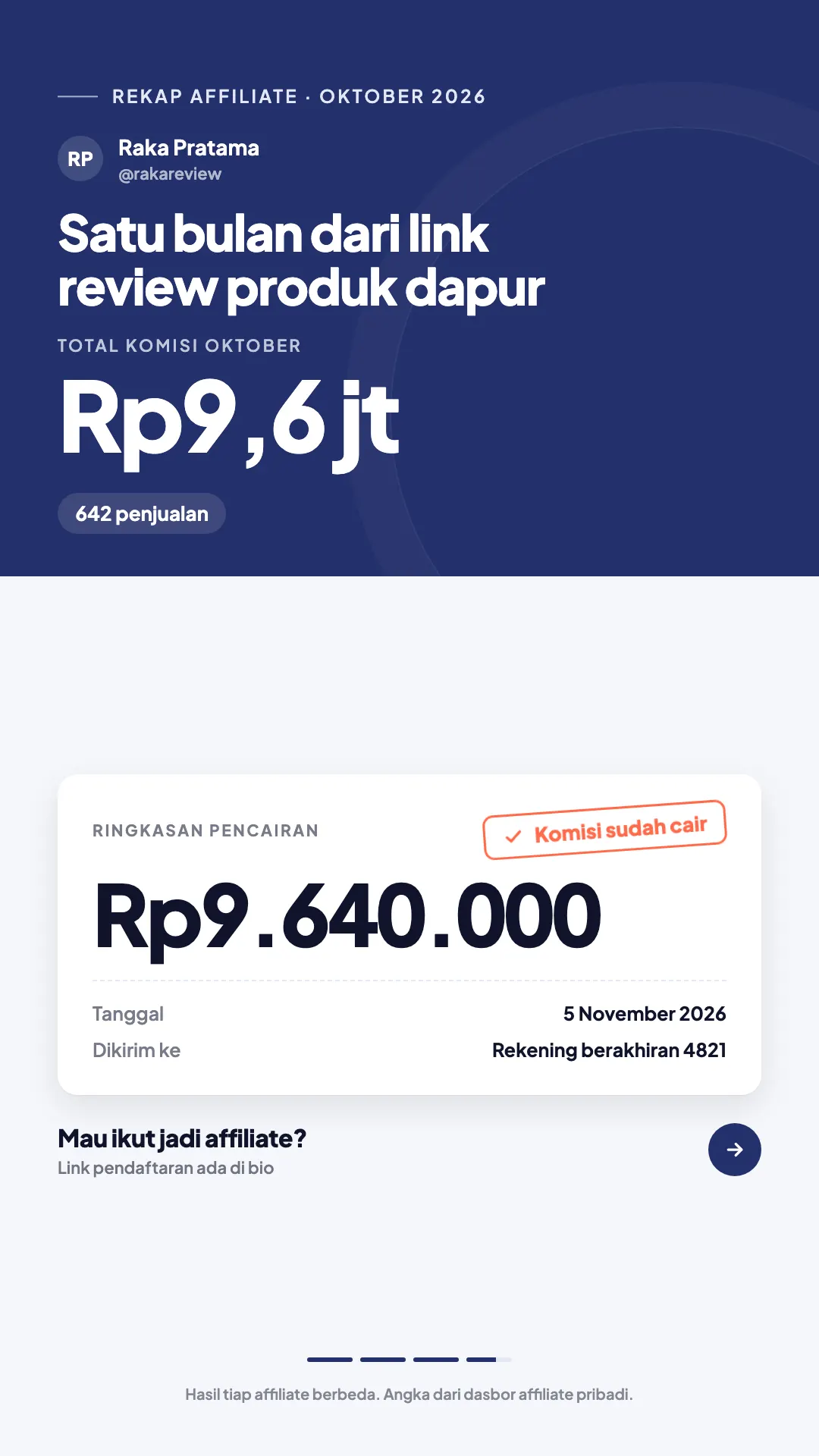
A 15 to 20 second proof-of-results video for affiliates: a panel with the name and a total commission that counts up, then four beats in a row. A click-to-sale funnel with the conversion rate and commission per sale, a cumulative weekly commission chart that crosses a target line, the top commission-earning products as horizontal bars, and a payout summary with a paid stamp plus an invitation to join as an affiliate. Every number comes from one data object, rates and averages are worked out for you, in 16:9 and 9:16, rendered to MP4 with one command.
Verified by SkillFlow
We checked every file in this skill automatically: no command that downloads and runs a program, no hidden code, no instruction telling your AI to ignore you.
- Loads from outside
- Fonts: Google Fonts
See the 5 files inside
skill.json9 KBSKILL.md8 KBprompt.md5 KBprompt.en.md6 KBfiles/scene.html35 KB
Checked 14 Nov 2026
Part of SkillFlow Pro
Pro opens every skill in every category: copy, ZIP, Send to AI, install, save, and request new skills.
Get Pro Already subscribed? Sign inWhat you get
- A data script: title, clicks, sales, commission, 3-10 periods, a target, 1-5 products, payout
- A four-beat animated HTML scene with a total commission panel that stays on screen
- Conversion rate, commission per sale, and target progress worked out for you
- Automatic data checks: periods vs total, sales vs clicks, product commission vs total
- MP4 1920x1080 (16:9) or 1080x1920 (9:16), 30 fps, 15-20 seconds
- 3 ready palettes, compact or full money format
Good fit
- Affiliates making monthly or weekly recap content for Reels, TikTok, or Stories
- Affiliates reporting to a team, mentor, or community
- Programme owners recruiting new affiliates with data from an affiliate who consented
- Creators who want to show where commission came from, not just how much
Not for
- It does not invent or round numbers; everything comes from your affiliate dashboard
- The paid stamp appears only if commission was actually paid; it does not imitate transfer receipts or bank logos
- Not a multi affiliate leaderboard or a shop revenue report
- It does not promise viewers income; the results vary note stays in
About this skill
/rekap-komisi-affiliate Make my October affiliate commission recap from kitchen product review links, 4,820 clicks, 168 sales, weekly commission, a monthly target, 4 top products, and the payout already received, in 9:16
Show more
A 15 to 20 second proof-of-results video for affiliates: a panel with the name and a total commission that counts up, then four beats in a row. A click-to-sale funnel with the conversion rate and commission per sale, a cumulative weekly commission chart that crosses a target line, the top commission-earning products as horizontal bars, and a payout summary with a paid stamp plus an invitation to join as an affiliate. Every number comes from one data object, rates and averages are worked out for you, in 16:9 and 9:16, rendered to MP4 with one command.
User reviews
FAQ
What data do I need?
The period, total clicks, total sales, total commission, and commission per week or day from your dashboard. If you paste a screenshot, the numbers are read and shown back to you for checking.
My commission has not been paid yet, what about the last part?
Leave the payout status empty and the last card becomes a total summary with no stamp. Pending commission must never get the paid stamp.
What gets checked automatically?
Commission per period must add up to the total, sales cannot exceed clicks, and product commission cannot exceed the total. A warning shows if the numbers do not match.
Which AI can I use it with?
Copy the prompt into a chat AI (ChatGPT, Claude, Gemini, DeepSeek): you get an HTML file; open it in Chrome and press Download MP4 (silent video, a minute or two to render); or download the ZIP and install it in an AI agent (Claude Code, Codex, Antigravity, Hermes Agent, Cursor, GitHub Copilot, Gemini CLI, OpenCode, Kimi Code, Trae), which then builds the files for you.
What is in the ZIP?
One folder named rekap-komisi-affiliate with SKILL.md (the instructions an AI agent reads) and the prompt, 5 files in all. Extract it into your agent's skills folder, or install it with npx skillflow-ai add rekap-komisi-affiliate. Pro only.
Is there a per-use fee or credits?
Not from SkillFlow. The skill runs on the AI you already use, so any cost follows that plan.
Which plan includes it?
SkillFlow Pro. It opens every skill in every category.
Can I use my own colours and brand?
Yes. Pick a colour theme on this page, or fill in your brand profile once; both go into the prompt you copy and into the ZIP.
Can I share what I made?
Pro members can upload the result and get a page at share.skillflow.ai.id to send to anyone. The page carries a small "Made with SkillFlow AI" mark.
Is there a download limit?
Yes, per day: 50 skills on Pro, 10 on other plans. Downloading a skill again on the same day does not count.



