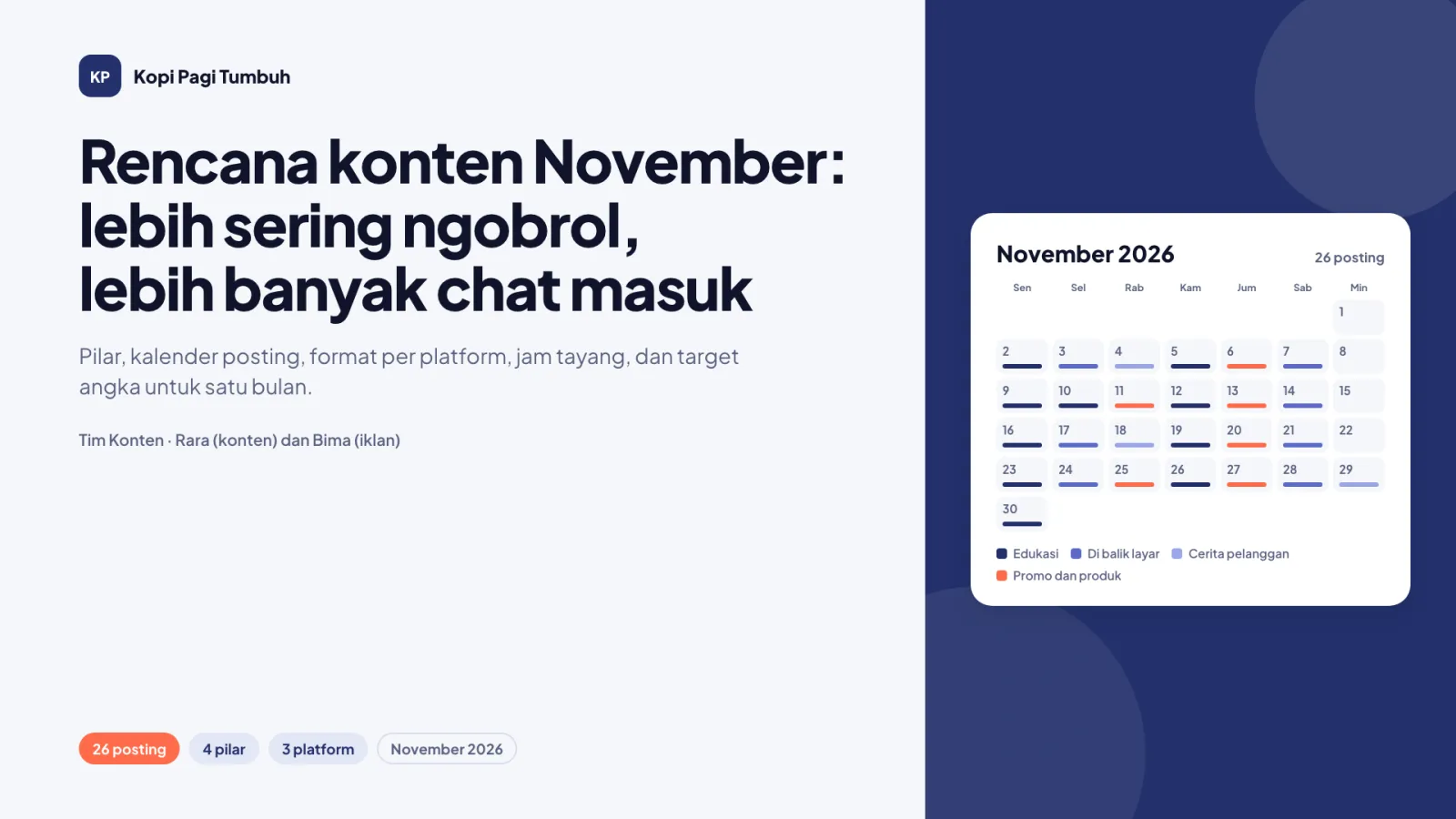
Cover with a mini calendar coloured by pillar and the post count
SKILL.md contents
Premium subscribers can read, copy, and install this skill.
Unlock with Premium Sign inMonthly Content Plan
Description
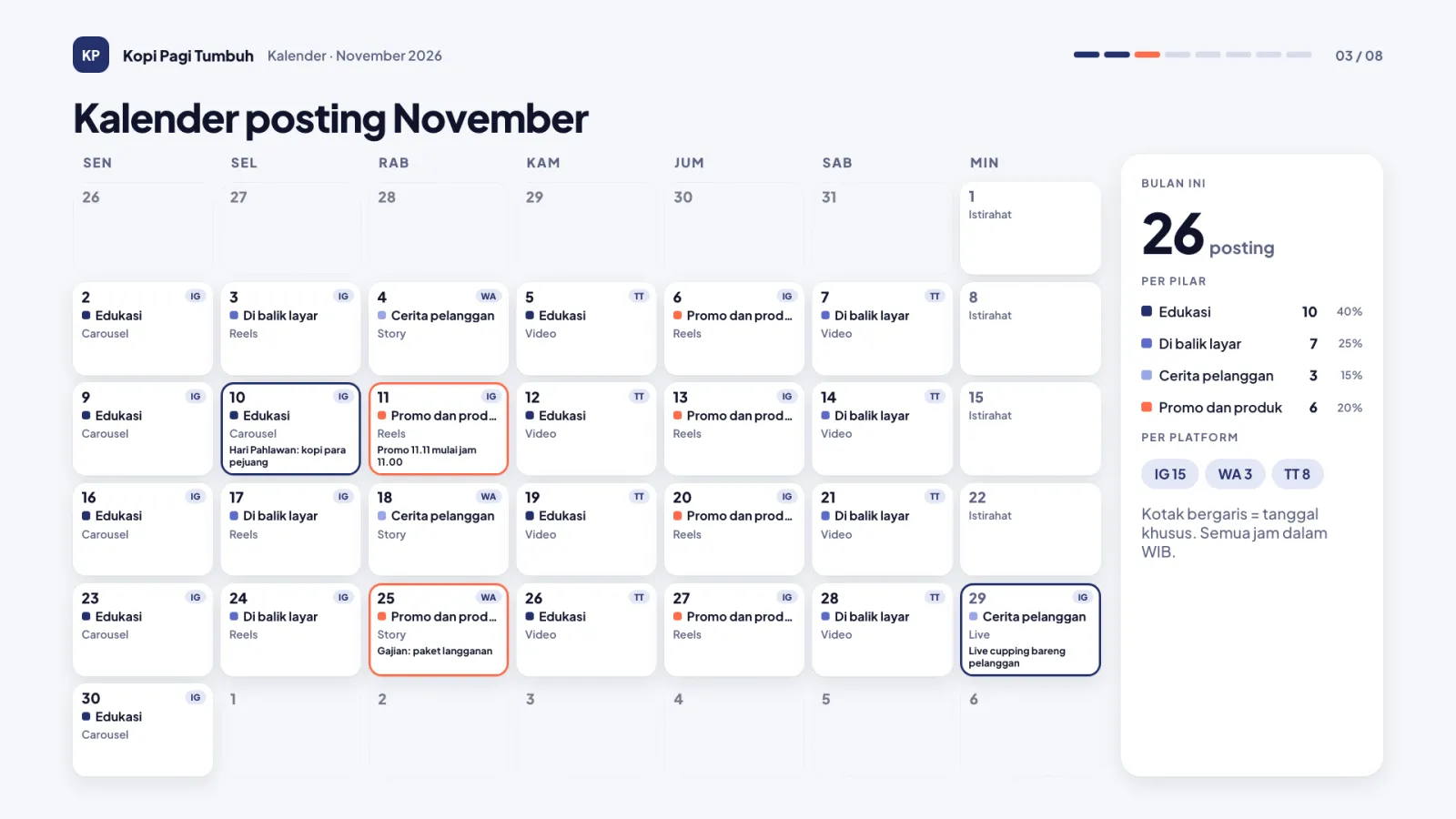
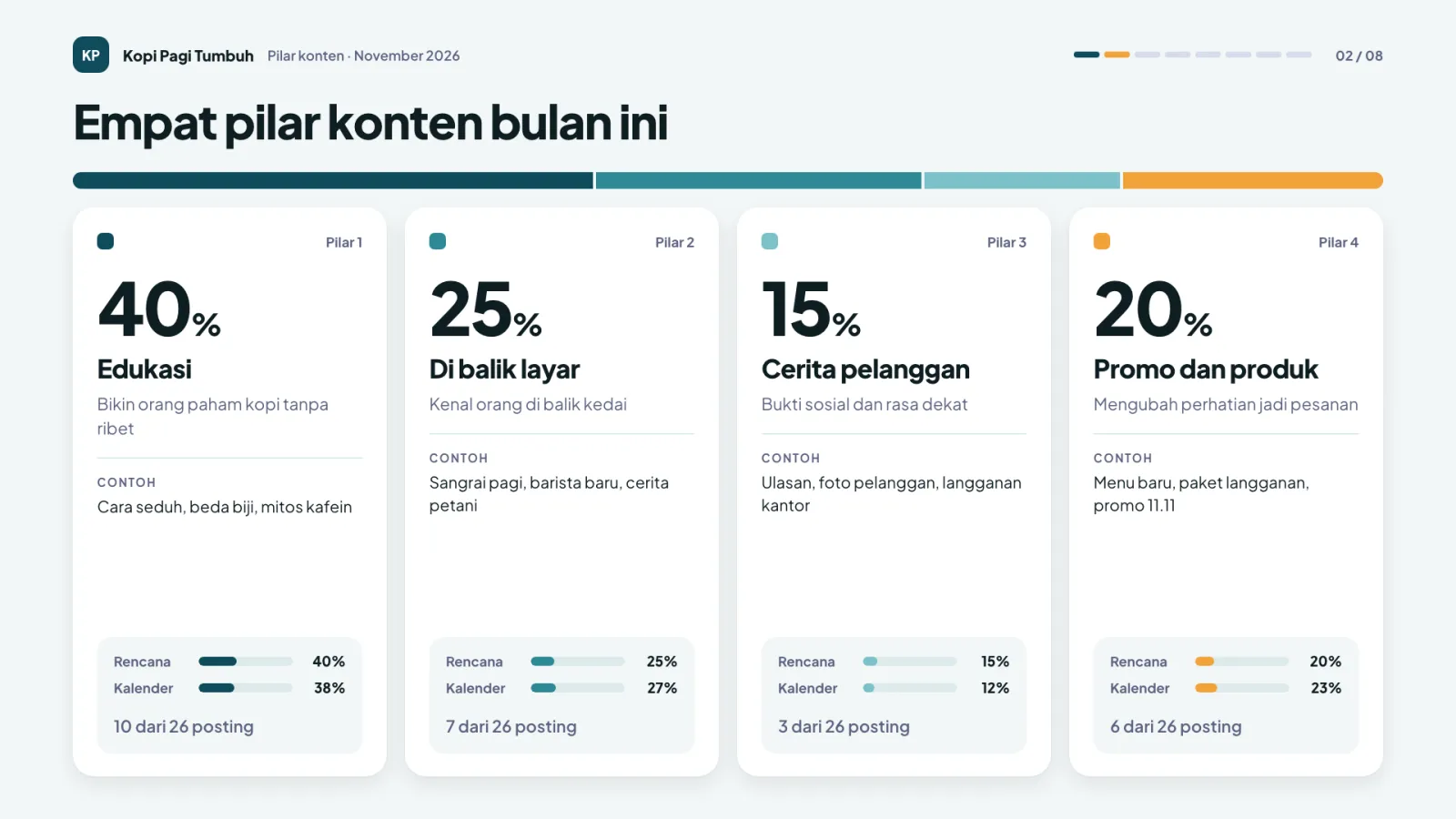
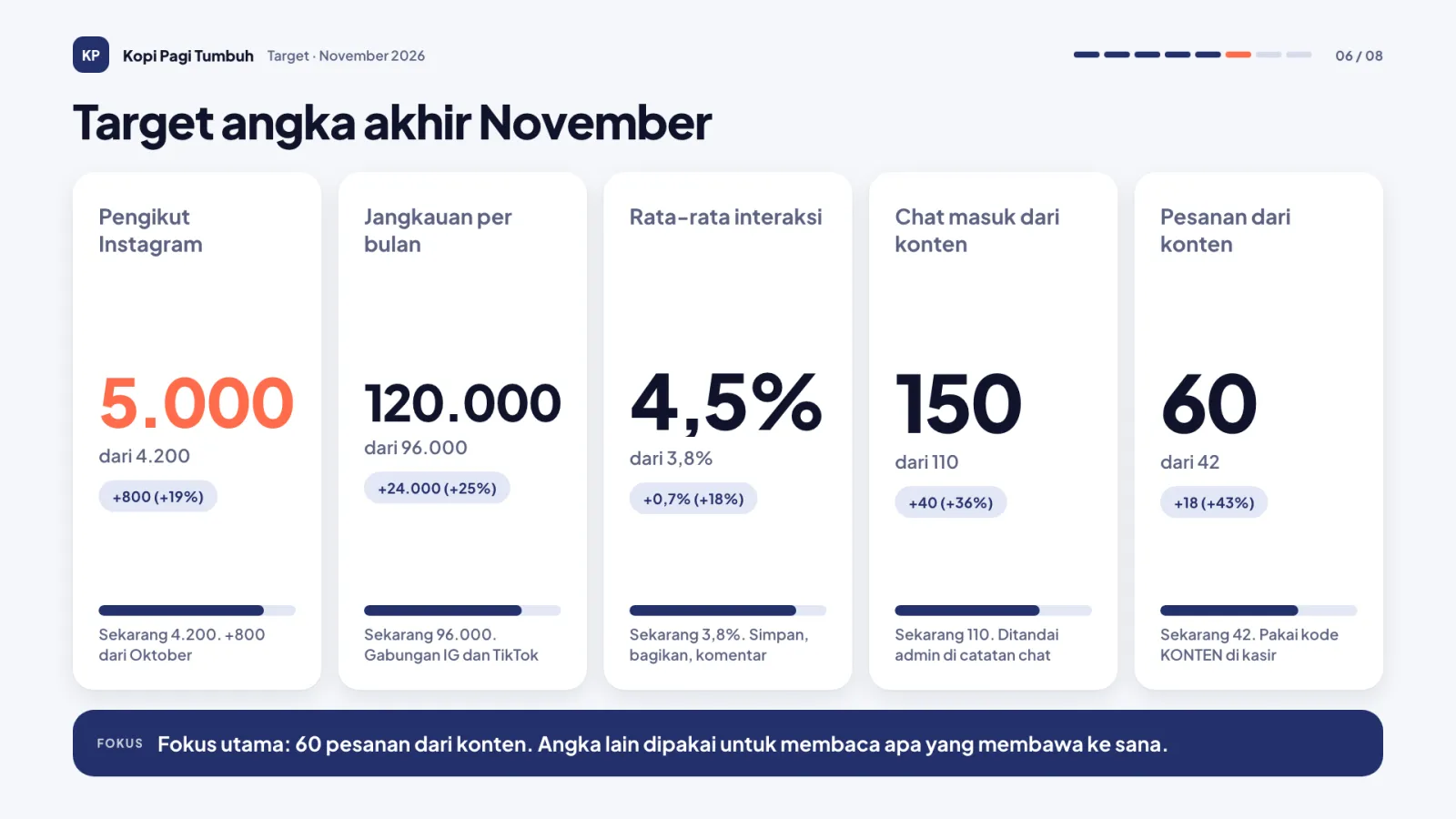
A one-month content plan deck in a UI card style: content pillars with share percentages checked against the calendar, a real month calendar (weekdays and dates worked out from the chosen month) with the pillar, format, and platform for each day, formats per platform, posting times on a timeline, number targets with progress, a review of last month, and a weekly workflow with owners. 8 16:9 slides from one config object, exports straight to PDF.
Verified by SkillFlow
We checked every file in this skill automatically: no command that downloads and runs a program, no hidden code, no instruction telling your AI to ignore you.
- Loads from outside
- Fonts: Google Fonts
See the 5 files inside
skill.json9 KBSKILL.md7 KBprompt.md5 KBprompt.en.md5 KBfiles/deck.html40 KB
Checked 14 Nov 2026
Included in Basic and Pro
Basic copies the prompt. Pro also downloads the ZIP, sends to AI, installs into agents, and opens every category.
Get Pro Get Basic Already subscribed? Sign inWhat you get
- A one-file 16:9 HTML deck, 8 slides, arrow navigation, adjustable slide order
- 3-5 content pillars with share percentages and a plan vs calendar count comparison
- A real month calendar from a weekly rhythm + special dates, weekdays and dates worked out automatically
- Formats per platform with weekly frequency, posting times on a timeline, and ground rules
- Number targets with progress, last month's review (hit or missed), workflow and owners
- 3 themes (indigo, teal, plum) and a 1920x1080 PDF via Print in Chrome
Good fit
- Owners and content teams planning the month's posting schedule at a kickoff meeting
- Social media managers sending plans to clients or freelancers
- Teams wanting balanced, measurable content pillar shares
Not for
- It does not create the content or post designs
- It does not schedule or publish posts to platforms
- Targets come from you; it doesn't guarantee results
About this skill
/rencana-konten-bulanan Make a December content plan for Bu Rosa's Cookie Shop account: 4 content pillars, posting 5 times a week on Instagram and TikTok, with Christmas and year-end special dates
Show more
A one-month content plan deck in a UI card style: content pillars with share percentages checked against the calendar, a real month calendar (weekdays and dates worked out from the chosen month) with the pillar, format, and platform for each day, formats per platform, posting times on a timeline, number targets with progress, a review of last month, and a weekly workflow with owners. 8 16:9 slides from one config object, exports straight to PDF.
User reviews
FAQ
Do I fill the calendar date by date?
No. Enter a weekly rhythm and special dates, and the template works out the month's days and dates. Posts per pillar and platform are counted from the calendar too.
What does the pillar share comparison mean?
The planned percentage is compared with the actual count in the calendar, so you can see if one pillar dominates.
Which AI can I use it with?
Copy the prompt into a chat AI (ChatGPT, Claude, Gemini, DeepSeek); or download the ZIP and install it in an AI agent (Claude Code, Codex, Antigravity, Hermes Agent, Cursor, GitHub Copilot, Gemini CLI, OpenCode, Kimi Code, Trae), which then builds the files for you.
What is in the ZIP?
One folder named rencana-konten-bulanan with SKILL.md (the instructions an AI agent reads) and the prompt, 5 files in all. Extract it into your agent's skills folder, or install it with npx skillflow-ai add rencana-konten-bulanan. Pro only.
Is there a per-use fee or credits?
Not from SkillFlow. The skill runs on the AI you already use, so any cost follows that plan.
Which plan includes it?
Basic and Pro. Basic copies the prompt; Pro also downloads the ZIP, sends to AI, installs into agents and shares results by link.
Can I use my own colours and brand?
Yes. Pick a colour theme on this page, or fill in your brand profile once; both go into the prompt you copy and into the ZIP.
Can I share what I made?
Pro members can upload the result and get a page at share.skillflow.ai.id to send to anyone. The page carries a small "Made with SkillFlow AI" mark.
Is there a download limit?
Yes, per day: 50 skills on Pro, 10 on other plans. Downloading a skill again on the same day does not count.