

Rendered sample video
SKILL.md contents
Premium subscribers can read, copy, and install this skill.
Unlock with Premium Sign inA Day as a Seller
Description
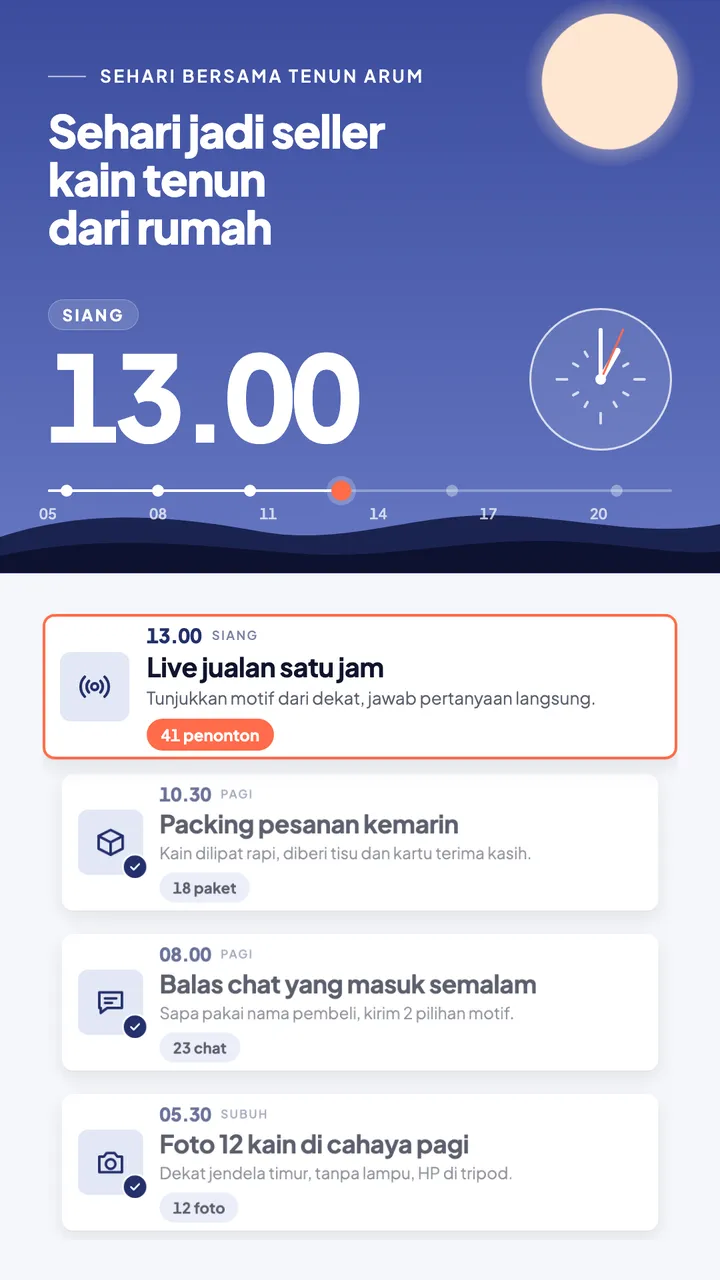
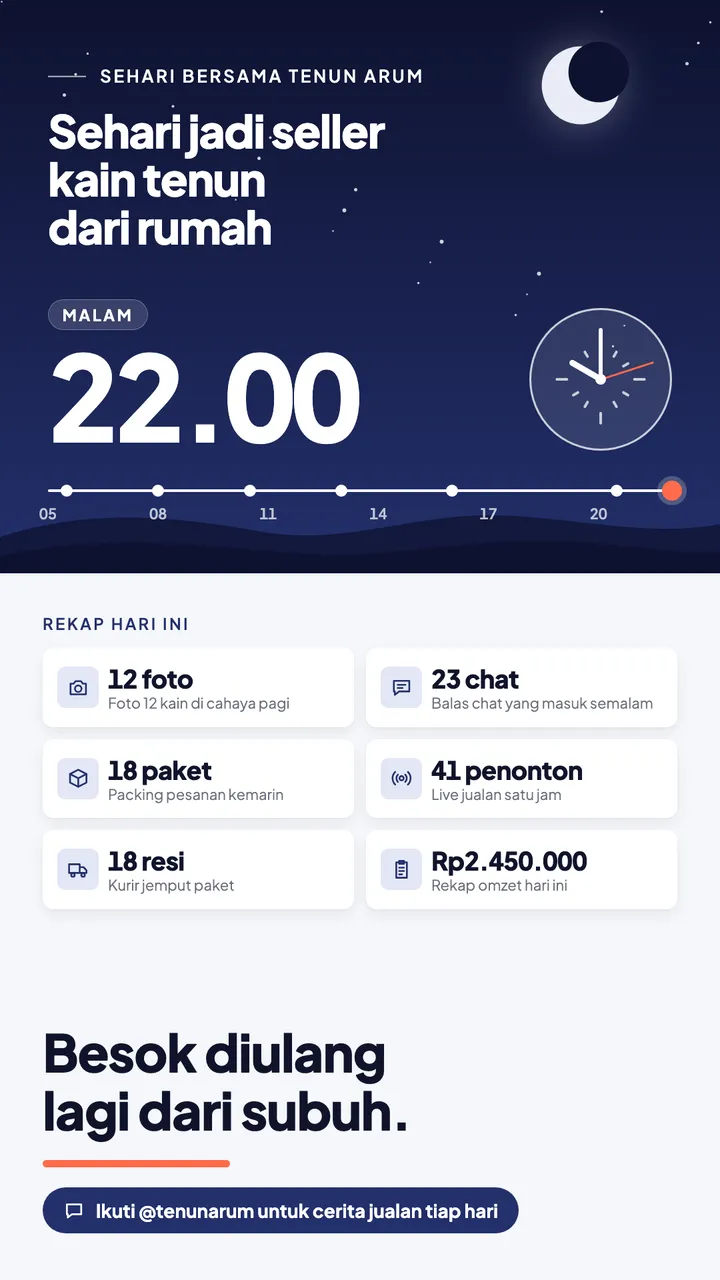
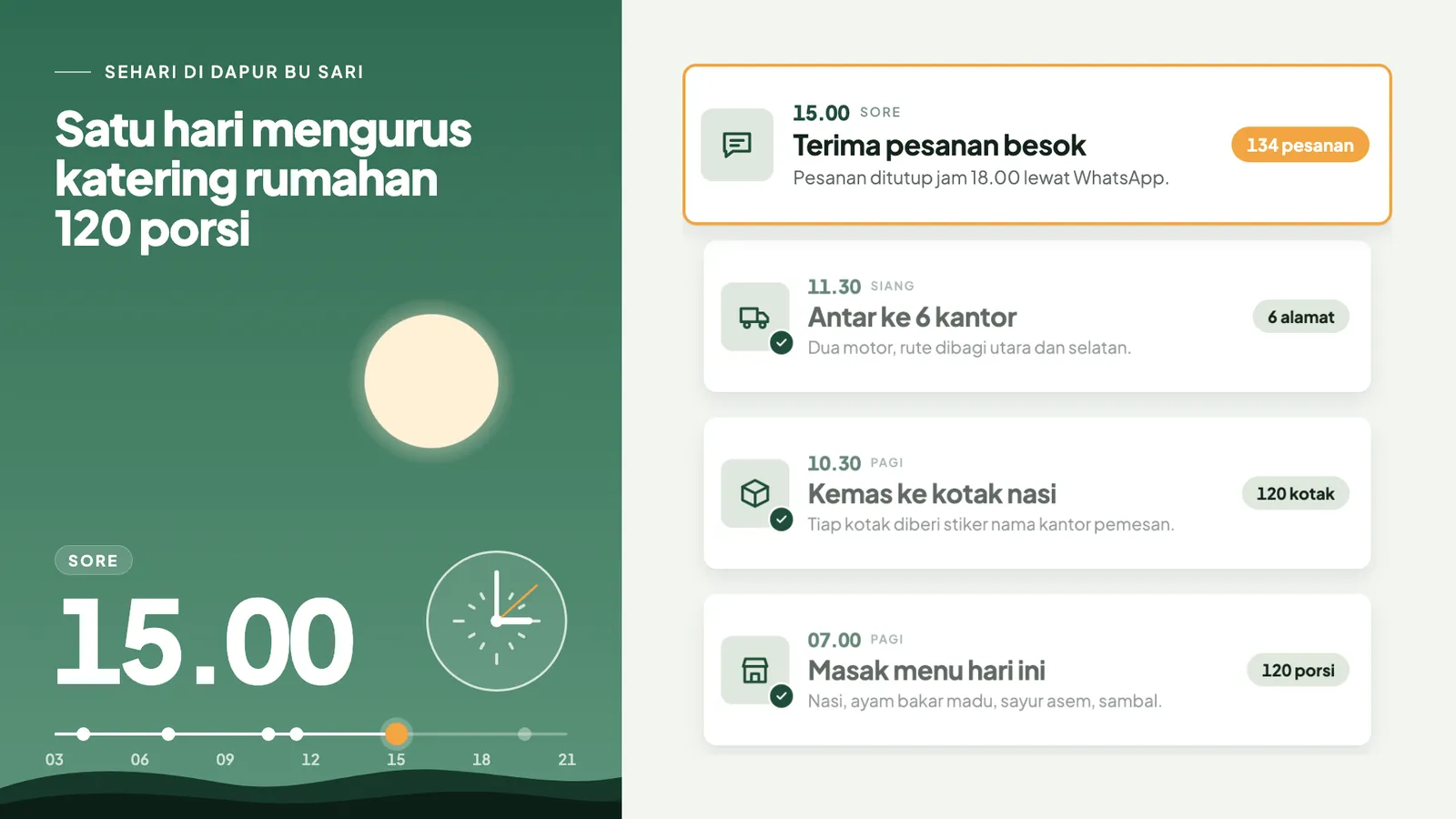
A day-in-the-life clip of running a small shop from dawn to night: a digital and an analogue clock roll from one task to the next, the sky shifts from sunrise to midday, dusk and a starry night, the sun and moon travel across, a day timeline fills up, and task cards (product photos, replying to chats, packing, going live, courier pickup, end-of-day numbers) slide in one by one with a small figure such as 23 chats or 18 parcels. It ends with the day's recap, one closing line, and a follow prompt. 4 to 8 tasks, 12 to 22 seconds, 9:16 and 16:9.
Verified by SkillFlow
We checked every file in this skill automatically: no command that downloads and runs a program, no hidden code, no instruction telling your AI to ignore you.
- Loads from outside
- Fonts: Google Fonts
See the 5 files inside
skill.json7 KBSKILL.md8 KBprompt.md6 KBprompt.en.md6 KBfiles/scene.html33 KB
Checked 14 Nov 2026
Part of SkillFlow Pro
Pro opens every skill in every category: copy, ZIP, Send to AI, install, save, and request new skills.
Get Pro Already subscribed? Sign inWhat you get
- A day script: 4-8 tasks with time, title, note and a small figure, plus a closing line and call to action
- An animated HTML scene driven by one config object, clock and sky worked out from the task times
- MP4 1080x1920 (9:16) or 1920x1080 (16:9), 30 fps, 12-22 seconds
- An end recap card built from every task figure
- 11 line icons for tasks and 3 palettes (indigo, ink, green tea)
Good fit
- Creators and sellers making day in the life selling content from home
- Business coaches giving an example daily schedule for new sellers
- Shops that want buyers to see the work behind each order
- Shop admins sharing their workday as content
Not for
- Not a monthly revenue chart or a step tutorial without times
- Not a presenter led video
- At most 8 activities per video
- It does not exaggerate numbers; revenue and parcel counts must be realistic for your business
About this skill
/sehari-jadi-seller Make a day in the life video of selling woven fabric from home, 6 activities from dawn to night with times and small numbers, ending with a follow call, in 9:16
Show more
A day-in-the-life clip of running a small shop from dawn to night: a digital and an analogue clock roll from one task to the next, the sky shifts from sunrise to midday, dusk and a starry night, the sun and moon travel across, a day timeline fills up, and task cards (product photos, replying to chats, packing, going live, courier pickup, end-of-day numbers) slide in one by one with a small figure such as 23 chats or 18 parcels. It ends with the day's recap, one closing line, and a follow prompt. 4 to 8 tasks, 12 to 22 seconds, 9:16 and 16:9.
User reviews
FAQ
How are activity times written?
24 hour format with a dot, such as 05.30 or 20.00, in order from morning to night, at least 30 minutes apart. The sky and the on screen clock follow these times.
What does the closing recap card show?
All the small numbers from each activity, such as chats, parcels, or the day's revenue, gathered in one box before the closing line and call to action.
Which activity icons are available?
There are 11 line icons: camera, chat, parcel, live, shipping, notes, coffee, money, shop, ads, and moon.
Which AI can I use it with?
Copy the prompt into a chat AI (ChatGPT, Claude, Gemini, DeepSeek): you get an HTML file; open it in Chrome and press Download MP4 (silent video, a minute or two to render); or download the ZIP and install it in an AI agent (Claude Code, Codex, Antigravity, Hermes Agent, Cursor, GitHub Copilot, Gemini CLI, OpenCode, Kimi Code, Trae), which then builds the files for you.
What is in the ZIP?
One folder named sehari-jadi-seller with SKILL.md (the instructions an AI agent reads) and the prompt, 5 files in all. Extract it into your agent's skills folder, or install it with npx skillflow-ai add sehari-jadi-seller. Pro only.
Is there a per-use fee or credits?
Not from SkillFlow. The skill runs on the AI you already use, so any cost follows that plan.
Which plan includes it?
SkillFlow Pro. It opens every skill in every category.
Can I use my own colours and brand?
Yes. Pick a colour theme on this page, or fill in your brand profile once; both go into the prompt you copy and into the ZIP.
Can I share what I made?
Pro members can upload the result and get a page at share.skillflow.ai.id to send to anyone. The page carries a small "Made with SkillFlow AI" mark.
Is there a download limit?
Yes, per day: 50 skills on Pro, 10 on other plans. Downloading a skill again on the same day does not count.



