

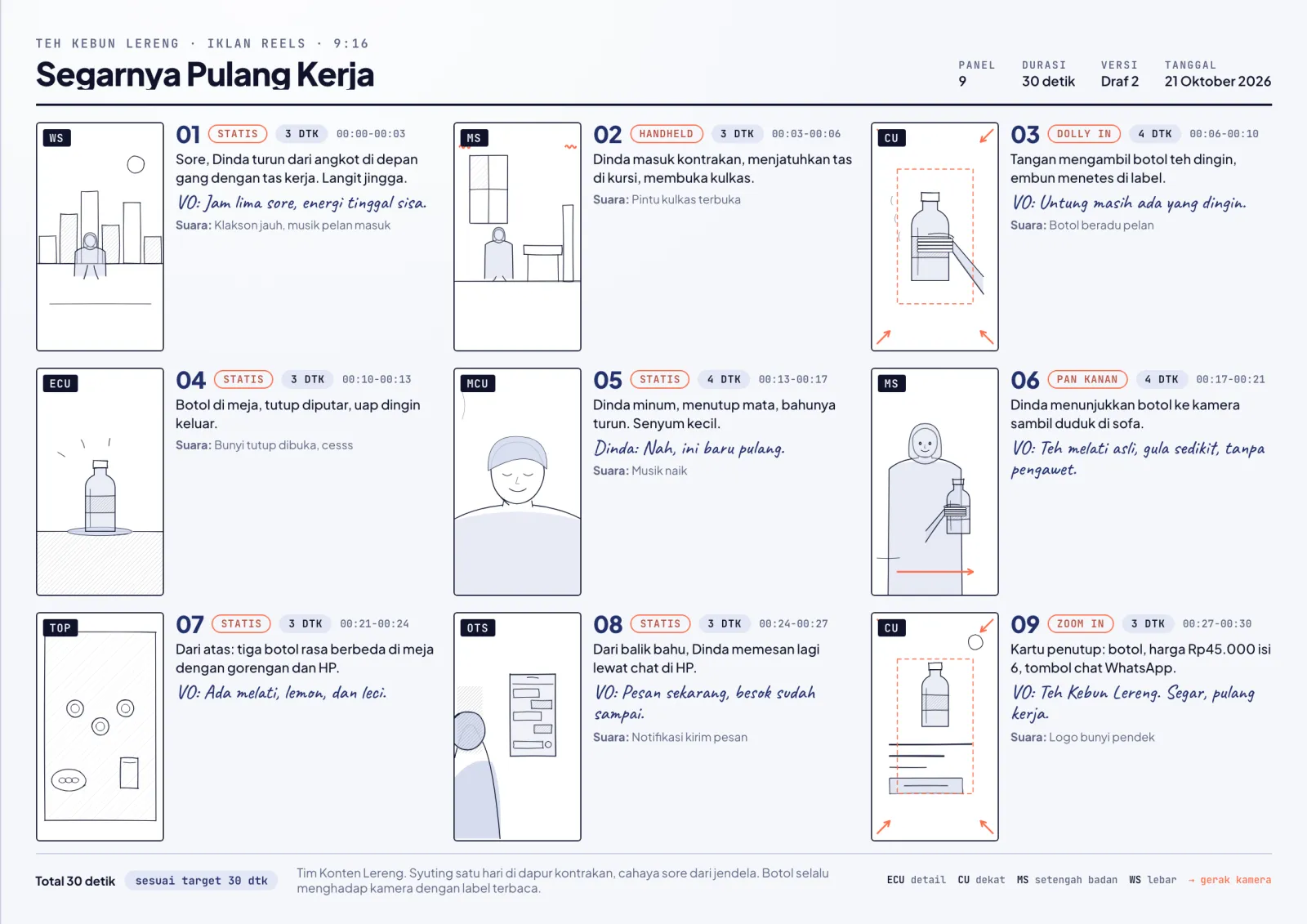
A4 landscape: 9 panels for a 9:16 Reels ad, 30 seconds on target
SKILL.md contents
Premium subscribers can read, copy, and install this skill.
Unlock with Premium Sign inVideo Ad Storyboard
Description
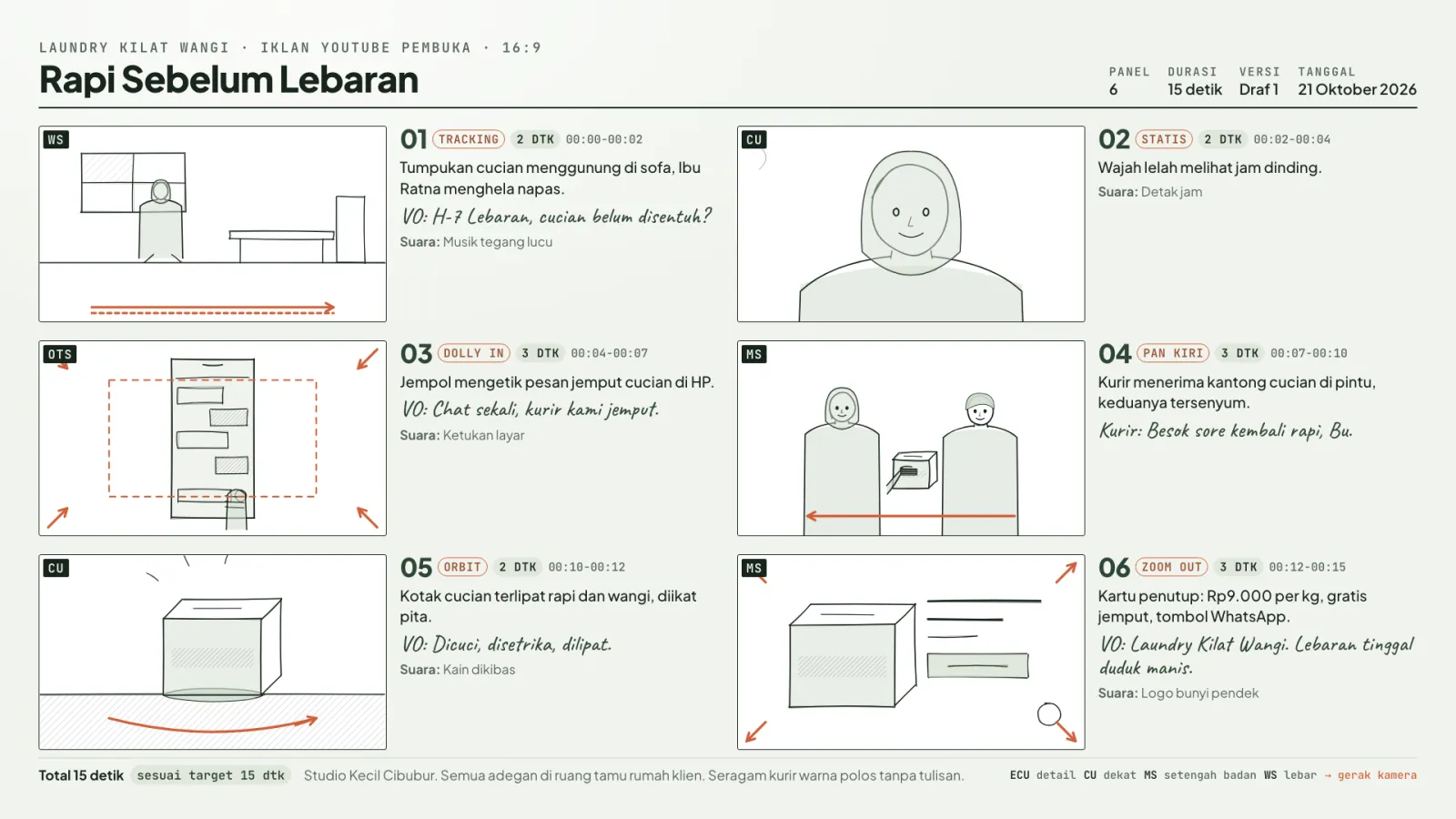
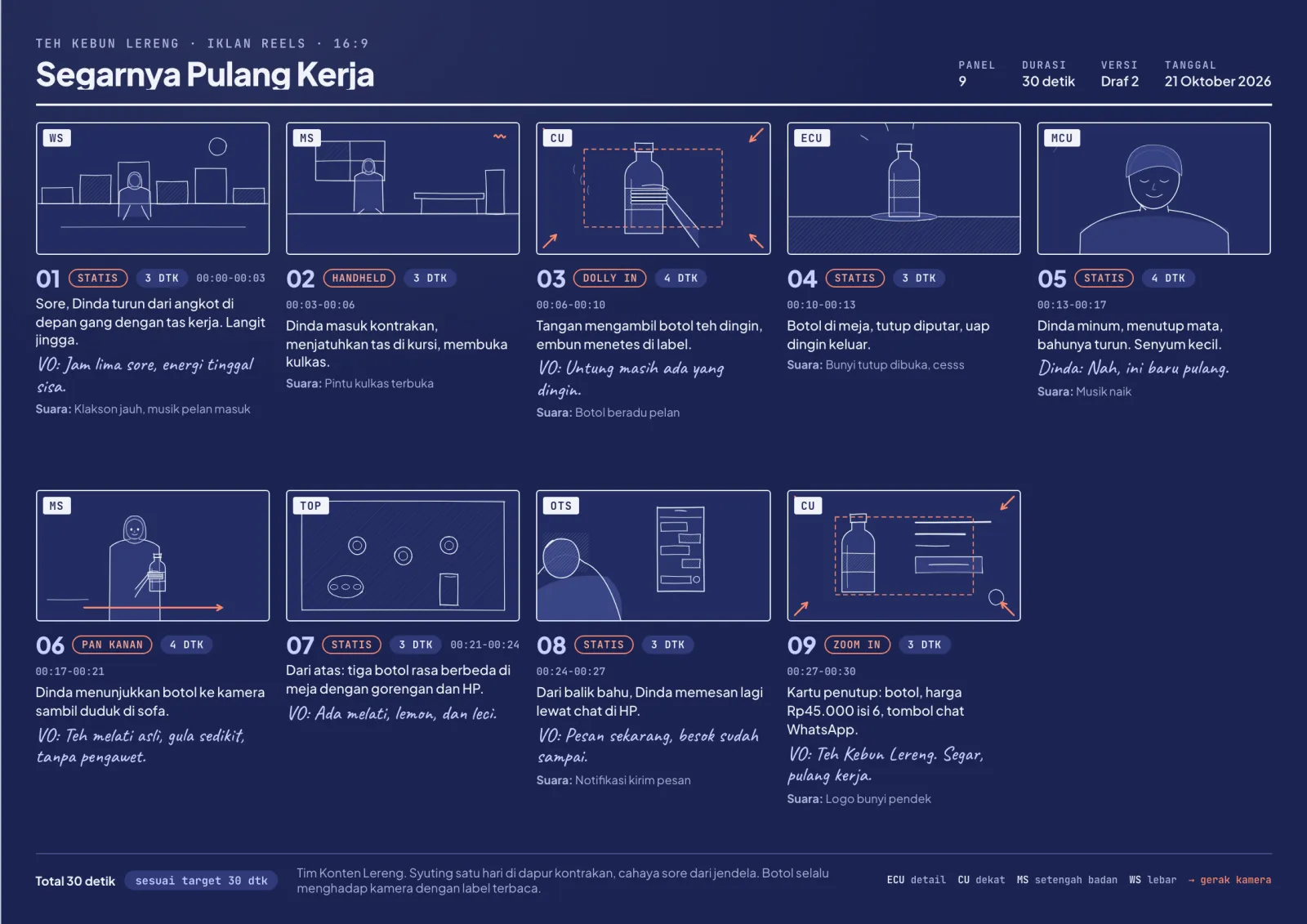
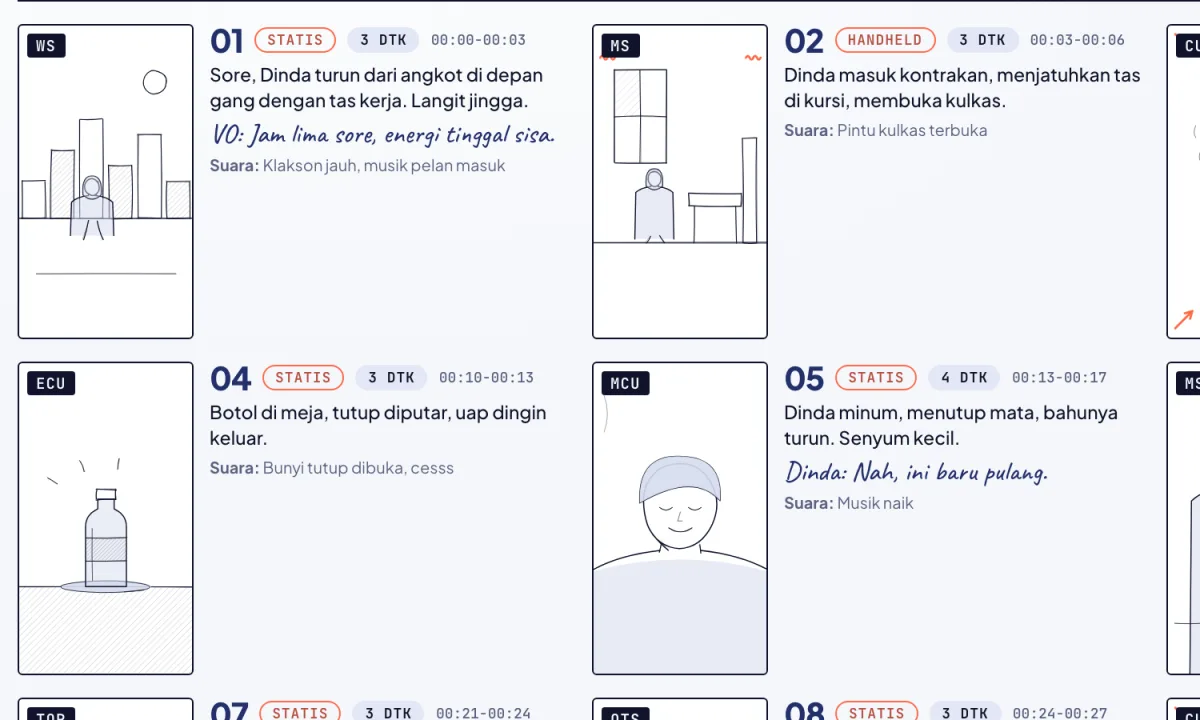
A pre-production sheet for planning a short video ad before the shoot: a grid of 6 to 9 ink-sketch panels (drawn in SVG, no photos), each with a shot number, shot size, camera move drawn as an arrow, the scene, handwritten dialogue or voice-over, sound, length, and timecode. The total length is checked against the target, and voice-over too dense for its shot is flagged. One data object, video ratios 9:16, 16:9, 1:1, or 4:5, exported as A4 landscape for print and a 16:9 sheet for presenting.
Verified by SkillFlow
We checked every file in this skill automatically: no command that downloads and runs a program, no hidden code, no instruction telling your AI to ignore you.
- Loads from outside
- Fonts: Google Fonts
See the 5 files inside
skill.json7 KBSKILL.md7 KBprompt.md4 KBprompt.en.md4 KBfiles/storyboard.html38 KB
Checked 14 Nov 2026
Included in Basic and Pro
Basic copies the prompt. Pro also downloads the ZIP, sends to AI, installs into agents, and opens every category.
Get Pro Get Basic Already subscribed? Sign inWhat you get
- A shot list: 6-9 panels with shot size, camera move, scene, dialogue/VO, sound, and length
- An ink sketch per panel from 11 ready compositions, or your own image per panel
- Automatic camera move arrows: pan, tilt, dolly, zoom, tracking, orbit, handheld
- Timecode per panel, total length vs target, and a too-dense voice-over flag
- A4 landscape PNG/PDF (1123x794, print) and a 16:9 sheet (1920x1080), plus a single large panel
- 3 palettes: indigo paper, night, sage
Good fit
- Owners and creators planning a video ad before the shoot
- Small agencies aligning ideas with clients, camera operators, and talent
- Teams wanting to know whether the voiceover fits the target length
Not for
- It does not make the video; it's a planning sheet before shooting
- Panel sketches come from 11 built-in compositions, not precise scene drawings
- Voiceover length is estimated from word count; exact timing is known at recording
About this skill
/storyboard-iklan-video Make a storyboard for a 30-second 9:16 video ad for Asri Alam Herbal Soap, 8 panels with shot sizes, camera moves, voiceover, and duration per panel
Show more
A pre-production sheet for planning a short video ad before the shoot: a grid of 6 to 9 ink-sketch panels (drawn in SVG, no photos), each with a shot number, shot size, camera move drawn as an arrow, the scene, handwritten dialogue or voice-over, sound, length, and timecode. The total length is checked against the target, and voice-over too dense for its shot is flagged. One data object, video ratios 9:16, 16:9, 1:1, or 4:5, exported as A4 landscape for print and a 16:9 sheet for presenting.
User reviews
FAQ
How do I specify camera moves?
Write words like pan, tilt, dolly, zoom, tracking, orbit, or handheld in the camera column, and the arrow is drawn automatically on the panel.
What does the voiceover too dense flag mean?
The panel has too many dialogue or voiceover words for its duration. Shorten the line or lengthen the panel.
Which AI can I use it with?
Copy the prompt into a chat AI (ChatGPT, Claude, Gemini, DeepSeek); or download the ZIP and install it in an AI agent (Claude Code, Codex, Antigravity, Hermes Agent, Cursor, GitHub Copilot, Gemini CLI, OpenCode, Kimi Code, Trae), which then builds the files for you.
What is in the ZIP?
One folder named storyboard-iklan-video with SKILL.md (the instructions an AI agent reads) and the prompt, 5 files in all. Extract it into your agent's skills folder, or install it with npx skillflow-ai add storyboard-iklan-video. Pro only.
Is there a per-use fee or credits?
Not from SkillFlow. The skill runs on the AI you already use (and, for image prompts, the image AI you pick), so any cost follows that plan.
Which plan includes it?
Basic and Pro. Basic copies the prompt; Pro also downloads the ZIP, sends to AI, installs into agents and shares results by link.
Can I use my own colours and brand?
Yes. Pick a colour theme on this page, or fill in your brand profile once; both go into the prompt you copy and into the ZIP.
Can I share what I made?
Pro members can upload the result and get a page at share.skillflow.ai.id to send to anyone. The page carries a small "Made with SkillFlow AI" mark.
Is there a download limit?
Yes, per day: 50 skills on Pro, 10 on other plans. Downloading a skill again on the same day does not count.



