

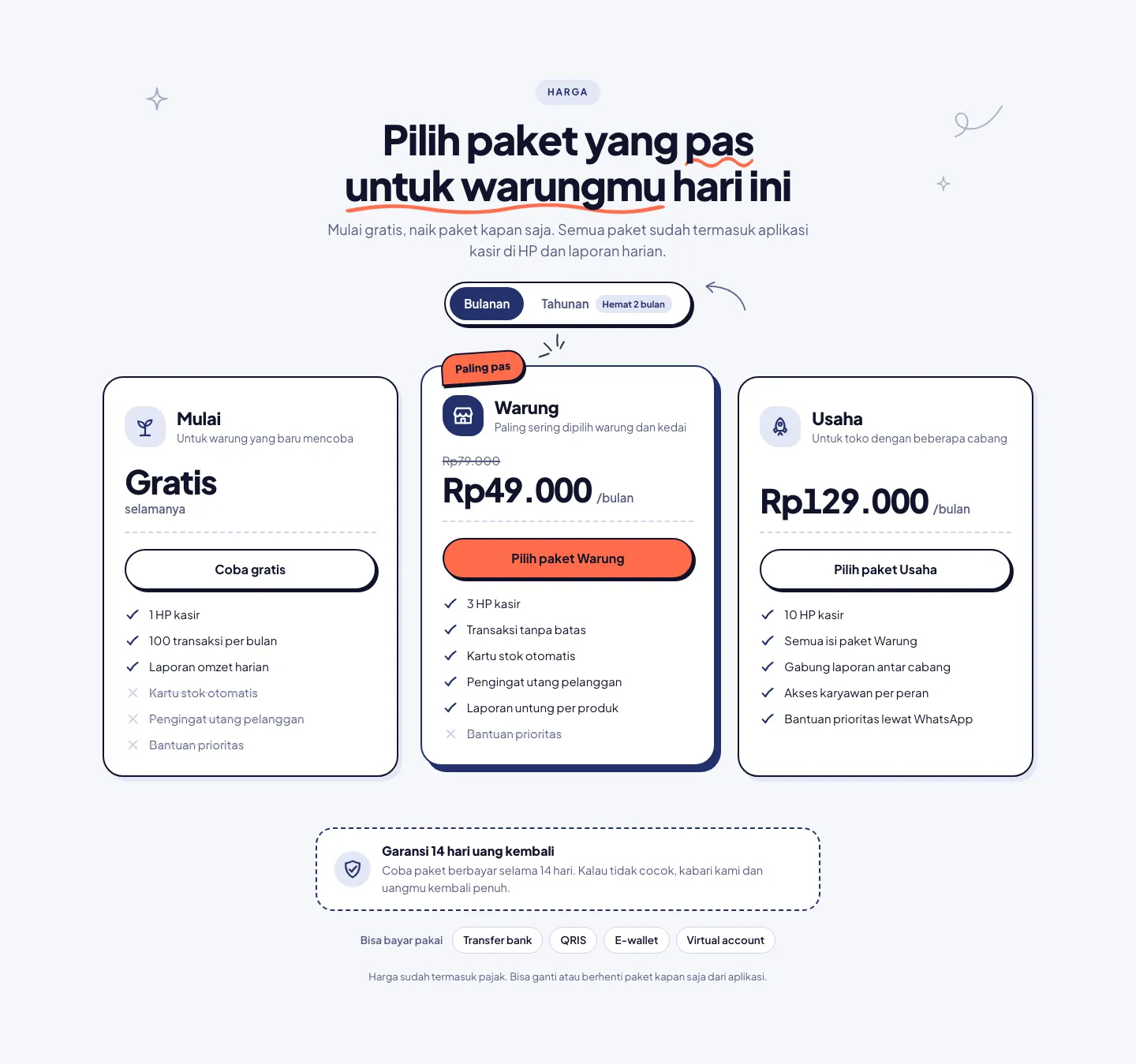
Three monthly plans, the featured plan gets a sticker and a coral button
SKILL.md contents
Premium subscribers can read, copy, and install this skill.
Unlock with Premium Sign inPackage Pricing Table (Section)
Description
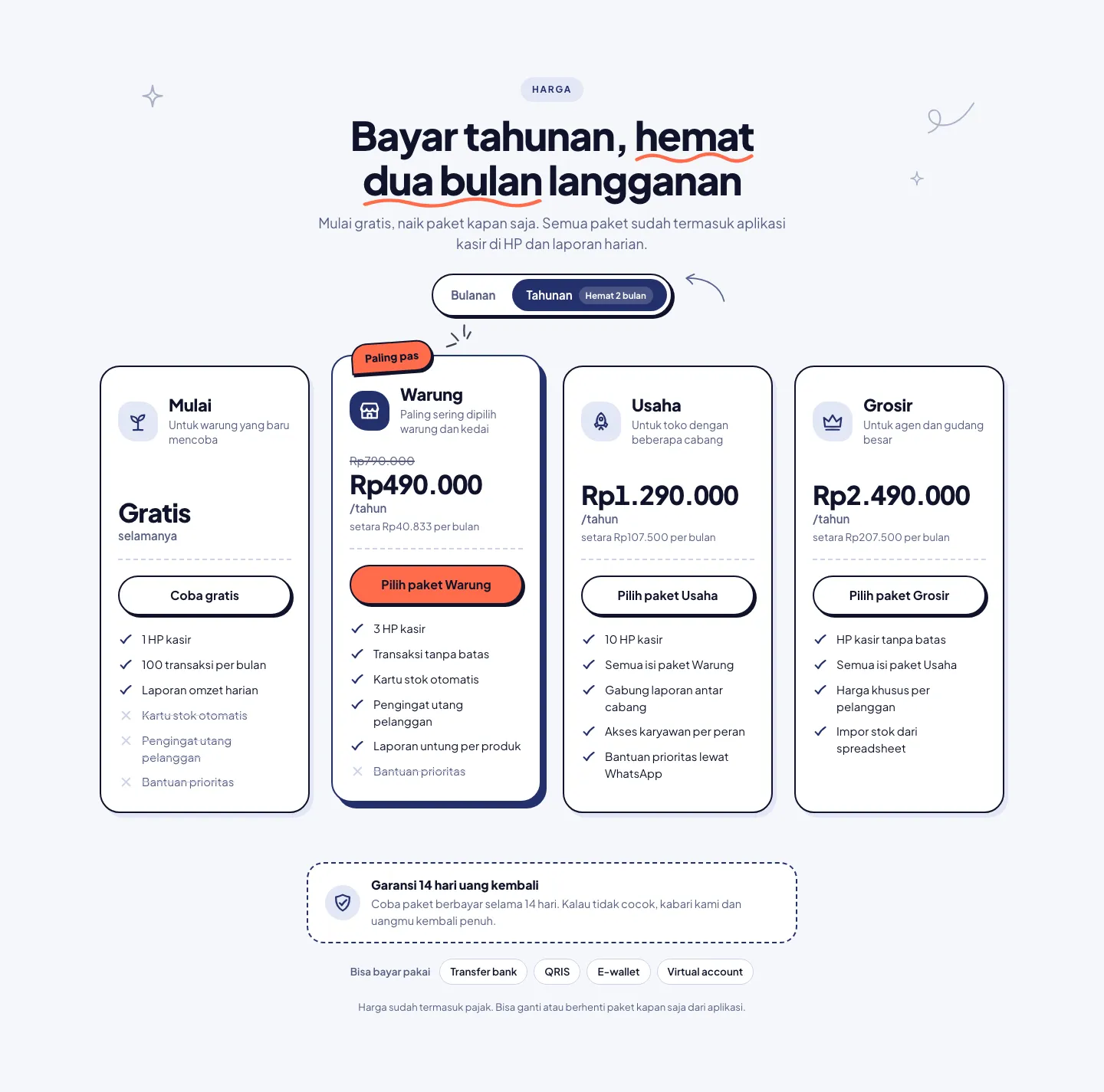
A friendly app-style pricing section: rounded ink-outlined cards, hand-drawn doodles, and a sticker that marks the featured plan. 2 to 4 plans with prices in your currency, an optional strike-through price, ticked and crossed features, a monthly/yearly toggle with a per-month equivalent, buttons to checkout or WhatsApp with the plan name prefilled, a guarantee, and local payment methods. One HTML file that is safe to paste into any page.
Verified by SkillFlow
We checked every file in this skill automatically: no command that downloads and runs a program, no hidden code, no instruction telling your AI to ignore you.
- Loads from outside
- Fonts: Google Fonts
See the 5 files inside
skill.json9 KBSKILL.md7 KBprompt.md5 KBprompt.en.md5 KBfiles/harga.html27 KB
Checked 14 Nov 2026
Part of SkillFlow Pro
Pro opens every skill in every category: copy, ZIP, Send to AI, install, save, and request new skills.
Get Pro Already subscribed? Sign inWhat you get
- A one-file HTML pricing section, scoped CSS so it is safe to paste into other pages
- 2 to 4 plans, one featured, optional strike-through price, free plans handled automatically
- A monthly/yearly toggle with a savings label and a per-month equivalent
- Buttons to a checkout link per plan or WhatsApp with the plan, period, and price in the message
- A guarantee card and payment method chips as plain text, no logos
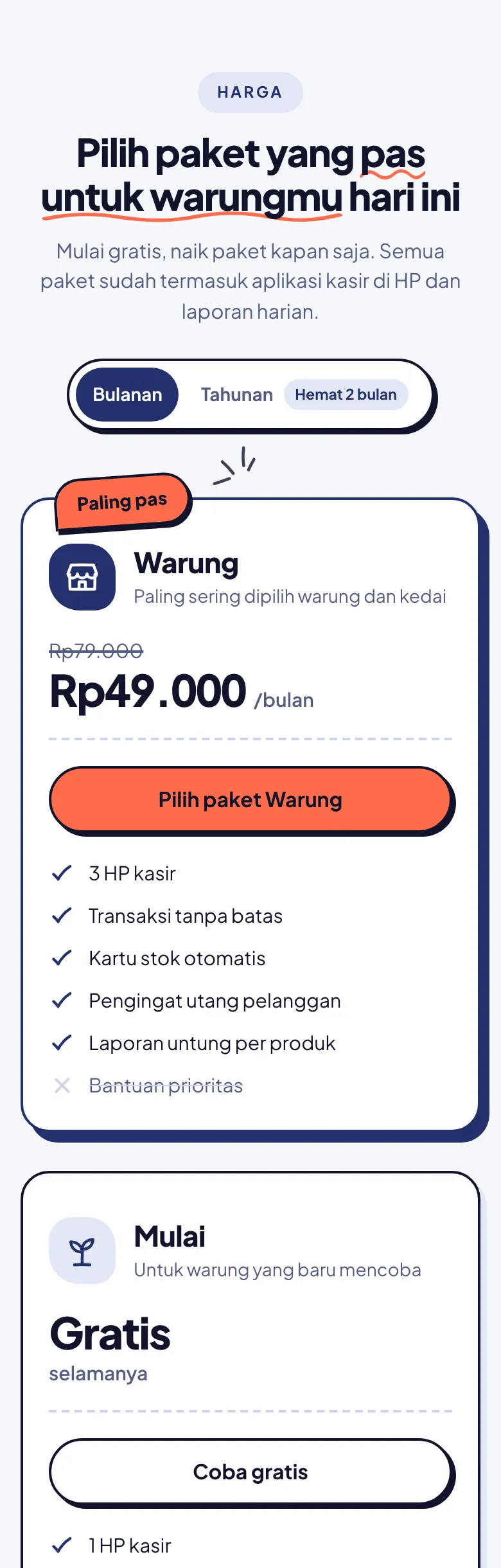
- 3 ready palettes (indigo, sand, leaf) and a phone view that puts the featured plan first
Good fit
- Apps or small SaaS with subscription plans like free, basic, pro, and business
- Services with several packages like design, social media management, or meal subscriptions
- Tiered courses or memberships
- Existing landing pages needing a pricing section to paste in
Not for
- Not a full sales page with hero, curriculum, and FAQ
- At most 4 plans; a single price fits a simple CTA box better
- It does not process payments; buttons go to your checkout or WhatsApp
- Payment methods are written as text, without logos
About this skill
/tabel-harga-paket Build a pricing table section for our POS app, 4 plans from free to business, a monthly and yearly toggle, Pro as the featured plan, a 14 day guarantee, and WhatsApp buttons naming the plan
Show more
A friendly app-style pricing section: rounded ink-outlined cards, hand-drawn doodles, and a sticker that marks the featured plan. 2 to 4 plans with prices in your currency, an optional strike-through price, ticked and crossed features, a monthly/yearly toggle with a per-month equivalent, buttons to checkout or WhatsApp with the plan name prefilled, a guarantee, and local payment methods. One HTML file that is safe to paste into any page.
User reviews
FAQ
How is the yearly savings label calculated?
If the savings label is left empty, it is calculated from the monthly and yearly prices, and the card shows the equivalent monthly price. A price of 0 shows as Free.
How do I write plan contents so they compare easily?
3 to 6 short points starting with a noun, with identical wording for the same feature across plans. For plans that include a lower plan, write Everything in plan X as one of the first points.
Where does the featured plan appear on phones?
On phones the featured plan moves to the top so it is seen first. Mark only one plan as featured, usually the middle one, with a short label like Best fit.
Which AI can I use it with?
Copy the prompt into a chat AI (ChatGPT, Claude, Gemini, DeepSeek); or download the ZIP and install it in an AI agent (Claude Code, Codex, Antigravity, Hermes Agent, Cursor, GitHub Copilot, Gemini CLI, OpenCode, Kimi Code, Trae), which then builds the files for you.
What is in the ZIP?
One folder named tabel-harga-paket with SKILL.md (the instructions an AI agent reads) and the prompt, 5 files in all. Extract it into your agent's skills folder, or install it with npx skillflow-ai add tabel-harga-paket. Pro only.
Is there a per-use fee or credits?
Not from SkillFlow. The skill runs on the AI you already use, so any cost follows that plan.
Which plan includes it?
SkillFlow Pro. It opens every skill in every category.
Can I use my own colours and brand?
Yes. Pick a colour theme on this page, or fill in your brand profile once; both go into the prompt you copy and into the ZIP.
Can I share what I made?
Pro members can upload the result and get a page at share.skillflow.ai.id to send to anyone. The page carries a small "Made with SkillFlow AI" mark.
Is there a download limit?
Yes, per day: 50 skills on Pro, 10 on other plans. Downloading a skill again on the same day does not count.



