

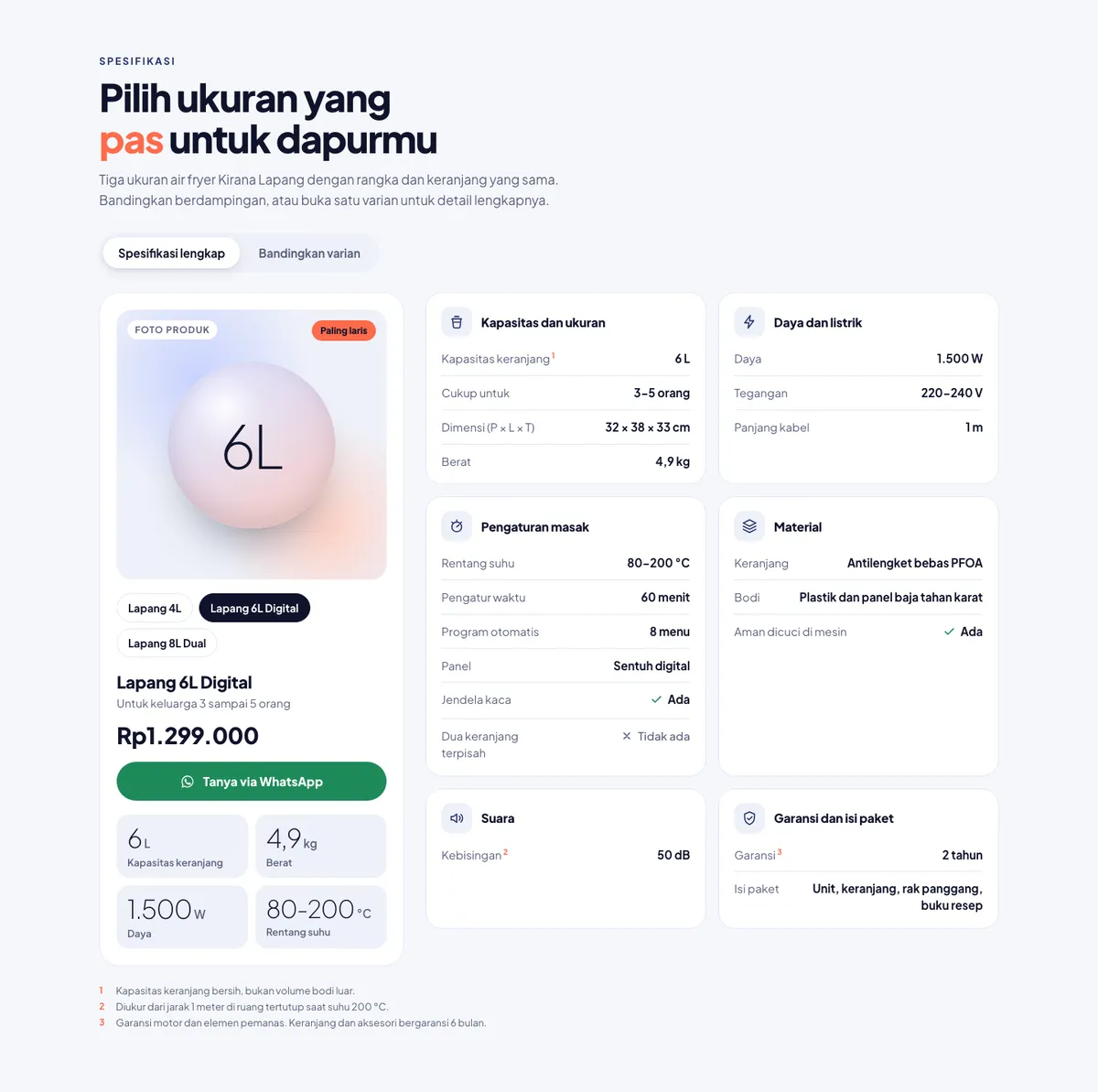
The full specs tab: an air fryer variant card with big thin numbers and six grouped cards with icons
SKILL.md contents
Premium subscribers can read, copy, and install this skill.
Unlock with Premium Sign inProduct Spec Table (Section)
Description
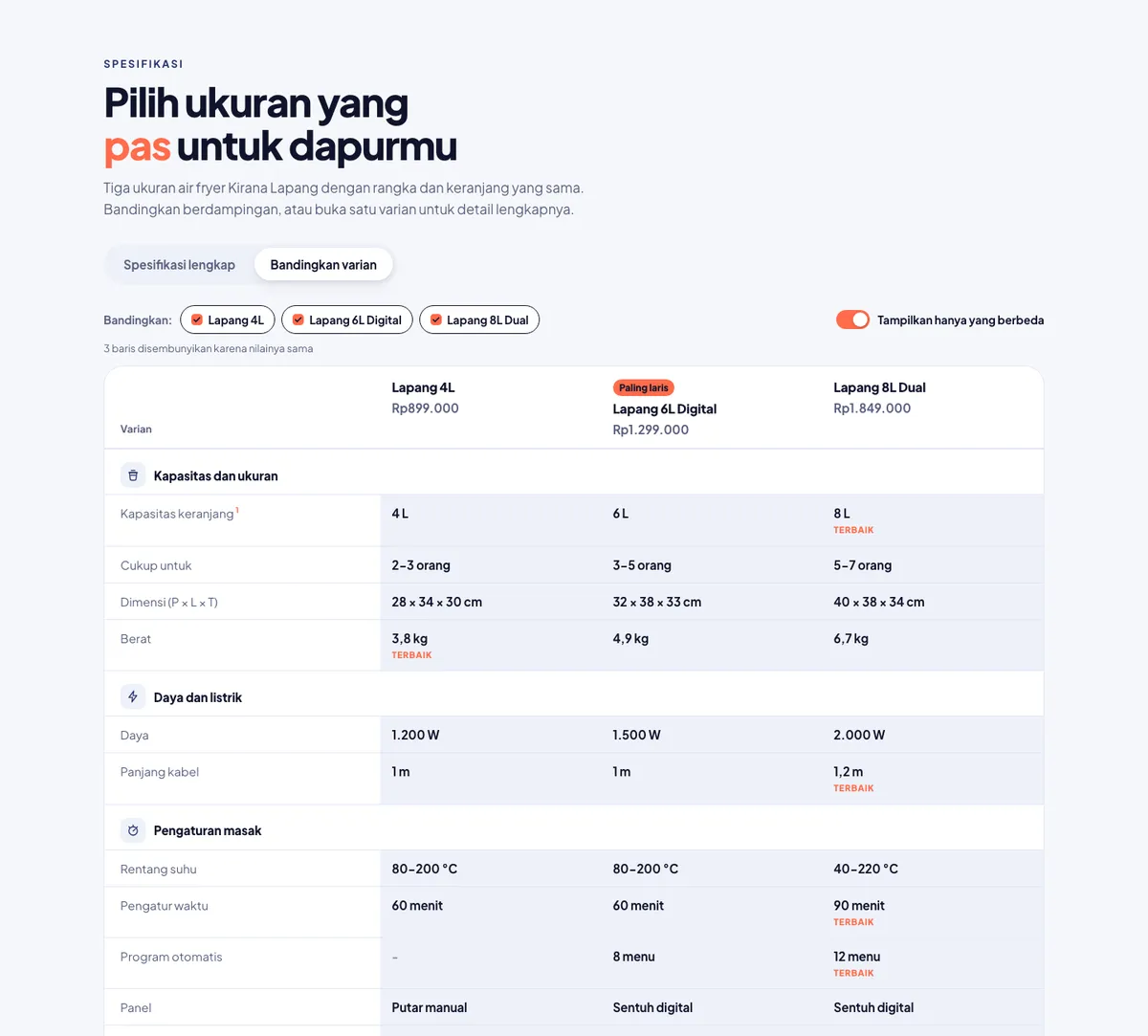
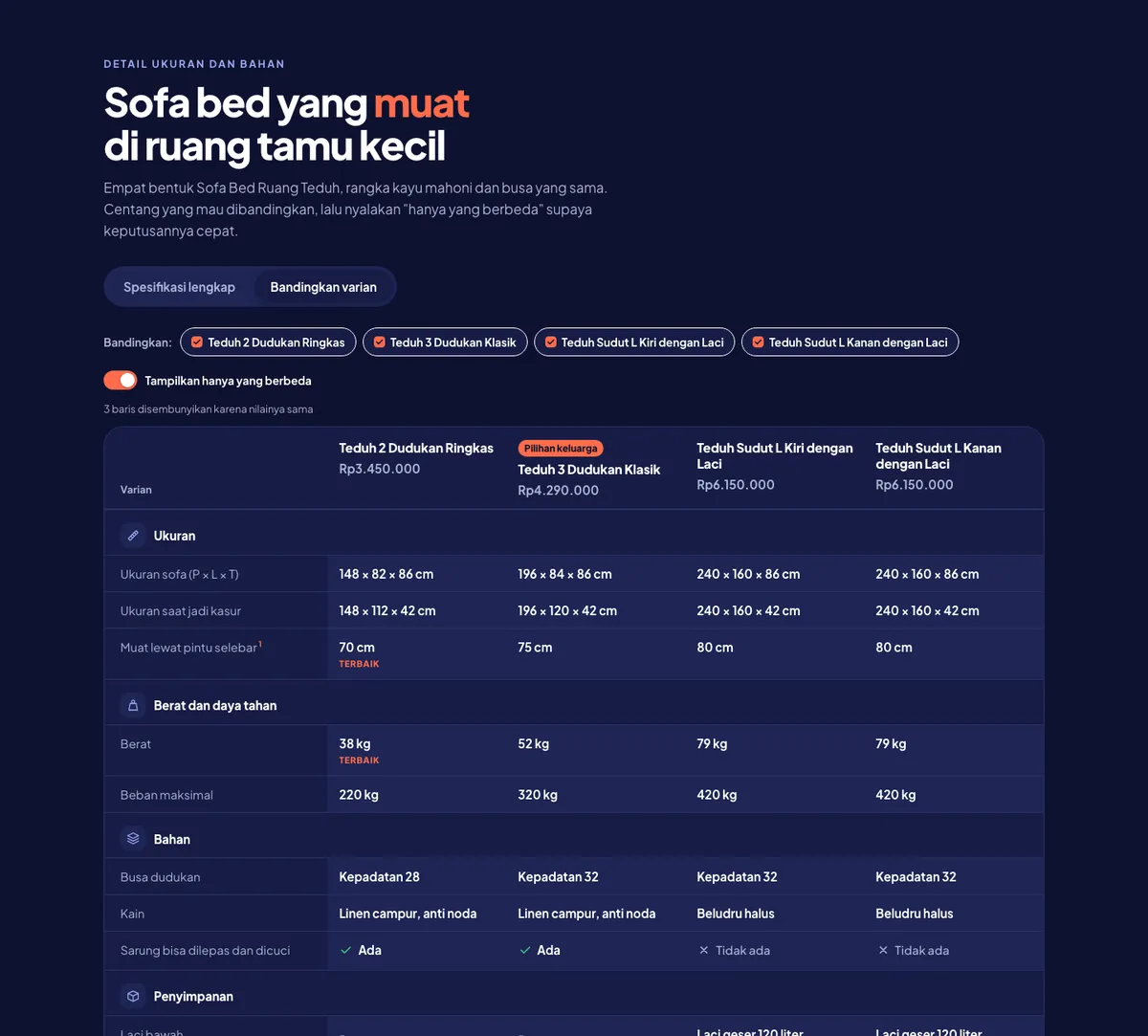
A spec section in a single-product showcase style for electronics and furniture shops: a variant card with a large visual and big thin numbers, specs grouped under self-drawn line icons, and a tab comparing 2-4 variants side by side with differing rows highlighted, a Best tag, and a differences-only switch. Tidy units, footnotes, a sticky table header, a WhatsApp button per variant, and no sideways scroll on phones. One config object, safe to paste anywhere.
Verified by SkillFlow
We checked every file in this skill automatically: no command that downloads and runs a program, no hidden code, no instruction telling your AI to ignore you.
- Loads from outside
- Fonts: Google Fonts
See the 6 files inside
skill.json12 KBSKILL.md7 KBprompt.md6 KBprompt.en.md6 KBfiles/contoh/sofa-4-varian-malam.html32 KBfiles/spesifikasi.html32 KB
Checked 14 Nov 2026
Part of SkillFlow Pro
Pro opens every skill in every category: copy, ZIP, Send to AI, install, save, and request new skills.
Get Pro Already subscribed? Sign inWhat you get
- A one-file HTML section with scoped CSS, ready to paste into an existing landing page
- A variant card: product visual or coded gradient circle, price, WhatsApp button, 2-4 big thin numbers
- Grouped specs with 17 self-drawn line icons, present and absent marked with a tick or cross
- A compare tab for 2-4 variants: differing rows highlighted, a Best tag, a differences-only switch
- Tidy units (1,500 W, 28 × 34 × 30 cm, 80-200 °C), numbered footnotes, a sticky table header
- A phone view with no sideways scroll, 3 palettes (light, night, sand), a WhatsApp button per variant
Good fit
- Electronics and home appliance shops with several sizes or types
- Furniture shops whose buyers need exact sizes and materials before ordering
- Sellers tired of answering the same question about variant differences
Not for
- Not a service or subscription plan table; use the Package Pricing Table for that
- It does not compare against other brands' products
- It does not pull data from a marketplace or catalogue; you enter the specs
- More than 6 variants in one section, or more than 4 compare columns at once
About this skill
/tabel-spesifikasi-produk Make a spec section for our air fryer in 3 sizes, 4L, 6L, and 8L, so buyers can compare capacity, power, weight, and box contents without asking in chat
Show more
A spec section in a single-product showcase style for electronics and furniture shops: a variant card with a large visual and big thin numbers, specs grouped under self-drawn line icons, and a tab comparing 2-4 variants side by side with differing rows highlighted, a Best tag, and a differences-only switch. Tidy units, footnotes, a sticky table header, a WhatsApp button per variant, and no sideways scroll on phones. One config object, safe to paste anywhere.
User reviews
FAQ
How does the compare table look on a phone?
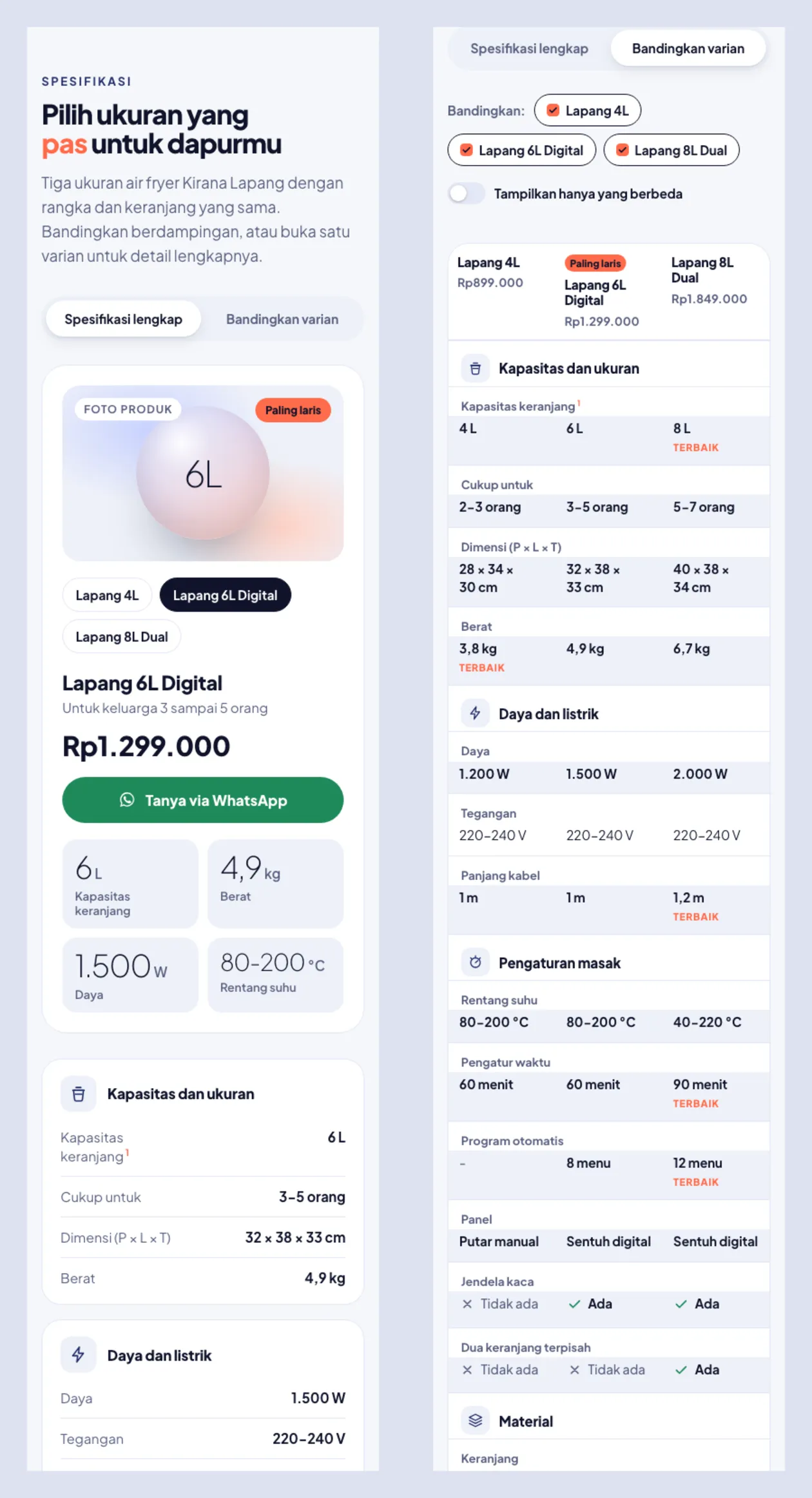
It never scrolls sideways. The row label moves above the values at full width, each variant's value sits side by side below it, and the variant name row stays stuck at the top while scrolling. Under 480 px up to 3 variants are compared at once; tick the chips to swap them.
What decides the Best tag?
Only rows you give a direction, higher or lower is better, such as larger capacity or lighter weight, and only when exactly one value is best. Rows such as power are left without a direction on purpose, since more can mean stronger or more costly to run.
I do not have a photo of each variant yet, will it still look good?
Yes. Without a photo the variant card shows a soft gradient circle holding the variant code (e.g. 6L) in big thin type with a small Product photo label, so it looks intentional. Once you have the photo, add its file name and the visual is replaced.
Which AI can I use it with?
Copy the prompt into a chat AI (ChatGPT, Claude, Gemini, DeepSeek); or download the ZIP and install it in an AI agent (Claude Code, Codex, Antigravity, Hermes Agent, Cursor, GitHub Copilot, Gemini CLI, OpenCode, Kimi Code, Trae), which then builds the files for you.
What is in the ZIP?
One folder named tabel-spesifikasi-produk with SKILL.md (the instructions an AI agent reads) and the prompt, 6 files in all. Extract it into your agent's skills folder, or install it with npx skillflow-ai add tabel-spesifikasi-produk. Pro only.
Is there a per-use fee or credits?
Not from SkillFlow. The skill runs on the AI you already use, so any cost follows that plan.
Which plan includes it?
SkillFlow Pro. It opens every skill in every category.
Can I use my own colours and brand?
Yes. Pick a colour theme on this page, or fill in your brand profile once; both go into the prompt you copy and into the ZIP.
Can I share what I made?
Pro members can upload the result and get a page at share.skillflow.ai.id to send to anyone. The page carries a small "Made with SkillFlow AI" mark.
Is there a download limit?
Yes, per day: 50 skills on Pro, 10 on other plans. Downloading a skill again on the same day does not count.



