

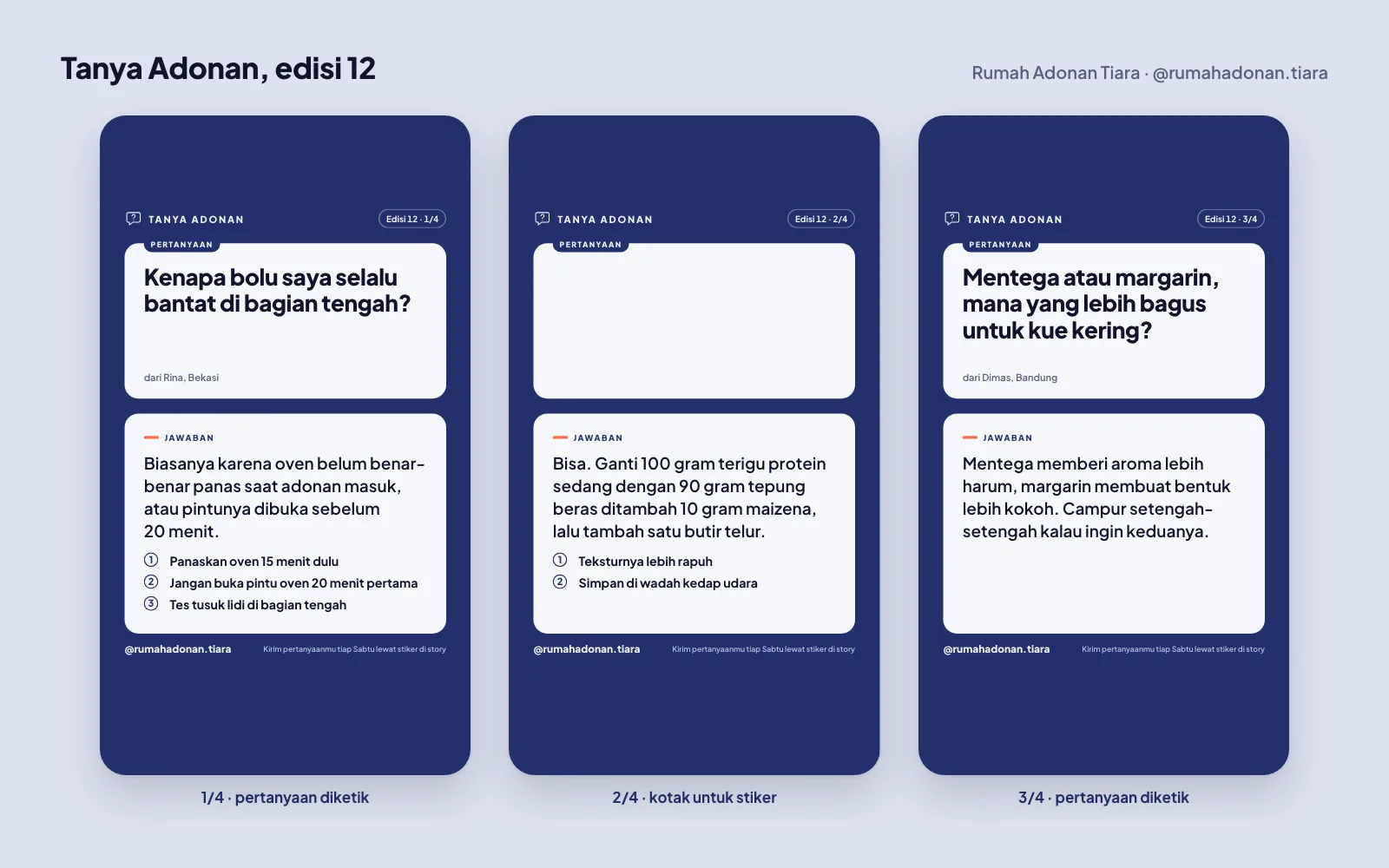
The Ask the Baker feature, issue 12: a typed question, a box for the sticker, and numbered points
SKILL.md contents
Premium subscribers can read, copy, and install this skill.
Unlock with Premium Sign inQ&A Story Template
Description
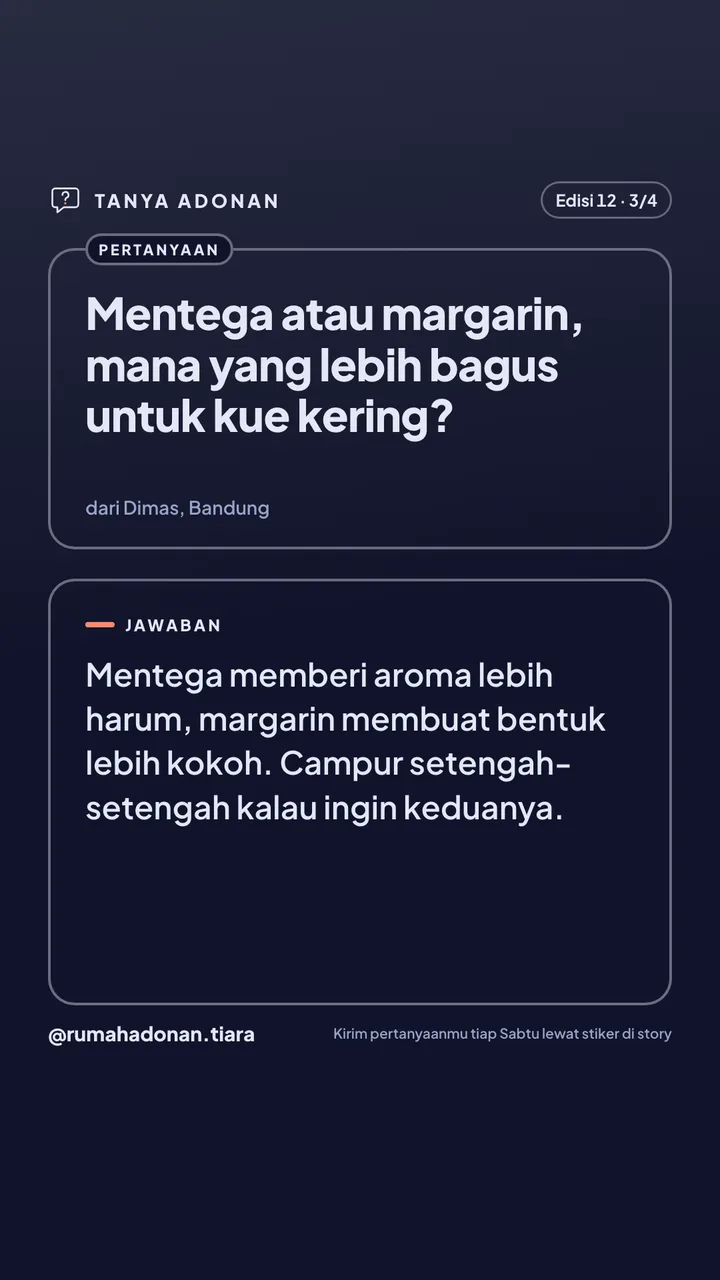
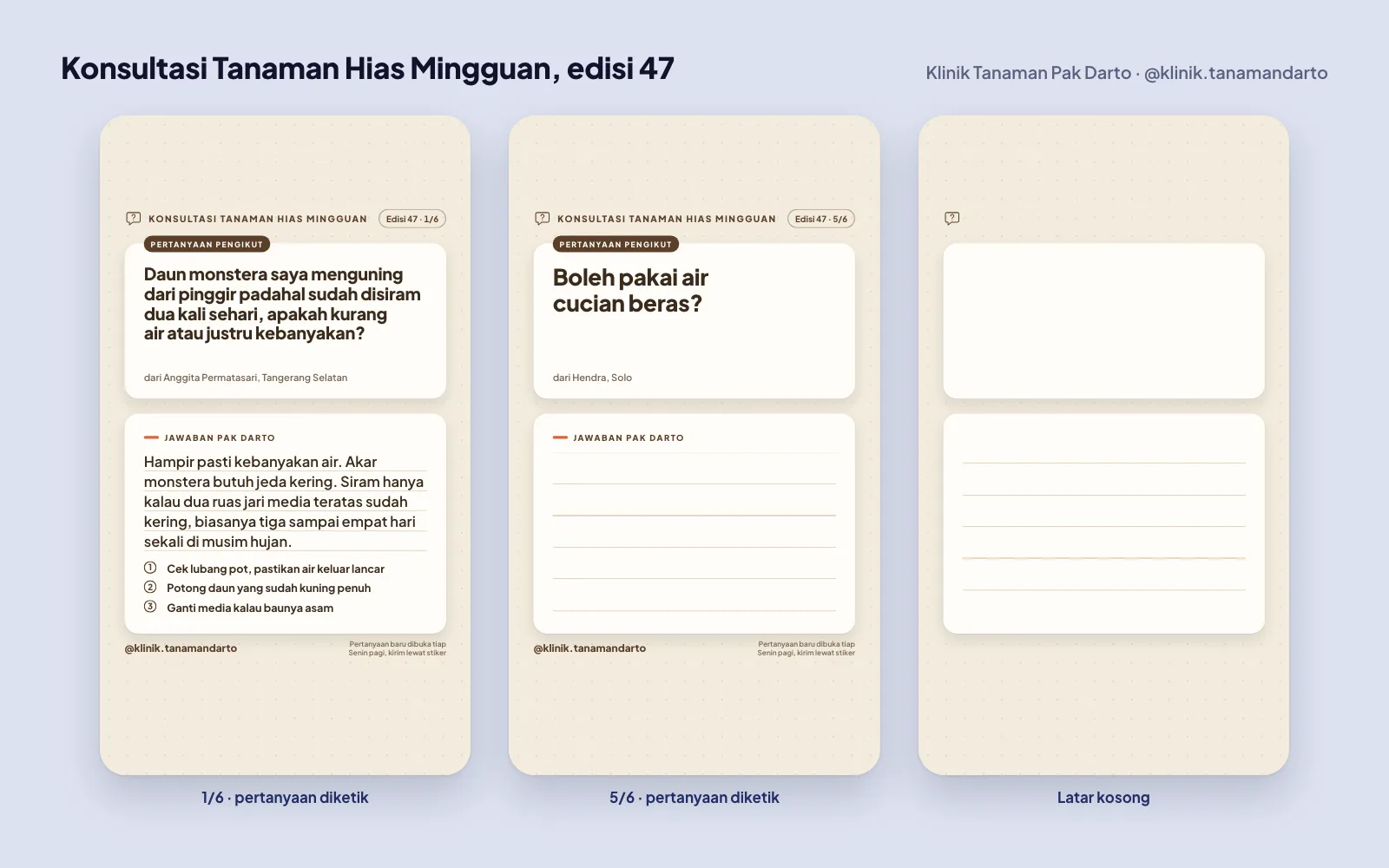
A set of 1080x1920 story backgrounds for a recurring Q&A feature: each story answers one follower question, with the feature name, issue number and order (1/4, 2/4), a question box that is either typed or left empty for the app's own question sticker, an answer area with numbered points (or blank lines to type on in the app), the handle, and a call to send questions. There is also one blank background with no text. Everything stays inside the story safe area, then each story downloads as a PNG or all of them in a ZIP.
Verified by SkillFlow
We checked every file in this skill automatically: no command that downloads and runs a program, no hidden code, no instruction telling your AI to ignore you.
- Loads from outside
- Fonts: Google Fonts SkillFlow: directory.skillflow.ai.id
See the 6 files inside
skill.json11 KBSKILL.md7 KBprompt.md6 KBprompt.en.md6 KBfiles/contoh/klinik-tanaman-6-story.html24 KBfiles/story.html24 KB
Checked 14 Nov 2026
Included in Basic and Pro
Basic copies the prompt. Pro also downloads the ZIP, sends to AI, installs into agents, and opens every category.
Get Pro Get Basic Already subscribed? Sign inWhat you get
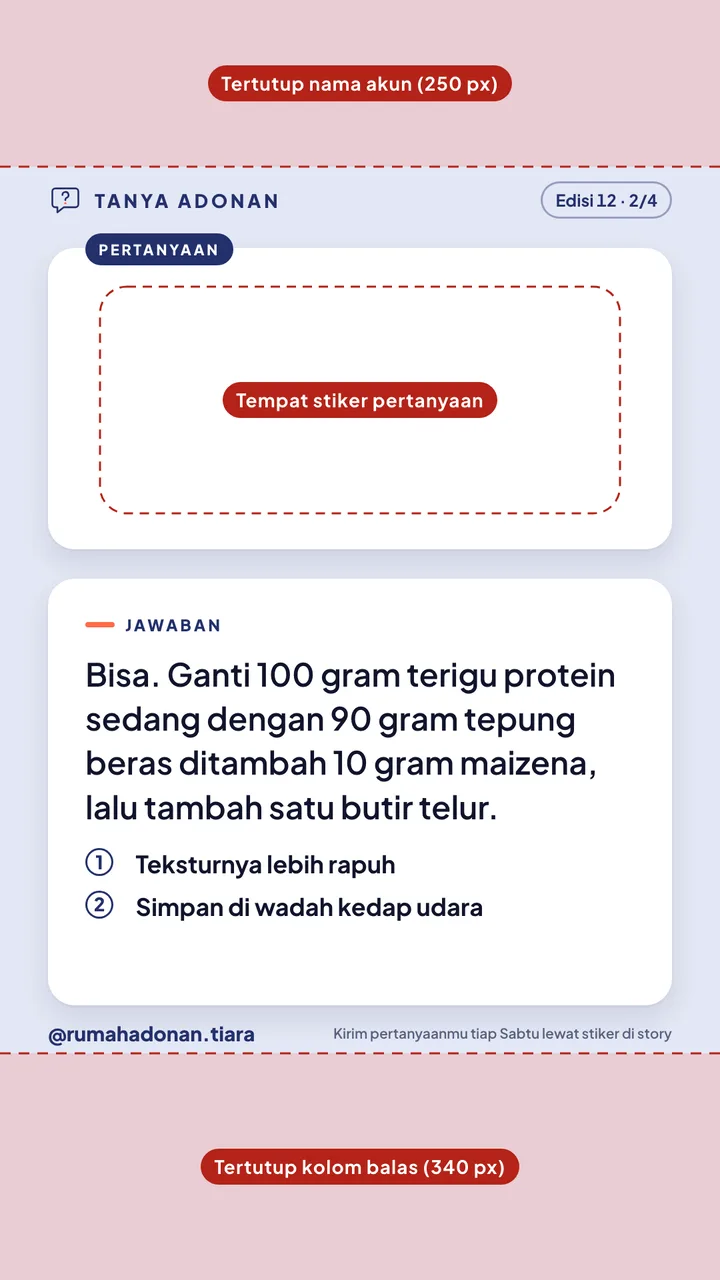
- One 1080x1920 PNG per question, automatic 1/N order and issue number, nothing in the top 250 px or bottom 340 px
- A typed question box (with the asker's first name and city) or an empty one for the app's question sticker
- An answer area with text and 0-3 numbered points, or blank lines to type on in the app
- One blank background with no text for issues answered directly in the app
- 3 box styles (card, outline, notebook lines), 3 backgrounds, long text shrinks automatically
- 5 palettes or your own brand colours, safe-area guide lines, download per story and all (ZIP)
Good fit
- Shops, classes, clinics, or services with a recurring Q&A feature in their stories
- Creators and teachers answering several questions at once who want them all to match
- Admins who want to place the app's real question sticker so the asker's name shows as usual
Not for
- It does not collect questions; that still happens through the question sticker in the app
- It does not post the stories; you upload them and place the sticker yourself
- Not a 4:5 feed carousel and not content with a credentialed expert
- It does not give expert medical, legal, or financial answers; the answers come from the account owner
About this skill
/template-story-tanya-jawab Make Q&A stories for issue 12 of my baking class's Ask the Baker feature, four follower questions, one using the question sticker, plus one blank background
Show more
A set of 1080x1920 story backgrounds for a recurring Q&A feature: each story answers one follower question, with the feature name, issue number and order (1/4, 2/4), a question box that is either typed or left empty for the app's own question sticker, an answer area with numbered points (or blank lines to type on in the app), the handle, and a call to send questions. There is also one blank background with no text. Everything stays inside the story safe area, then each story downloads as a PNG or all of them in a ZIP.
User reviews
FAQ
How do I use the box left empty for the sticker?
Upload that story, open the question sticker, pick the follower's question you want to answer, then drag the sticker into the Question box and enlarge it to fill the box. Open the file with ?panduan=1 to see the sticker spot and the areas covered by the account name and reply bar.
My answer is long, will it be cut off?
The text shrinks automatically until it fits, and the console warns you if it still does not. Answers over about 30 words are better split across two stories so they can be read in a few seconds.
What is the blank background for?
For issues you want to answer directly in the app: upload the blank background, place the question sticker in the top box, then type the answer with the app's text tool in the bottom box. It still matches the other stories in that issue.
Which AI can I use it with?
Copy the prompt into a chat AI (ChatGPT, Claude, Gemini, DeepSeek); or download the ZIP and install it in an AI agent (Claude Code, Codex, Antigravity, Hermes Agent, Cursor, GitHub Copilot, Gemini CLI, OpenCode, Kimi Code, Trae), which then builds the files for you.
What is in the ZIP?
One folder named template-story-tanya-jawab with SKILL.md (the instructions an AI agent reads) and the prompt, 6 files in all. Extract it into your agent's skills folder, or install it with npx skillflow-ai add template-story-tanya-jawab. Pro only.
Is there a per-use fee or credits?
Not from SkillFlow. The skill runs on the AI you already use (and, for image prompts, the image AI you pick), so any cost follows that plan.
Which plan includes it?
Basic and Pro. Basic copies the prompt; Pro also downloads the ZIP, sends to AI, installs into agents and shares results by link.
Can I use my own colours and brand?
Yes. Pick a colour theme on this page, or fill in your brand profile once; both go into the prompt you copy and into the ZIP.
Can I share what I made?
Pro members can upload the result and get a page at share.skillflow.ai.id to send to anyone. The page carries a small "Made with SkillFlow AI" mark.
Is there a download limit?
Yes, per day: 50 skills on Pro, 10 on other plans. Downloading a skill again on the same day does not count.



