

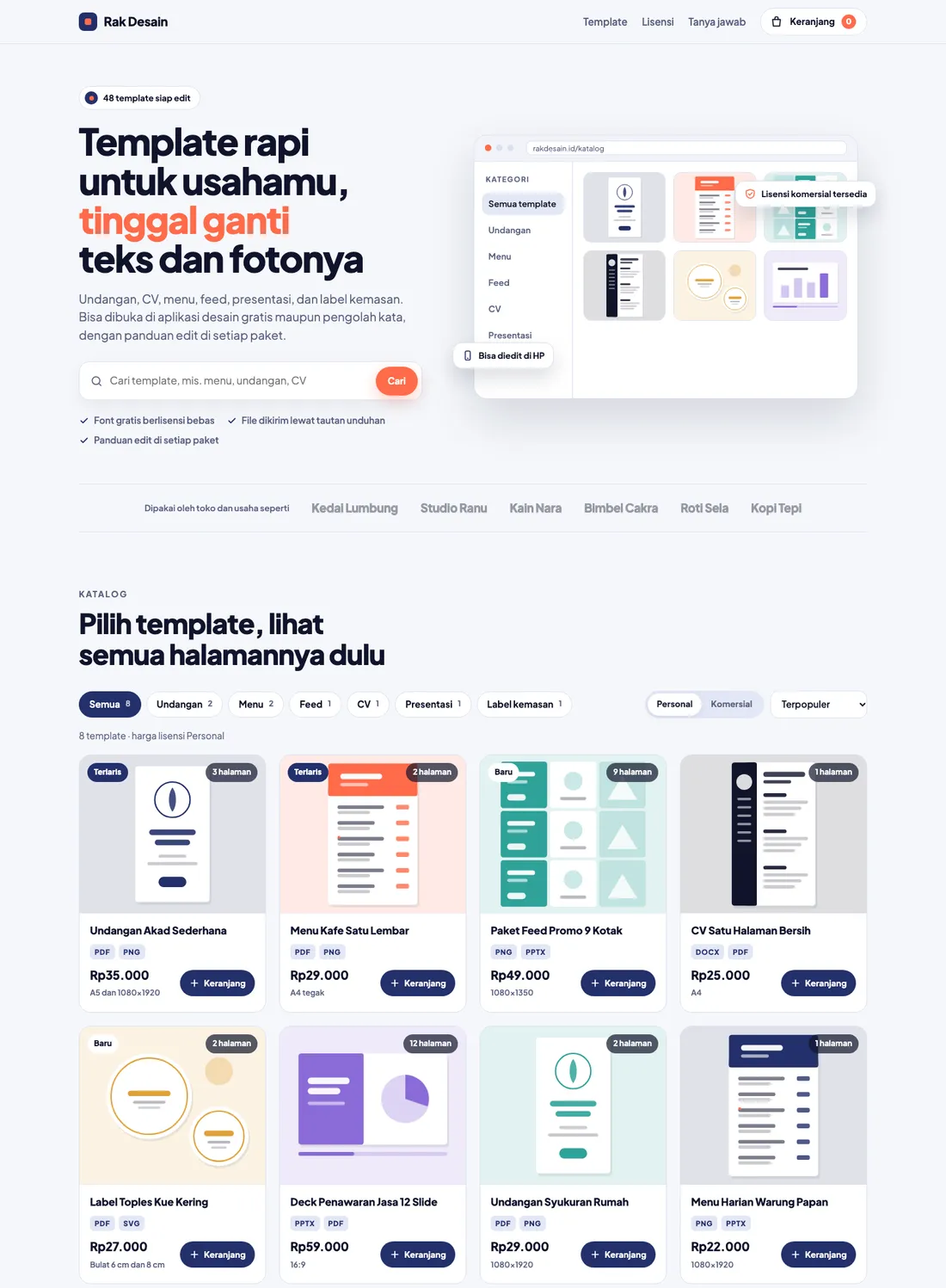
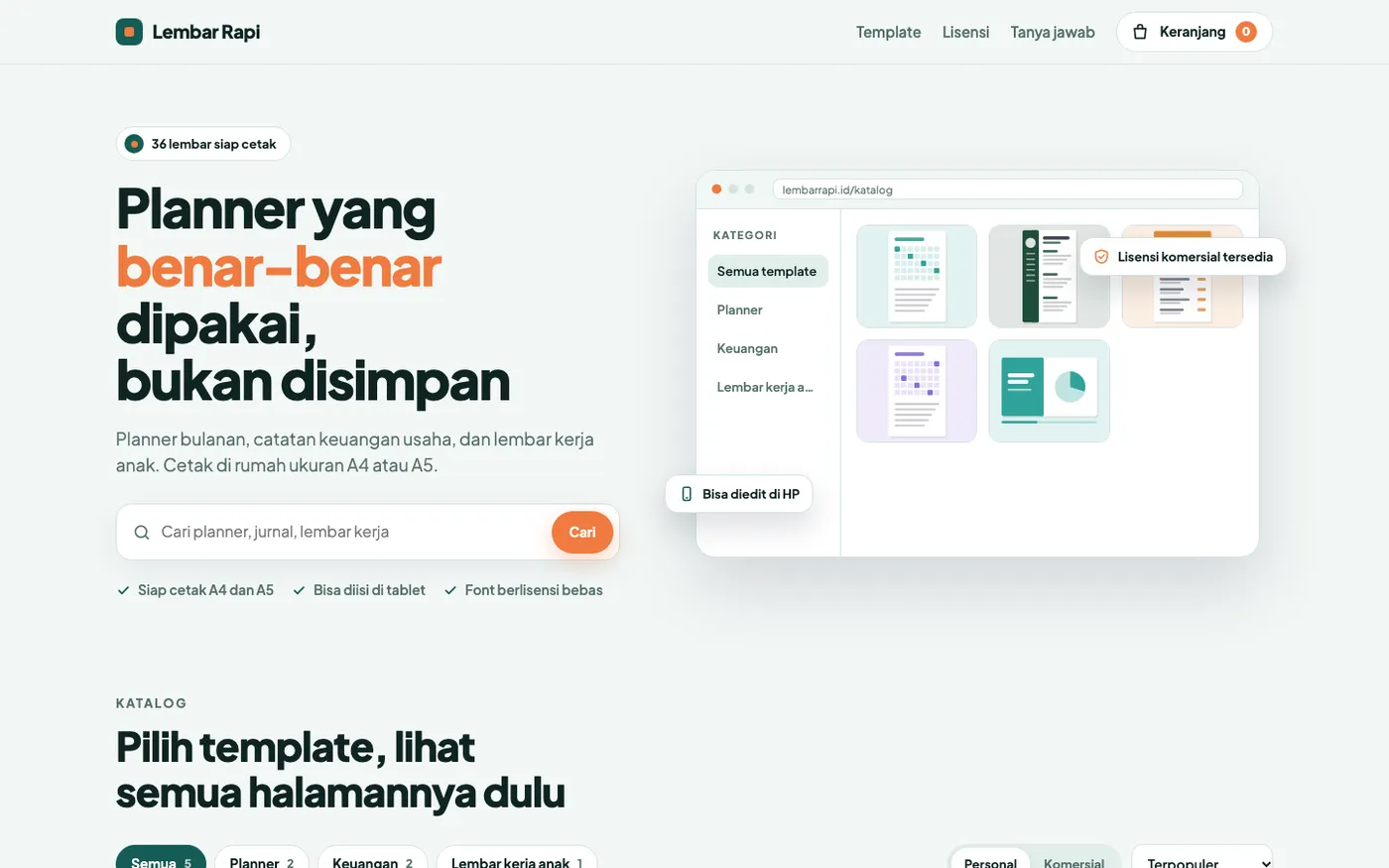
Desktop: hero with a catalogue window, buyer shop names, category filters, and template cards
SKILL.md contents
Premium subscribers can read, copy, and install this skill.
Unlock with Premium Sign inDigital Template Store
Description
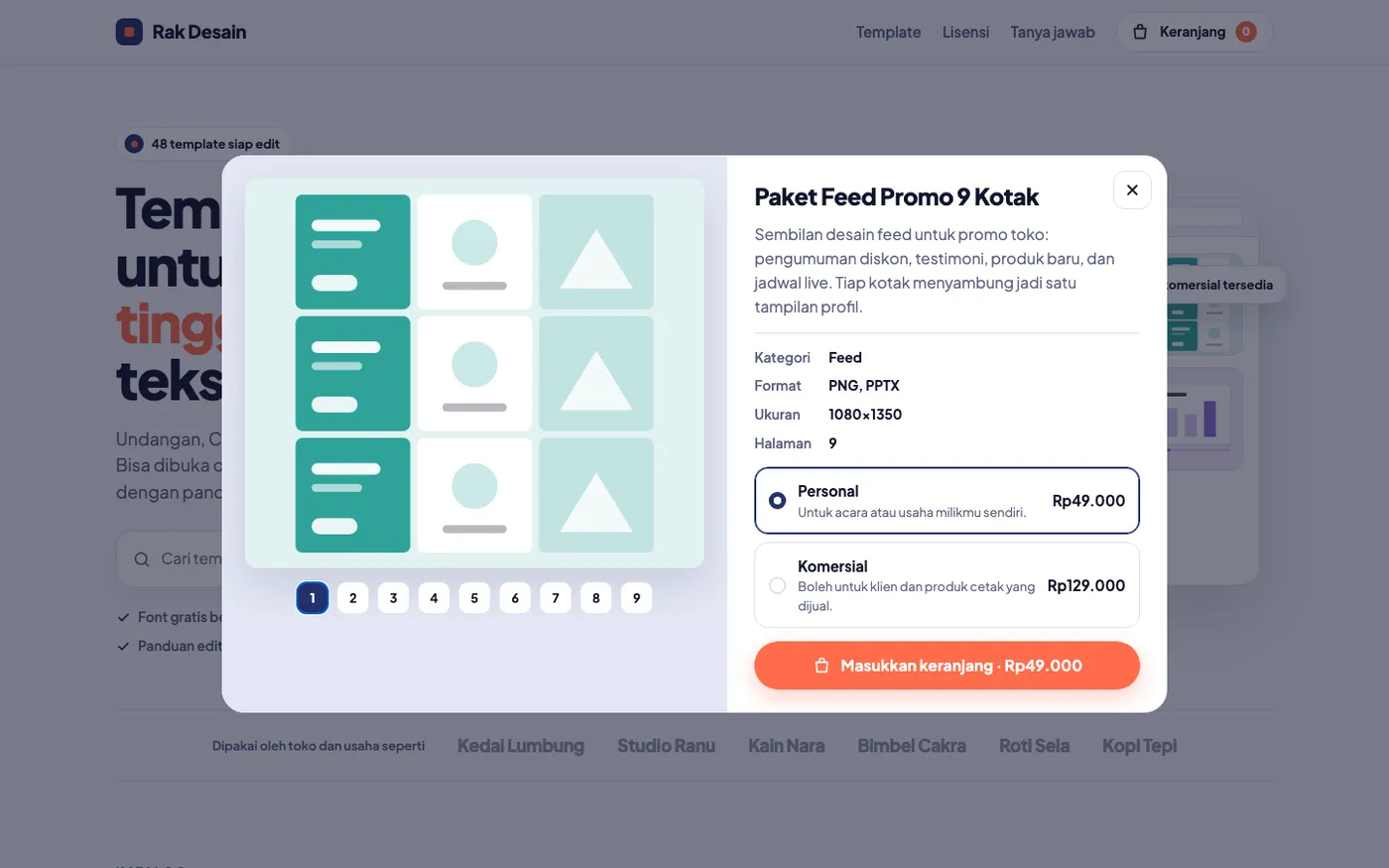
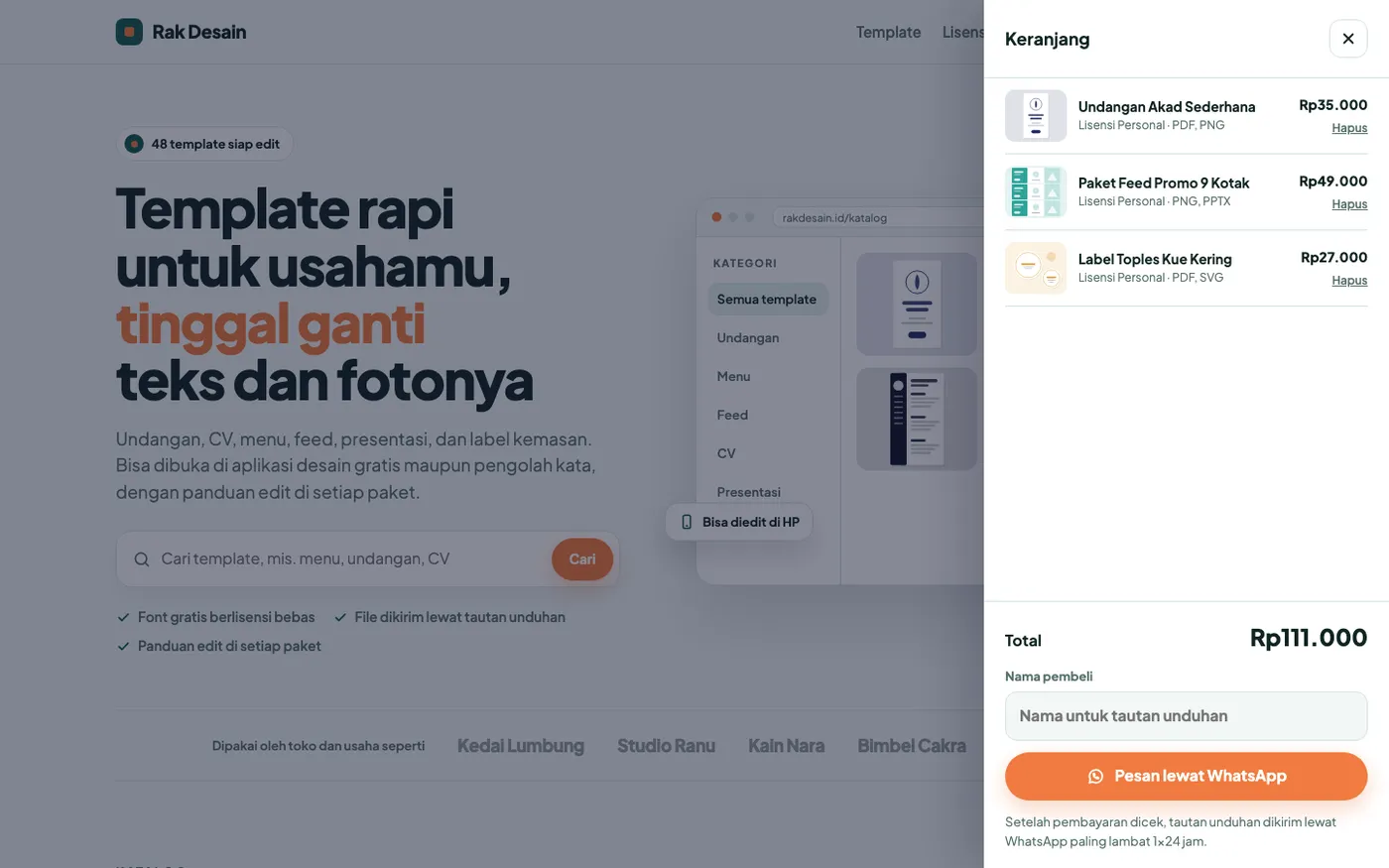
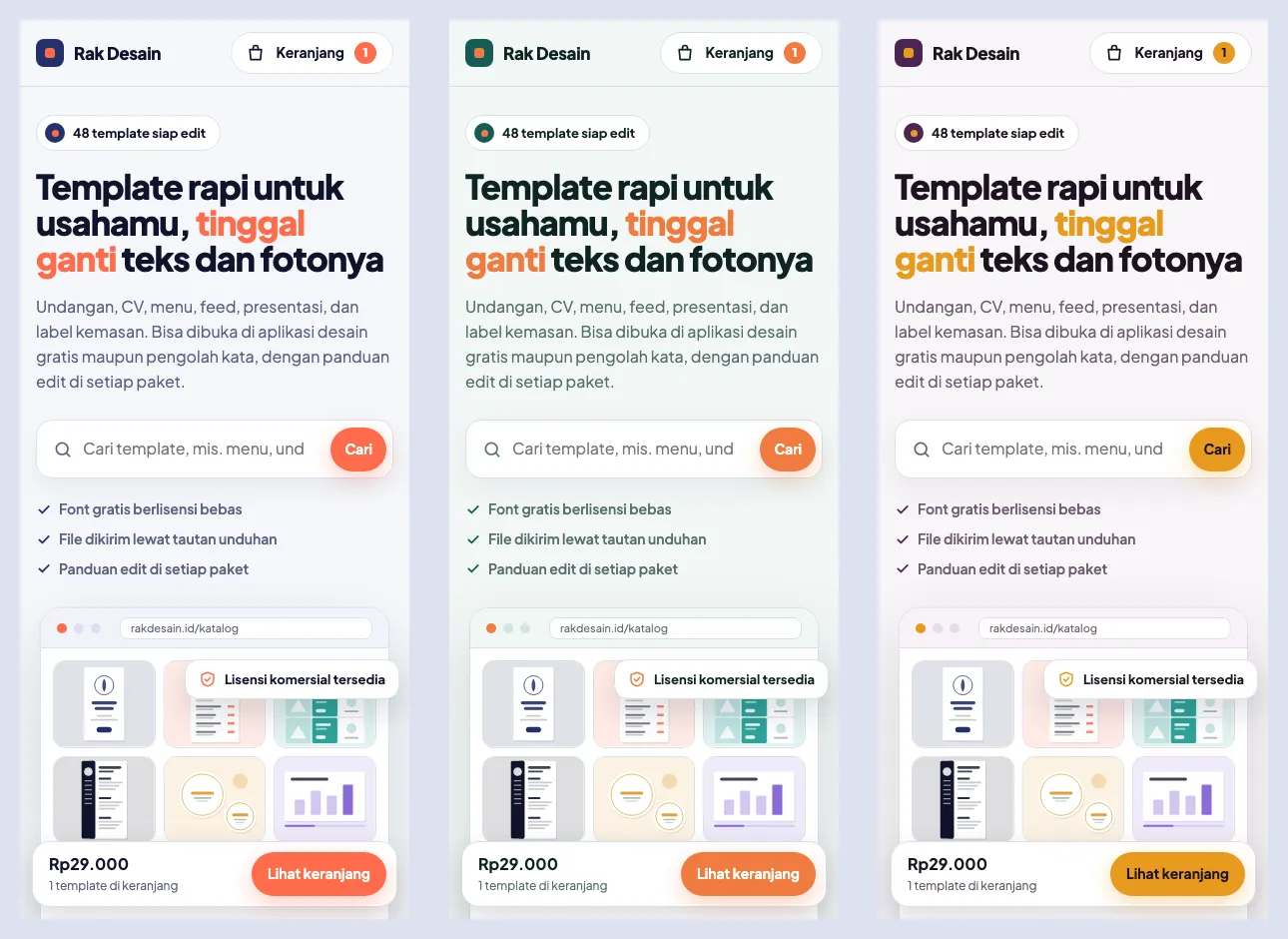
A store page for sellers of design templates (invitations, CVs, menus, social feeds, decks, product labels, planners): a hero with a catalogue window and search box, a strip of buyer shop names, category filters with counts, sort by popular, newest, or cheapest, a Personal and Commercial licence switch that changes every price, template cards with previews and file formats, a page-by-page preview window, an all-templates bundle, a licence table, FAQs, and a cart that sends the order to WhatsApp. One responsive HTML file, 3 palettes.
Verified by SkillFlow
We checked every file in this skill automatically: no command that downloads and runs a program, no hidden code, no instruction telling your AI to ignore you.
- Loads from outside
- Fonts: Google Fonts
See the 5 files inside
skill.json12 KBSKILL.md7 KBprompt.md5 KBprompt.en.md5 KBfiles/toko-template.html55 KB
Checked 14 Nov 2026
Part of SkillFlow Pro
Pro opens every skill in every category: copy, ZIP, Send to AI, install, save, and request new skills.
Get Pro Already subscribed? Sign inWhat you get
- A one-file HTML template store driven by one content object (categories, templates, prices per licence, bundle)
- A catalogue with search, counted category filters, sorting, and a licence switch that changes every price
- Template cards with built-in previews per type or your own images, badges, file formats, page counts
- A page-by-page preview window with licence choice and price
- A multi-template cart that sends the order, licences, total, and buyer name to WhatsApp
- An all-templates bundle, a Personal vs Commercial licence table, FAQs, a sticky cart bar on phones, 3 palettes
Good fit
- Designers selling invitation, CV, menu, social feed, or presentation templates
- Sellers of printable planners, worksheets, and printables
- Small studios that want a tidy catalogue without opening a shop on another platform
- Sellers who price personal and business licences differently
Not for
- It does not deliver files automatically after payment: orders go to WhatsApp and download links are sent by hand
- It does not process payments or store orders on a server
- Built-in previews are only sample shapes; before going live, add preview images of your real templates
- It does not make the templates you sell or write a legally binding licence
About this skill
/toko-template-digital Build a store page for the invitation and menu templates I sell, with personal and commercial licences and ordering over WhatsApp
Show more
A store page for sellers of design templates (invitations, CVs, menus, social feeds, decks, product labels, planners): a hero with a catalogue window and search box, a strip of buyer shop names, category filters with counts, sort by popular, newest, or cheapest, a Personal and Commercial licence switch that changes every price, template cards with previews and file formats, a page-by-page preview window, an all-templates bundle, a licence table, FAQs, and a cart that sends the order to WhatsApp. One responsive HTML file, 3 palettes.
User reviews
FAQ
How do I replace the built-in previews with real template images?
Set gambar on that template to the image path, for example gambar: 'previews/wedding-invite.jpg'. Images around 4:3 or slightly taller fit the cards best. The page-by-page preview uses the same image; for different pages, have the agent add a list of images per page.
Can I use a single price with no licences?
Yes. Remove one licence from the lisensi object and set prices only for the one left. The licence switch then shows a single option, or have the agent hide it.
What goes in the buyer shop names strip?
Only names of real buyers who agreed to be listed. If you have none yet, set tampil: false to hide the strip.
Which AI can I use it with?
Copy the prompt into a chat AI (ChatGPT, Claude, Gemini, DeepSeek); or download the ZIP and install it in an AI agent (Claude Code, Codex, Antigravity, Hermes Agent, Cursor, GitHub Copilot, Gemini CLI, OpenCode, Kimi Code, Trae), which then builds the files for you.
What is in the ZIP?
One folder named toko-template-digital with SKILL.md (the instructions an AI agent reads) and the prompt, 5 files in all. Extract it into your agent's skills folder, or install it with npx skillflow-ai add toko-template-digital. Pro only.
Is there a per-use fee or credits?
Not from SkillFlow. The skill runs on the AI you already use, so any cost follows that plan.
Which plan includes it?
SkillFlow Pro. It opens every skill in every category.
Can I use my own colours and brand?
Yes. Pick a colour theme on this page, or fill in your brand profile once; both go into the prompt you copy and into the ZIP.
Can I share what I made?
Pro members can upload the result and get a page at share.skillflow.ai.id to send to anyone. The page carries a small "Made with SkillFlow AI" mark.
Is there a download limit?
Yes, per day: 50 skills on Pro, 10 on other plans. Downloading a skill again on the same day does not count.



