

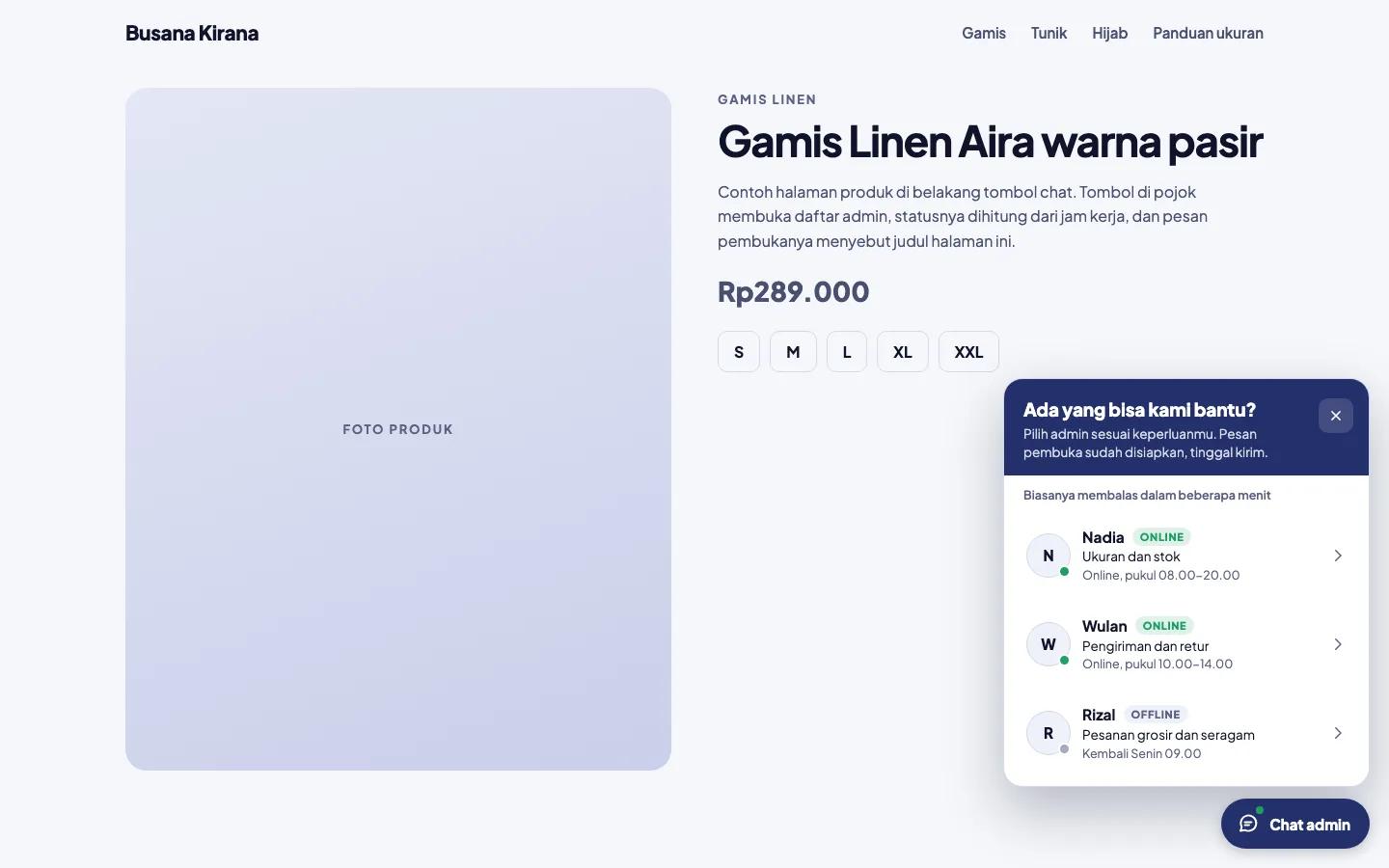
A fashion product page: a panel of three admins, two online, one back Monday 09.00
SKILL.md contents
Premium subscribers can read, copy, and install this skill.
Unlock with Premium Sign inFloating Chat Button (Section)
Description
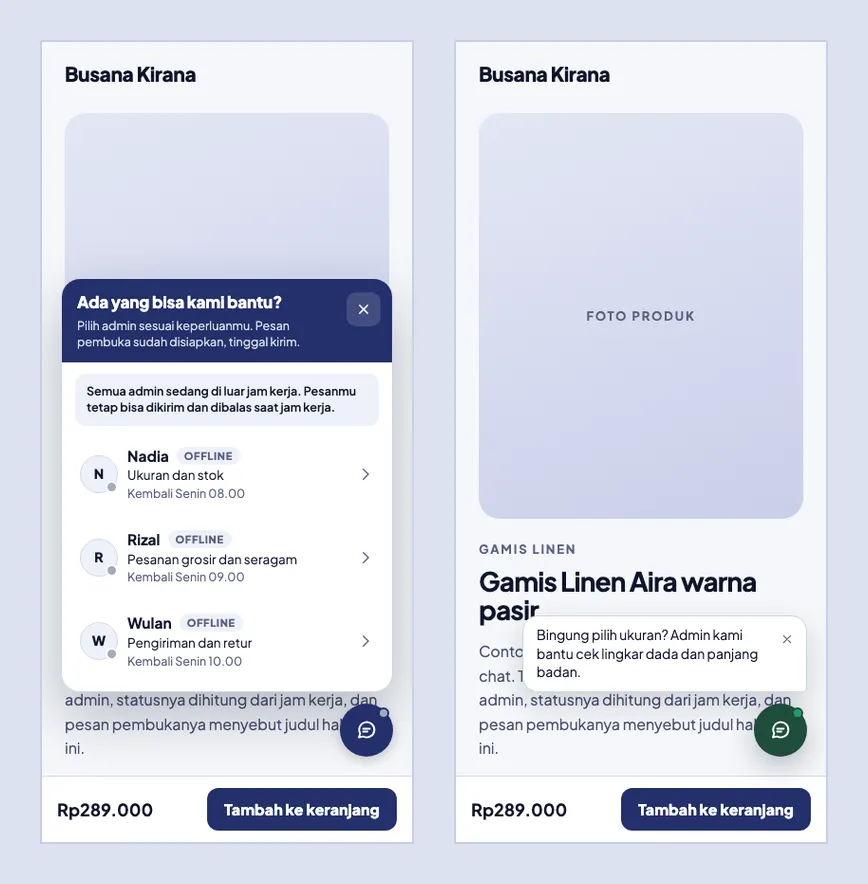
A small chat button in the bottom corner of every page that opens a list of several admins: name, role, and an online or offline status worked out from each admin's working hours in the shop's time zone, including days off and when the admin is back. Each admin opens the chat with an opening message already holding the page title being read. With a once-per-session greeting bubble, left or right position, and a button that lifts itself above a phone buy bar so it never covers it.
Verified by SkillFlow
We checked every file in this skill automatically: no command that downloads and runs a program, no hidden code, no instruction telling your AI to ignore you.
- Loads from outside
- Fonts: Google Fonts
See the 6 files inside
skill.json9 KBSKILL.md6 KBprompt.md5 KBprompt.en.md5 KBfiles/chat.html22 KBfiles/contoh/klinik-6-admin-kiri.html22 KB
Checked 14 Nov 2026
Part of SkillFlow Pro
Pro opens every skill in every category: copy, ZIP, Send to AI, install, save, and request new skills.
Get Pro Already subscribed? Sign inWhat you get
- A section ready to paste before </body> on every page, scoped CSS, no library and no server
- A panel of several admins with roles, initials, and an online status from per-day working hours and days off
- When each offline admin is back (today, tomorrow, or a weekday name)
- An opening message per admin that names the page title, numbers converted to international format
- A button that lifts above a phone buy bar or bottom menu, left or right, safe on notched screens
- A once-per-session greeting bubble, Esc and an outside click close the panel, 3 palettes
Good fit
- Online shops and catalogues with more than one admin for different matters
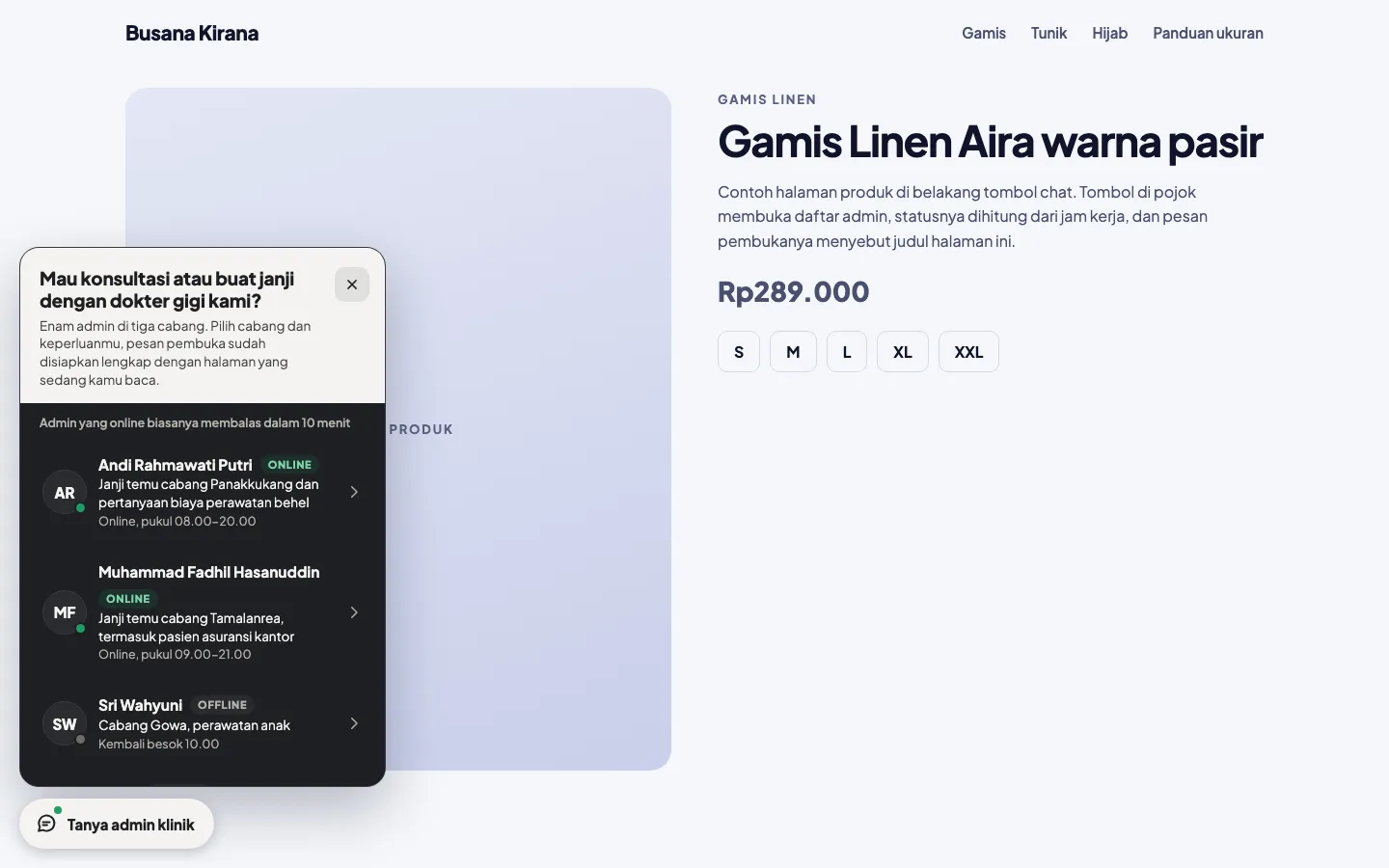
- Clinics, courses, and service businesses that want visitors to see which admin is on duty
- Product pages with a buy bar at the bottom of the phone screen that the chat button must not cover
Not for
- Online status comes from the schedule, not from the admin having the chat app open
- Not an in-page live chat widget; the conversation still happens in the chat app
- It does not route chats automatically to the least busy admin; visitors choose
- It stores no chat history or visitor data
About this skill
/tombol-chat-melayang Make a floating chat button for my fashion shop with three admins (stock, wholesale, shipping), an online status from each one's working hours, and an opening message that names the product being viewed
Show more
A small chat button in the bottom corner of every page that opens a list of several admins: name, role, and an online or offline status worked out from each admin's working hours in the shop's time zone, including days off and when the admin is back. Each admin opens the chat with an opening message already holding the page title being read. With a once-per-session greeting bubble, left or right position, and a button that lifts itself above a phone buy bar so it never covers it.
User reviews
FAQ
How is the online status worked out?
From each admin's working hours per day that you write, compared with the shop's clock in its time zone, including days off. It refreshes every minute while the page is open. Offline admins can still be messaged and show when they are back.
The button covers the buy button on phones, what now?
Put the selector of your page's buy bar or bottom menu in the bottom bar setting. Its height is measured automatically and the chat button sits right above it, including the safe area on notched phones.
Can the opening message name the product being viewed?
Yes. Put {halaman} in the message and it is replaced by the page title without the shop name, such as the product name. Each admin can have their own message, for example the wholesale admin asking about the planned quantity.
Which AI can I use it with?
Copy the prompt into a chat AI (ChatGPT, Claude, Gemini, DeepSeek); or download the ZIP and install it in an AI agent (Claude Code, Codex, Antigravity, Hermes Agent, Cursor, GitHub Copilot, Gemini CLI, OpenCode, Kimi Code, Trae), which then builds the files for you.
What is in the ZIP?
One folder named tombol-chat-melayang with SKILL.md (the instructions an AI agent reads) and the prompt, 6 files in all. Extract it into your agent's skills folder, or install it with npx skillflow-ai add tombol-chat-melayang. Pro only.
Is there a per-use fee or credits?
Not from SkillFlow. The skill runs on the AI you already use, so any cost follows that plan.
Which plan includes it?
SkillFlow Pro. It opens every skill in every category.
Can I use my own colours and brand?
Yes. Pick a colour theme on this page, or fill in your brand profile once; both go into the prompt you copy and into the ZIP.
Can I share what I made?
Pro members can upload the result and get a page at share.skillflow.ai.id to send to anyone. The page carries a small "Made with SkillFlow AI" mark.
Is there a download limit?
Yes, per day: 50 skills on Pro, 10 on other plans. Downloading a skill again on the same day does not count.



