

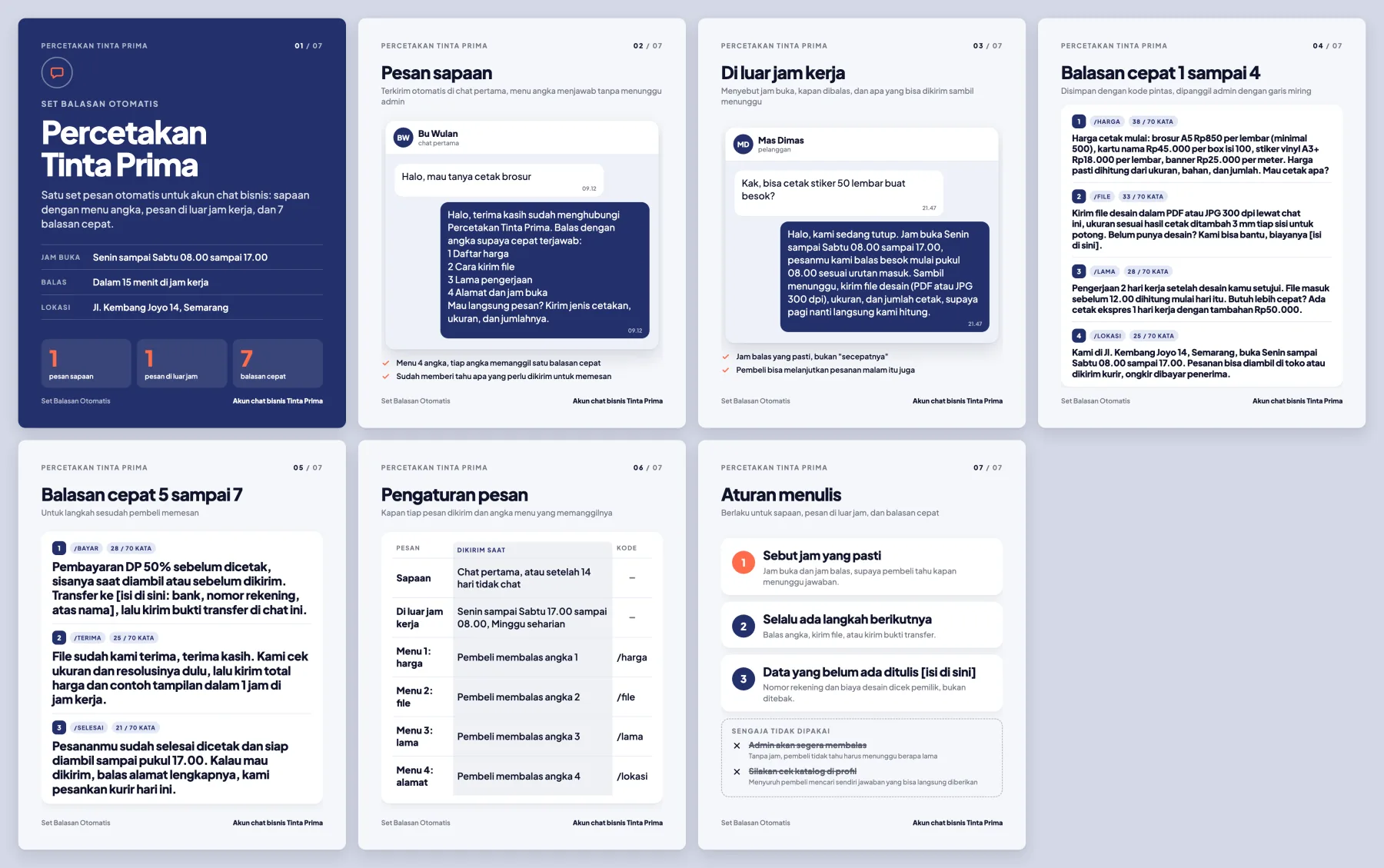
Seven cards: shop profile, greeting, away message, 7 quick replies, settings, rules
SKILL.md contents
Premium subscribers can read, copy, and install this skill.
Unlock with Premium Sign inAuto-Reply Set
Description
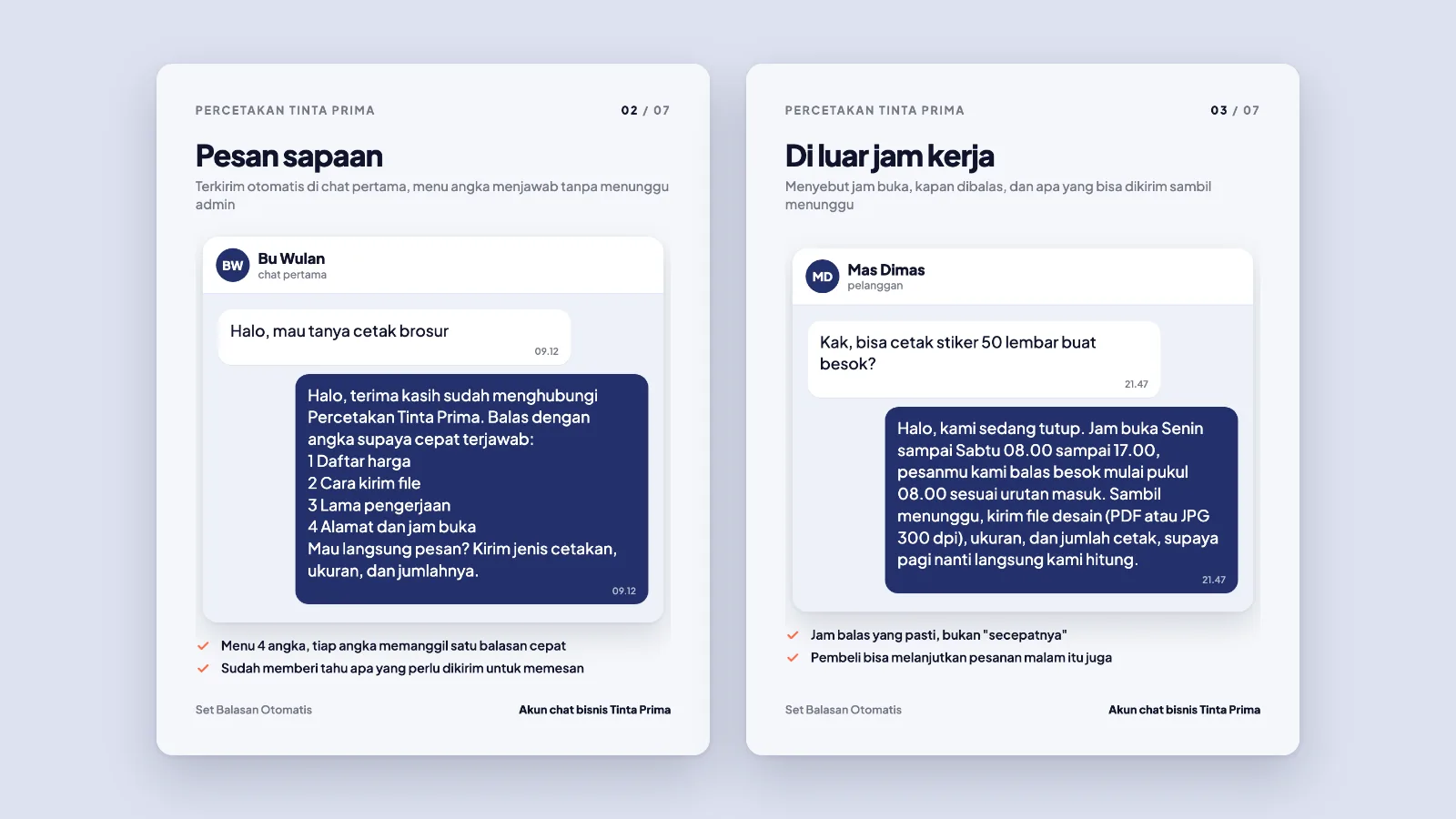
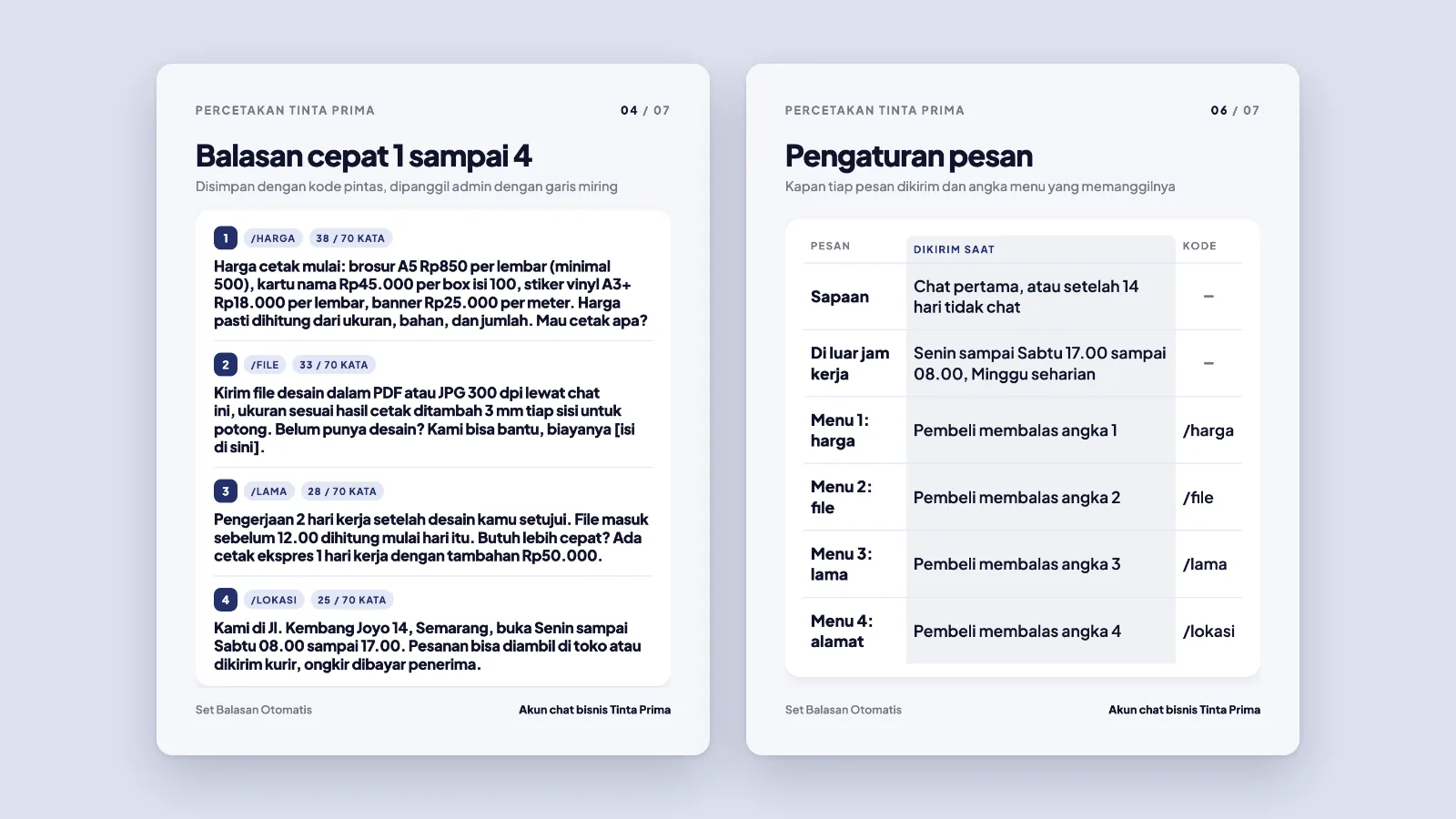
A copy skill for a business chat account: one set of automatic messages you set up once and that works every day. A greeting with a numbered menu so buyers get an answer straight away, an away message stating opening hours, when they will hear back, and what to send while they wait, plus 5 to 8 quick replies with shortcut codes (/price, /pay) for the questions asked most, each at most 70 words. Only the business's own facts are used; anything missing is flagged to fill in. Includes a settings table for when each message is sent, a fill-in brief, a sample result, and chat mockup cards.
Verified by SkillFlow
We checked every file in this skill automatically: no command that downloads and runs a program, no hidden code, no instruction telling your AI to ignore you.
- Loads from outside
- Fonts: Google Fonts
See the 7 files inside
skill.json10 KBSKILL.md7 KBprompt.md3 KBprompt.en.md3 KBfiles/brief.md1 KBfiles/contoh-hasil.md4 KBfiles/kartu.html64 KB
Checked 14 Nov 2026
Part of SkillFlow Pro
Pro opens every skill in every category: copy, ZIP, Send to AI, install, save, and request new skills.
Get Pro Already subscribed? Sign inWhat you get
- Business facts allowed in the automatic messages
- A greeting with a numbered menu, at most 70 words
- An away message: opening hours, reply time, and what to send while waiting
- 5-8 quick replies with shortcut codes and word counts
- A settings table: when each message is sent and which menu number calls it
- 1080x1350 chat mockup cards for previews and admin training
Good fit
- Online shops and service businesses setting up a business chat account
- Owners who answer the same buyer questions every day
- Chat admins who want to answer fast with shortcut codes
- Businesses with fixed hours that get many chats at night
Not for
- Not a reply to one specific buyer chat; use Buyer Chat Replies for that
- It does not install the messages; you copy the result into your chat account settings
- Not a free-form chatbot; these are fixed messages
- It does not invent prices, account numbers, or hours; gaps are flagged
About this skill
/copy-balasan-otomatis Write a greeting, an away message, and quick replies for my print shop's business chat account, open Monday to Saturday 8 am to 5 pm, here is my price list and how to order
Show more
A copy skill for a business chat account: one set of automatic messages you set up once and that works every day. A greeting with a numbered menu so buyers get an answer straight away, an away message stating opening hours, when they will hear back, and what to send while they wait, plus 5 to 8 quick replies with shortcut codes (/price, /pay) for the questions asked most, each at most 70 words. Only the business's own facts are used; anything missing is flagged to fill in. Includes a settings table for when each message is sent, a fill-in brief, a sample result, and chat mockup cards.
User reviews
FAQ
Why does the greeting use a numbered menu?
Buyers can get the price or address straight away without waiting for an admin, and the admin just calls up the same quick reply each time that number comes in. Four options are enough; more makes the menu too long to read on a phone.
What should the away message include?
Opening hours, when the message will be answered (a definite time), and what the buyer can send while waiting so the order can be handled first thing the next day. Avoid lines like we will reply soon with no time.
How many quick replies do I need?
5 to 8, from the questions asked most often: price, how to order, turnaround or delivery time, location, payment, and order confirmation. Each reply is at most 70 words with a shortcut code that is easy to remember.
Which AI can I use it with?
Copy the prompt into a chat AI (ChatGPT, Claude, Gemini, DeepSeek); or download the ZIP and install it in an AI agent (Claude Code, Codex, Antigravity, Hermes Agent, Cursor, GitHub Copilot, Gemini CLI, OpenCode, Kimi Code, Trae), which then builds the files for you.
What is in the ZIP?
One folder named copy-balasan-otomatis with SKILL.md (the instructions an AI agent reads) and the prompt, 7 files in all. Extract it into your agent's skills folder, or install it with npx skillflow-ai add copy-balasan-otomatis. Pro only.
Is there a per-use fee or credits?
Not from SkillFlow. The skill runs on the AI you already use, so any cost follows that plan.
Which plan includes it?
SkillFlow Pro. It opens every skill in every category.
Can it use my brand details?
Yes. Fill in your brand profile once (name, product, price, contact) and it goes into every prompt you copy.
Can I share what I made?
Pro members can upload the result and get a page at share.skillflow.ai.id to send to anyone. The page carries a small "Made with SkillFlow AI" mark.
Is there a download limit?
Yes, per day: 50 skills on Pro, 10 on other plans. Downloading a skill again on the same day does not count.



