

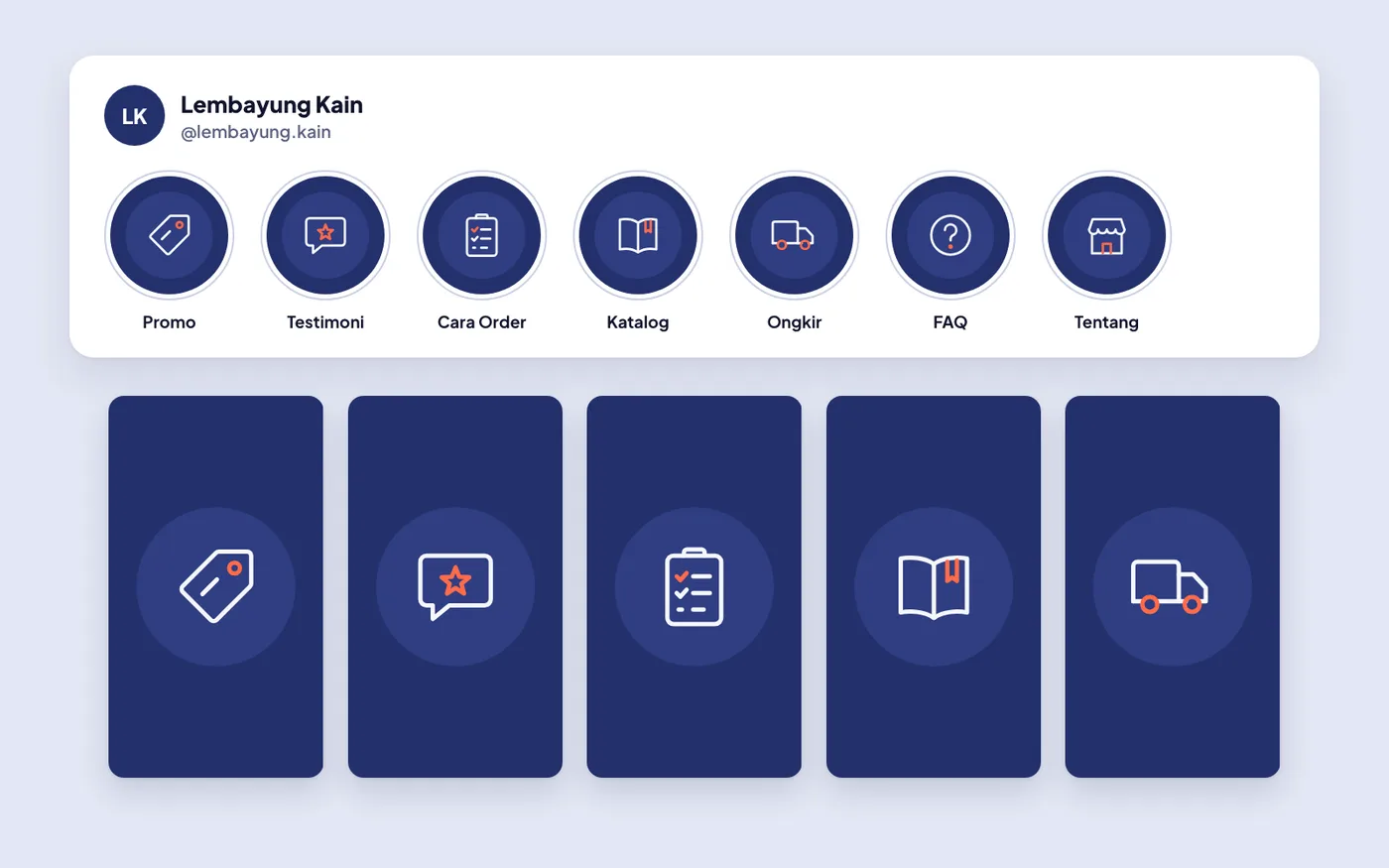
Seven indigo covers and the row of highlight circles on a fabric shop profile
SKILL.md contents
Premium subscribers can read, copy, and install this skill.
Unlock with Premium Sign inProfile Highlight Covers
Description
A set of profile highlight covers with matching line icons in brand colours: Promo, Reviews, How to Order, Catalogue, Shipping, FAQ, About, and more. Every icon is self-drawn with the same line weight and one accent detail, placed in the centre circle that shows on the profile. Fill in one list, preview the row of circles under the bio, then download each cover as a 1080x1920 PNG or all of them at once in a ZIP.
Verified by SkillFlow
We checked every file in this skill automatically: no command that downloads and runs a program, no hidden code, no instruction telling your AI to ignore you.
- Loads from outside
- Fonts: Google Fonts SkillFlow: directory.skillflow.ai.id
See the 6 files inside
skill.json9 KBSKILL.md7 KBprompt.md5 KBprompt.en.md5 KBfiles/contoh/kedai-kopi-12-sampul.html23 KBfiles/sampul.html24 KB
Checked 14 Nov 2026
Included in Basic and Pro
Basic copies the prompt. Pro also downloads the ZIP, sends to AI, installs into agents, and opens every category.
Get Pro Get Basic Already subscribed? Sign inWhat you get
- One PNG cover per highlight, story 1080x1920 or square 1080x1080, icon in the safe centre circle
- 27 self-drawn line icons with one weight and one accent detail, guessed automatically from the name
- A preview of the highlight circle row on the profile, exactly the crop the app shows
- A sheet of every cover with a download per cover and a download-all (ZIP)
- 3 styles (filled circle, outlined circle, icon only), 3 backgrounds, 3 line weights, optional label
- 5 palettes (indigo, mist, cream, sage, night) or your own brand colours, a safe-area guide
Good fit
- Online shops using highlights as a profile menu: promos, ordering, shipping, reviews
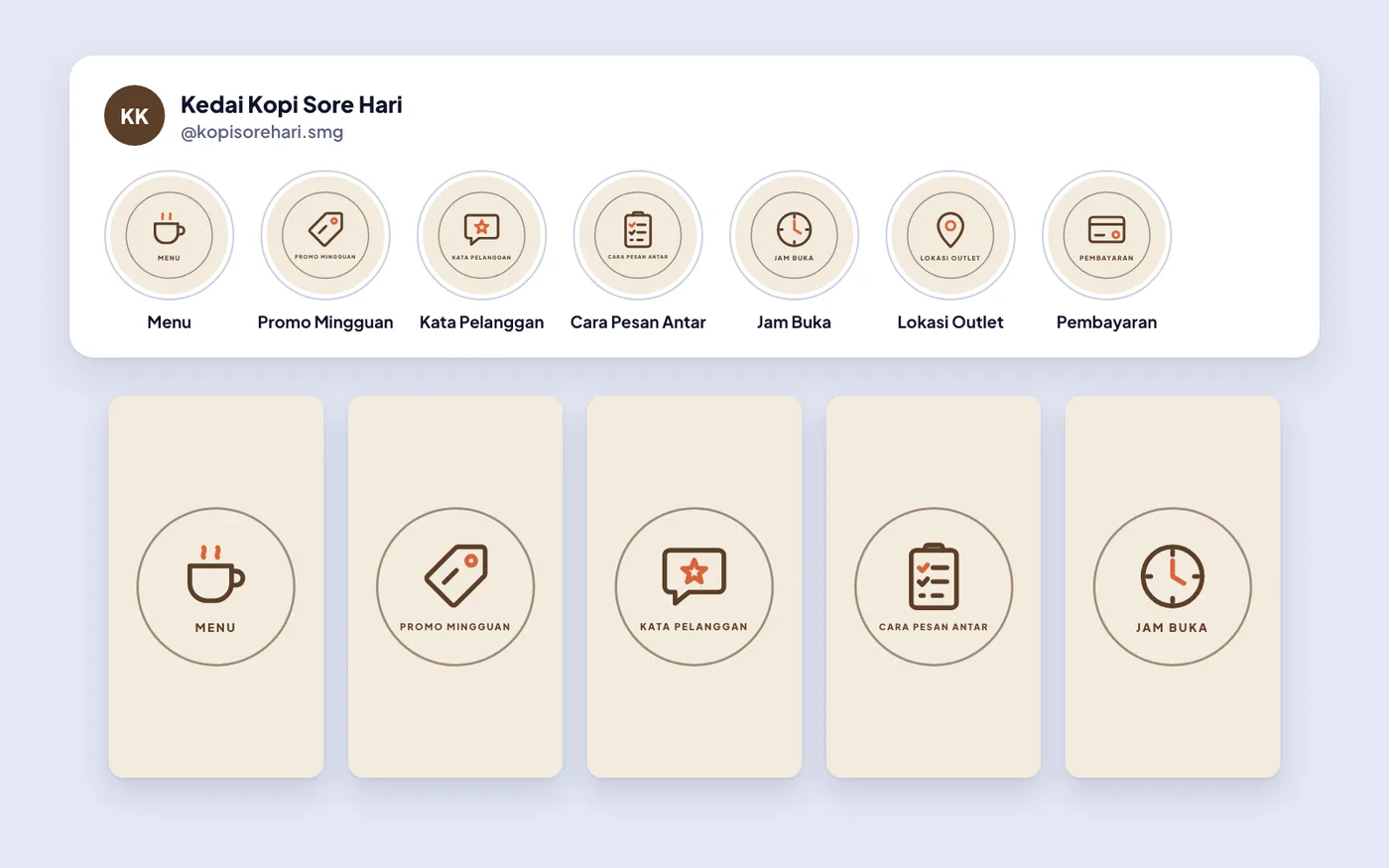
- Cafes, boutiques, and service businesses wanting a tidy profile in their brand colours
- Creators and teachers grouping old stories by topic, class, or event
Not for
- It does not put the covers on the account; you upload them through the edit highlight menu
- Not a logo maker, and it does not use product photos as covers
- Icons are limited to the 27 shapes provided; other shapes must be drawn into the template first
- It does not write promotions or prices on covers; they are menu markers only
About this skill
/cover-highlight-profil Make highlight covers for the Lembayung fabric shop: Promo, Reviews, How to Order, Catalogue, Shipping, FAQ, and About, indigo with a coral accent, matching line icons
Show more
A set of profile highlight covers with matching line icons in brand colours: Promo, Reviews, How to Order, Catalogue, Shipping, FAQ, About, and more. Every icon is self-drawn with the same line weight and one accent detail, placed in the centre circle that shows on the profile. Fill in one list, preview the row of circles under the bio, then download each cover as a 1080x1920 PNG or all of them at once in a ZIP.
User reviews
FAQ
Why is the icon in the middle with the rest of the image empty?
On the profile, a highlight cover only shows as a circle cut from the middle of the image. The icon and its circle sit in that area, and for the story size the top and bottom stay empty so nothing is cut. Open it with ?panduan=1 to see the safe area lines.
Can I use my own brand colours?
Yes. Put the background, icon, and accent colours in hex in the SAMPUL object. If only the background is set, the circle colour is worked out automatically, and the template warns you when the icon contrast is too low.
What if my highlight has no matching icon?
The template guesses an icon from the highlight name, so Shipping becomes a truck and Location a map pin. If nothing matches, the console warns you and you can pick one of the 27 icons, or ask the agent to draw a new one with the same line rules.
Which AI can I use it with?
Copy the prompt into a chat AI (ChatGPT, Claude, Gemini, DeepSeek); or download the ZIP and install it in an AI agent (Claude Code, Codex, Antigravity, Hermes Agent, Cursor, GitHub Copilot, Gemini CLI, OpenCode, Kimi Code, Trae), which then builds the files for you.
What is in the ZIP?
One folder named cover-highlight-profil with SKILL.md (the instructions an AI agent reads) and the prompt, 6 files in all. Extract it into your agent's skills folder, or install it with npx skillflow-ai add cover-highlight-profil. Pro only.
Is there a per-use fee or credits?
Not from SkillFlow. The skill runs on the AI you already use (and, for image prompts, the image AI you pick), so any cost follows that plan.
Which plan includes it?
Basic and Pro. Basic copies the prompt; Pro also downloads the ZIP, sends to AI, installs into agents and shares results by link.
Can I use my own colours and brand?
Yes. Pick a colour theme on this page, or fill in your brand profile once; both go into the prompt you copy and into the ZIP.
Can I share what I made?
Pro members can upload the result and get a page at share.skillflow.ai.id to send to anyone. The page carries a small "Made with SkillFlow AI" mark.
Is there a download limit?
Yes, per day: 50 skills on Pro, 10 on other plans. Downloading a skill again on the same day does not count.



