

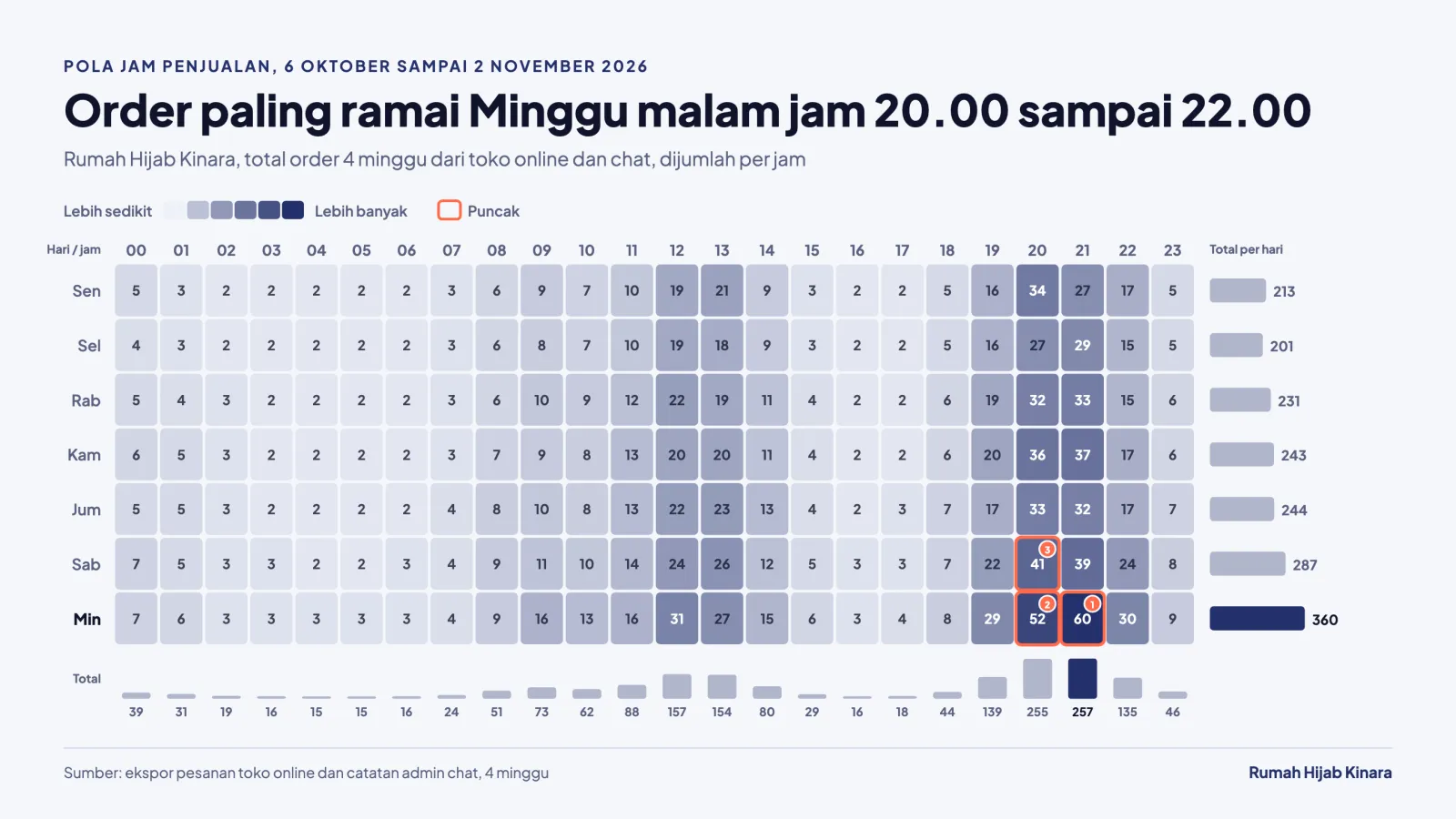
An online seller's 24-hour order heatmap: three peak slots on weekend nights, totals per day and per hour
SKILL.md contents
Premium subscribers can read, copy, and install this skill.
Unlock with Premium Sign inSales Hour Heatmap
Description
A Monday to Sunday by hour heatmap of orders or sales value: cell colour in proportion to the value, the three busiest cells marked, totals per day and per hour along the edges, and closed hours hatched. It comes with an hourly and daily totals profile, plus suggested times for live selling, ads, broadcasts, and quiet hours worked out from the data, for online sellers and cafes. One data object, 16:9 or 4:5, and downloads as PDF, PNG, Word, or Excel with the numbers.
Verified by SkillFlow
We checked every file in this skill automatically: no command that downloads and runs a program, no hidden code, no instruction telling your AI to ignore you.
- Loads from outside
- Fonts: Google Fonts SkillFlow: directory.skillflow.ai.id
See the 6 files inside
skill.json10 KBSKILL.md5 KBprompt.md6 KBprompt.en.md6 KBfiles/contoh/kafe-omzet-4x5.html37 KBfiles/heatmap.html38 KB
Checked 14 Nov 2026
Part of SkillFlow Pro
Pro opens every skill in every category: copy, ZIP, Send to AI, install, save, and request new skills.
Get Pro Already subscribed? Sign inWhat you get
- A day by hour heatmap with a colour scale, numbers in each cell, and hatched closed hours
- The three busiest cells outlined in the accent colour with a rank number
- Totals per day on the right edge and per hour along the bottom, the highest total in full colour
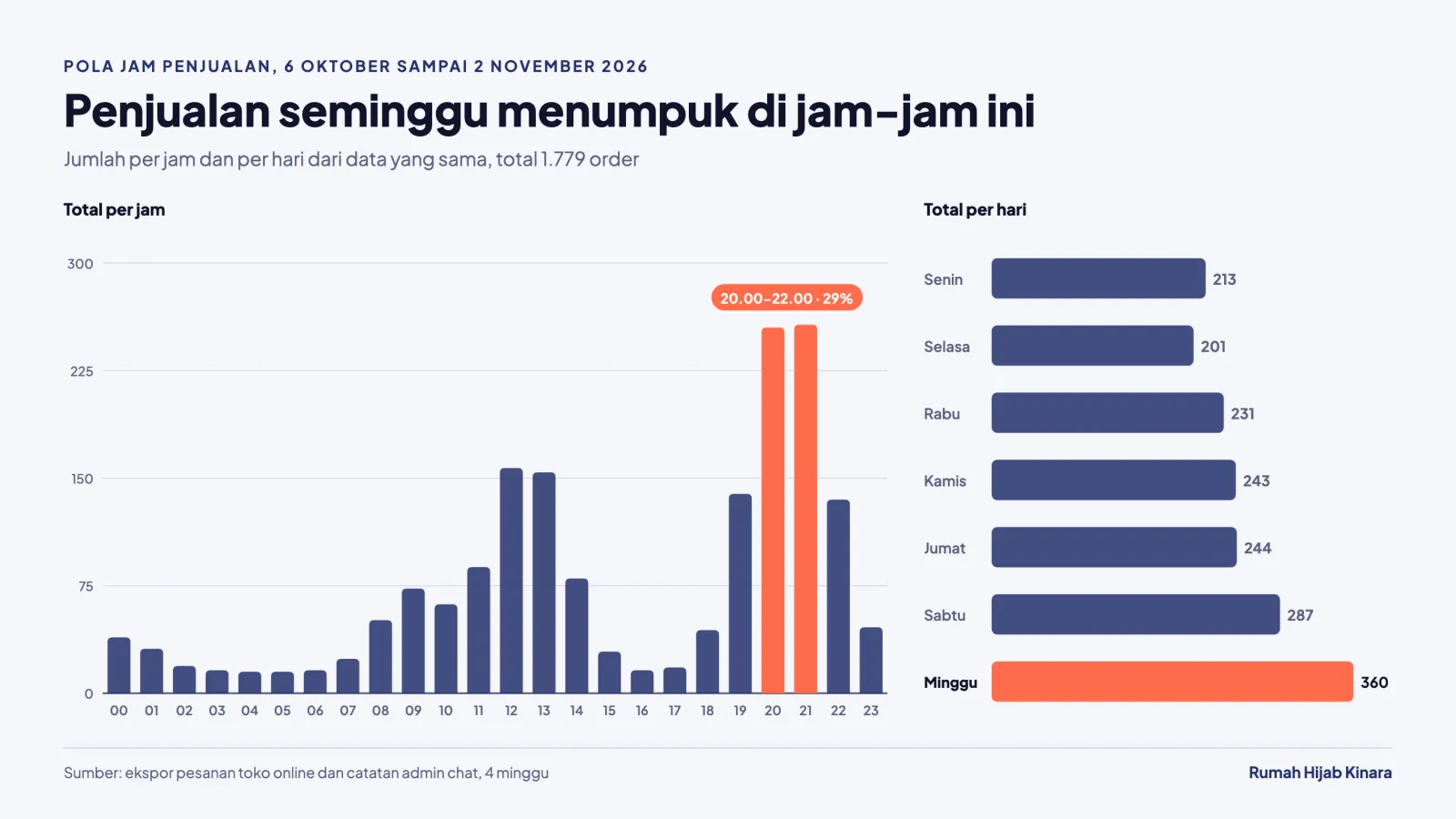
- An hourly profile (the two busiest hours with their share) and daily totals
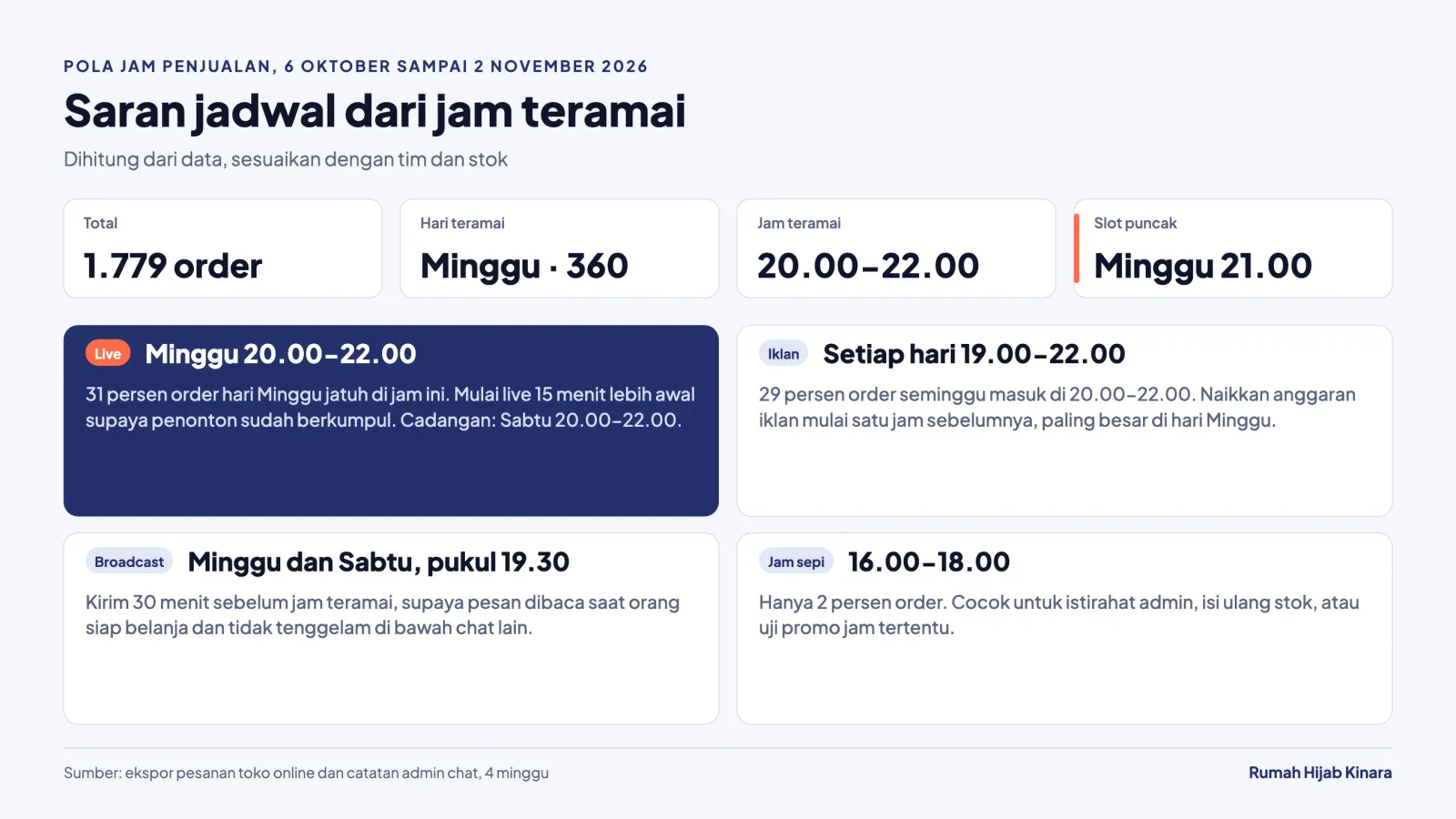
- Suggested times for live selling, ads, broadcasts, and quiet hours, with reasons from the numbers
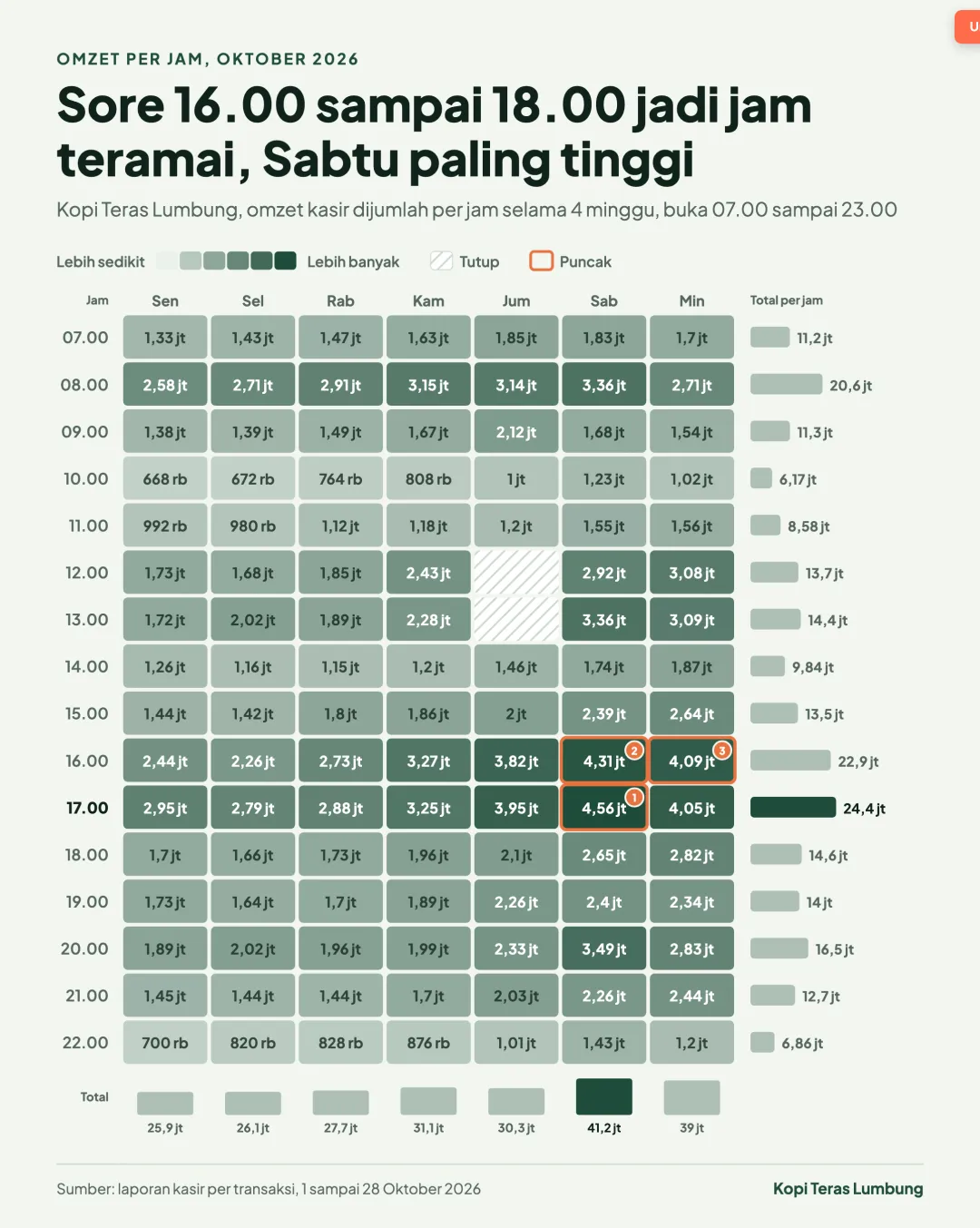
- Orders or sales value, 24 hours or opening hours only, 16:9 (days as rows) or 4:5 (hours as rows)
- Download PDF, PNG, Word, and Excel (heatmap, per hour, per day, schedule sheets), 3 palettes
Good fit
- Online sellers who want the best hours for live selling, ads, and broadcasts
- Cafes and restaurants planning staff shifts and stock around busy hours
- Consultants or ad teams building a schedule from a client's order pattern
Not for
- It does not pull data from your shop or till; you paste the figures per day per hour
- Suggested times come from past patterns, not a guarantee of ad or live results
- One heatmap covers one period; comparing two periods needs two files
- It is not a map of where buyers are
About this skill
/heatmap-jam-penjualan Make a sales hour heatmap for Rania's Snack Kitchen online shop from the last 4 weeks of orders per day per hour, mark the peak hours, and suggest when to go live and send broadcasts
Show more
A Monday to Sunday by hour heatmap of orders or sales value: cell colour in proportion to the value, the three busiest cells marked, totals per day and per hour along the edges, and closed hours hatched. It comes with an hourly and daily totals profile, plus suggested times for live selling, ads, broadcasts, and quiet hours worked out from the data, for online sellers and cafes. One data object, 16:9 or 4:5, and downloads as PDF, PNG, Word, or Excel with the numbers.
User reviews
FAQ
My data is a list of timed transactions, not a table per hour. Does that work?
Yes. The AI or agent first sums the transactions per day and per hour, then uses the result for the heatmap. Include the date and time columns in your data.
What if my shop is not open 24 hours?
Set the first hour (for example 07:00) and use null for hours closed on certain days. Closed cells are hatched and left out of the suggestions.
Why are quiet hours never at 3 a.m.?
Quiet hours are searched within the active hours, those with at least a quarter of the busiest hour's total, so the suggestion helps plan admin breaks or deal tests instead of naming hours when everyone is asleep.
Which AI can I use it with?
Copy the prompt into a chat AI (ChatGPT, Claude, Gemini, DeepSeek); or download the ZIP and install it in an AI agent (Claude Code, Codex, Antigravity, Hermes Agent, Cursor, GitHub Copilot, Gemini CLI, OpenCode, Kimi Code, Trae), which then builds the files for you.
What is in the ZIP?
One folder named heatmap-jam-penjualan with SKILL.md (the instructions an AI agent reads) and the prompt, 6 files in all. Extract it into your agent's skills folder, or install it with npx skillflow-ai add heatmap-jam-penjualan. Pro only.
Is there a per-use fee or credits?
Not from SkillFlow. The skill runs on the AI you already use, so any cost follows that plan.
Which plan includes it?
SkillFlow Pro. It opens every skill in every category.
Can I use my own colours and brand?
Yes. Pick a colour theme on this page, or fill in your brand profile once; both go into the prompt you copy and into the ZIP.
Can I share what I made?
Pro members can upload the result and get a page at share.skillflow.ai.id to send to anyone. The page carries a small "Made with SkillFlow AI" mark.
Is there a download limit?
Yes, per day: 50 skills on Pro, 10 on other plans. Downloading a skill again on the same day does not count.



