

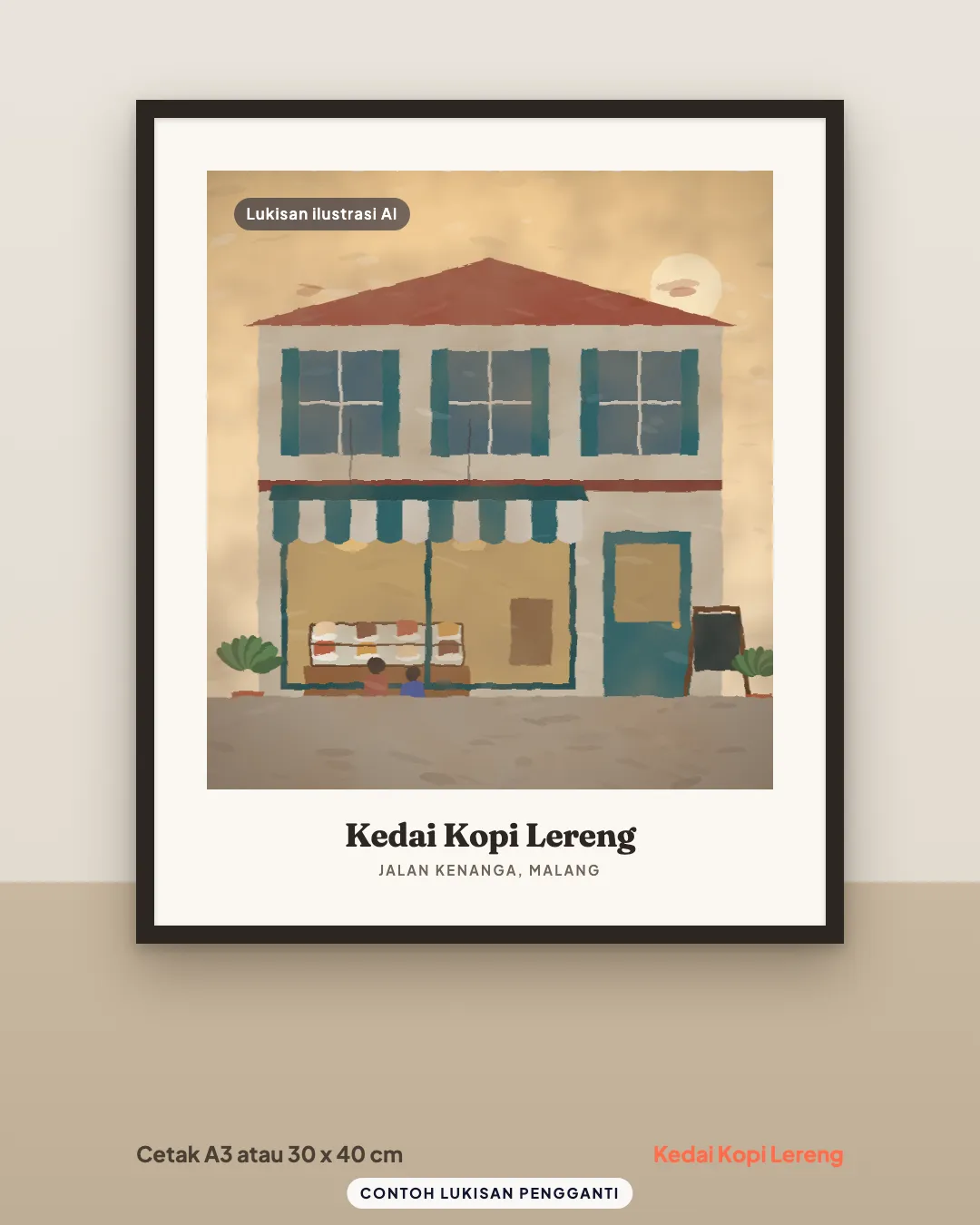
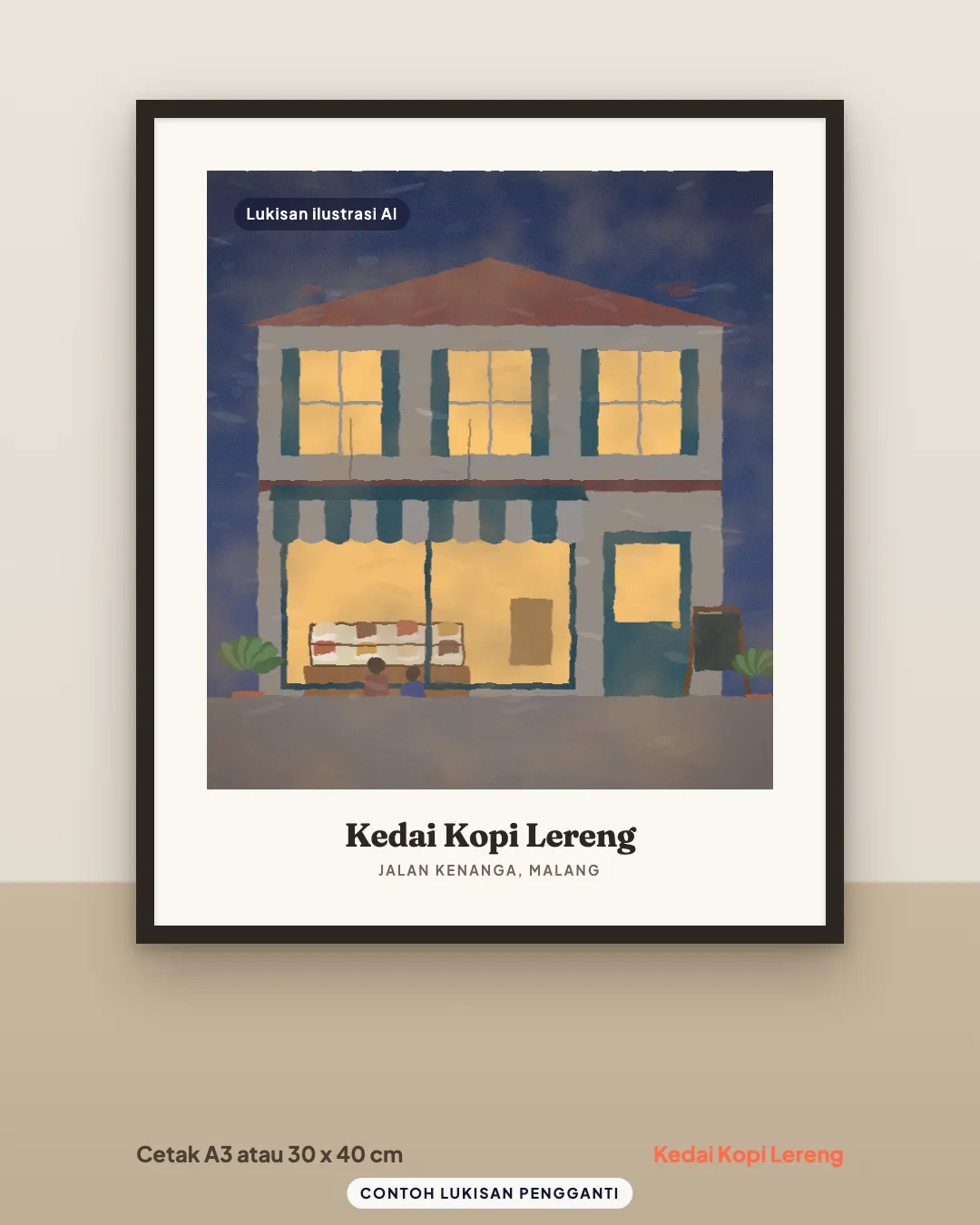
Framed wall print: a gouache shop front painting, golden afternoon
SKILL.md contents
Premium subscribers can read, copy, and install this skill.
Unlock with Premium Sign inPainted Cafe Scene
Description
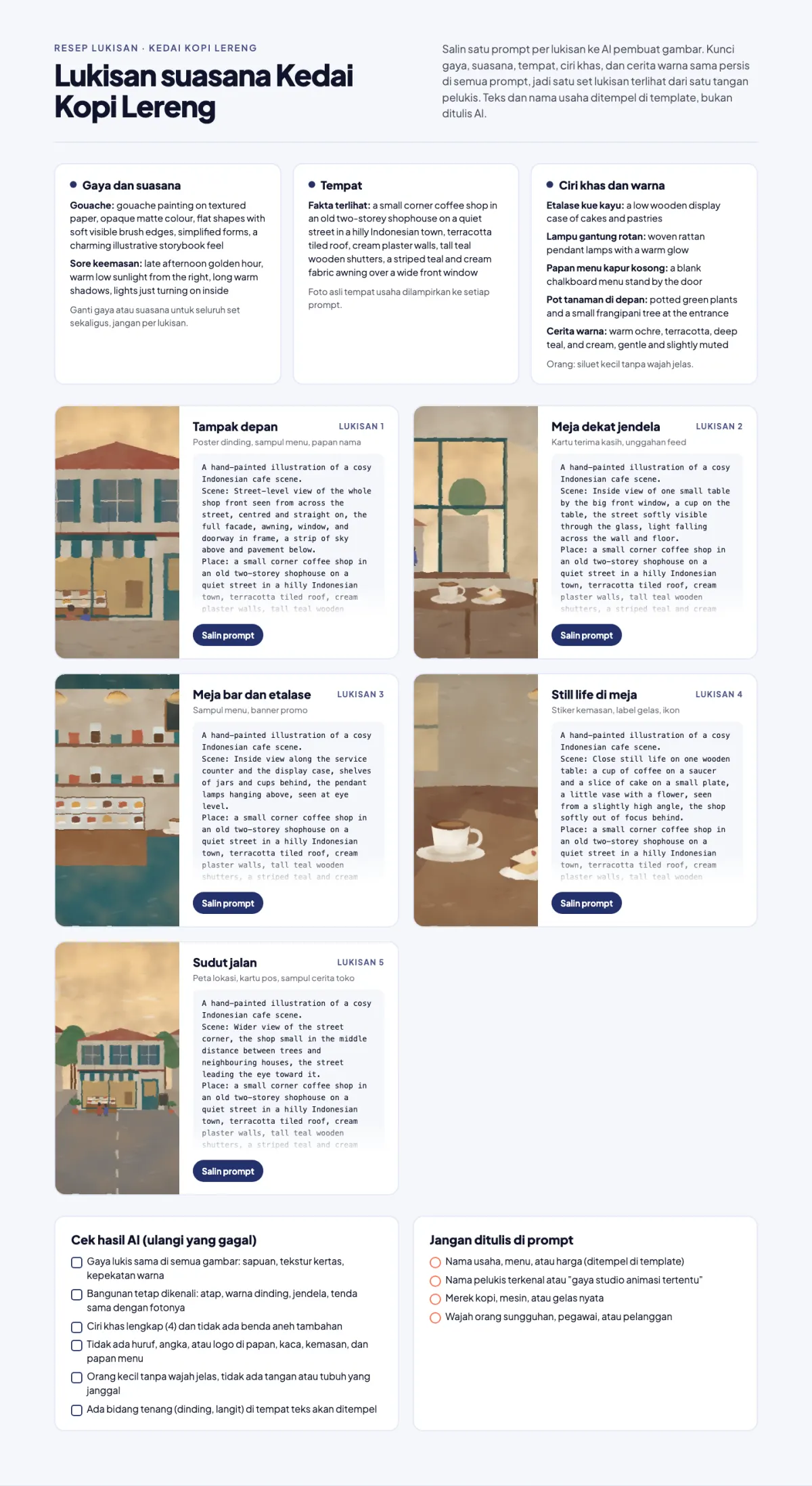
AI image prompt recipes for a set of digital paintings of your business (cafe, coffee stall, bakery, small shop) that look like one painter's hand: painting style (gouache, watercolour, oil, pastel), mood (morning, afternoon, rain, night), place, signature details, and colour story repeat word for word across five scenes: shop front, window table, counter, table still life, and street corner. The paintings then become a framed wall print, a menu cover, a round sticker, and a thank-you card, with the business name set in type, not by the AI.
Verified by SkillFlow
We checked every file in this skill automatically: no command that downloads and runs a program, no hidden code, no instruction telling your AI to ignore you.
- Loads from outside
- Fonts: Google Fonts
See the 5 files inside
skill.json10 KBSKILL.md8 KBprompt.md5 KBprompt.en.md5 KBfiles/lukisan.html44 KB
Checked 14 Nov 2026
Included in Basic and Pro
Basic copies the prompt. Pro also downloads the ZIP, sends to AI, installs into agents, and opens every category.
Get Pro Get Basic Already subscribed? Sign inWhat you get
- Painting style, mood, place, signature detail, and colour story locks repeated word for word in every prompt
- 5 copy-ready scene prompts built from one data object (a recipe sheet with Copy buttons)
- A framed wall print with a name plate, ready to print at A3 or 30 x 40 cm
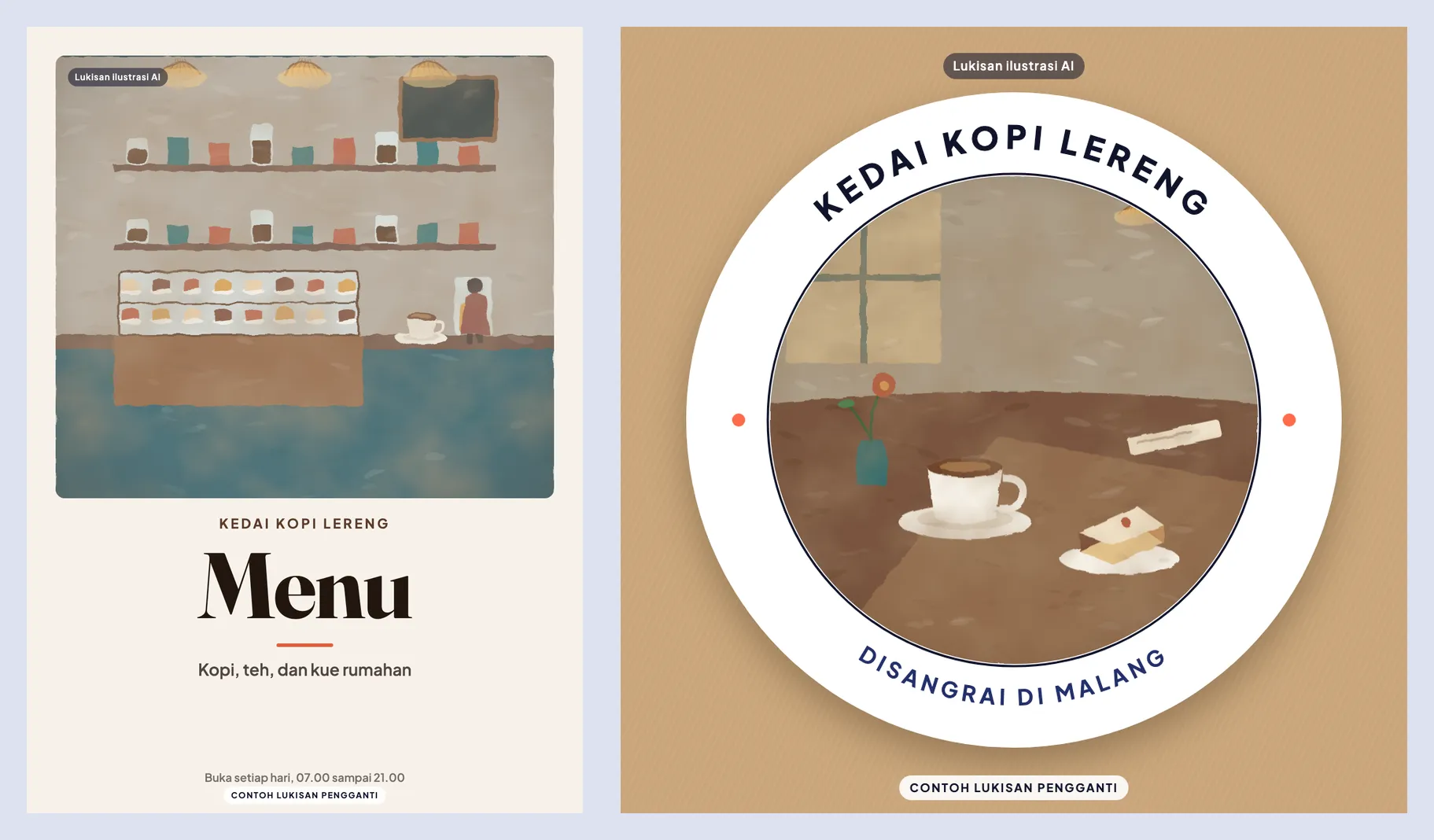
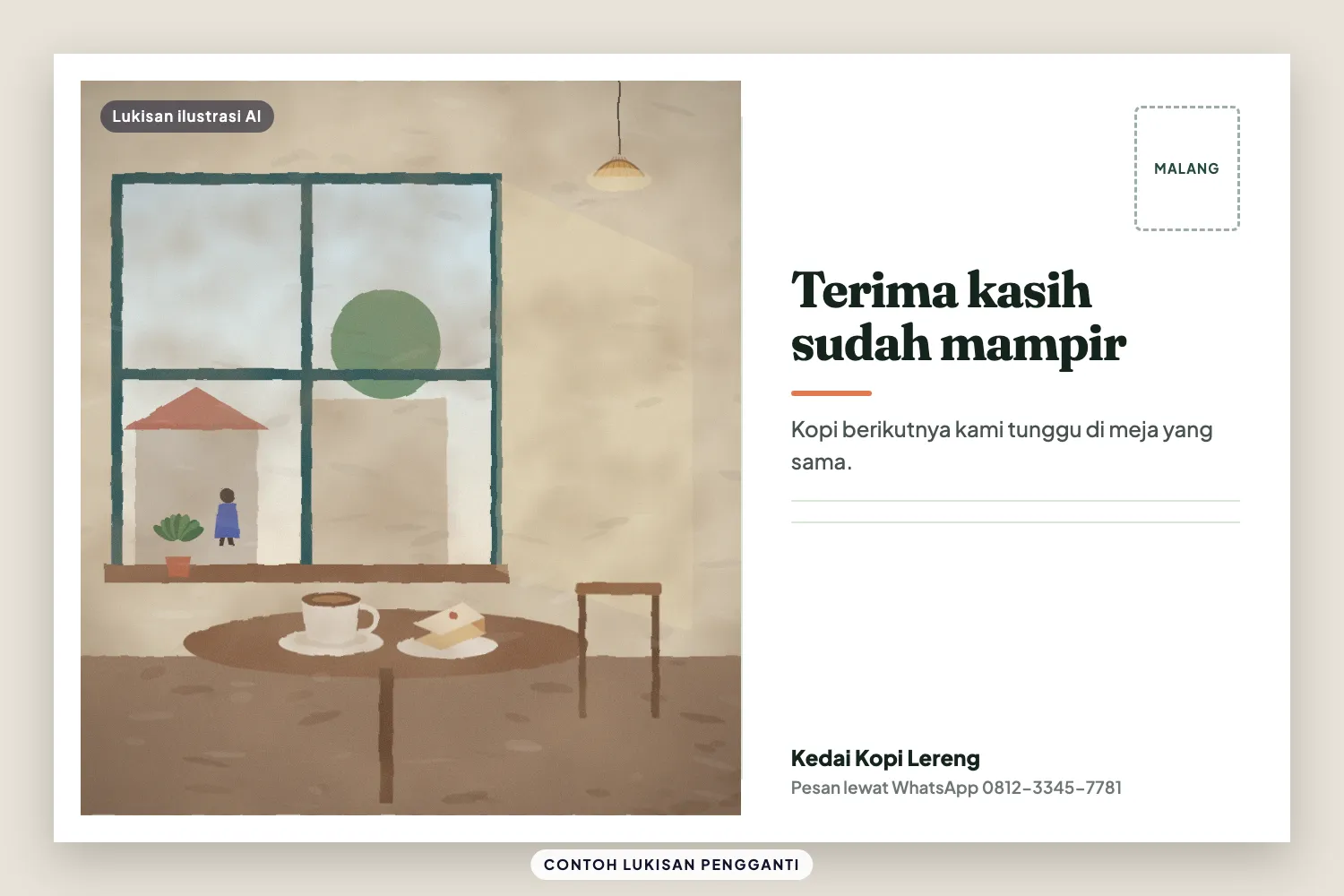
- A menu cover, a round sticker with the name set around it for packaging and cups, a thank-you card
- 4 painting styles, 4 moods, 3 type palettes, and home-made placeholder paintings for previews
- An AI illustration label and a checklist for AI results (style, building, details, no invented lettering)
Good fit
- Cafes, coffee stalls, bakeries, or small eateries that want a warm visual identity without a photo shoot
- Businesses that need wall art, a menu cover, and stickers in one matching style
- Gift and souvenir shops that want labels showing where they come from
- Designers preparing assets for small food and drink clients
Not for
- It does not make images itself; you get prompts for an image AI and a template for the text
- An image AI cannot guarantee your building looks exactly the same; attach a real photo and check every result
- Not product photography for an online shop; paintings do not show true product size and colour
- It does not imitate a particular painter or studio, and is not for painting real people
About this skill
/lukisan-suasana-kafe Write painting prompts of my coffee shop in a gouache style on a late afternoon, for a wall print, a menu cover, and a cup sticker
Show more
AI image prompt recipes for a set of digital paintings of your business (cafe, coffee stall, bakery, small shop) that look like one painter's hand: painting style (gouache, watercolour, oil, pastel), mood (morning, afternoon, rain, night), place, signature details, and colour story repeat word for word across five scenes: shop front, window table, counter, table still life, and street corner. The paintings then become a framed wall print, a menu cover, a round sticker, and a thank-you card, with the business name set in type, not by the AI.
User reviews
FAQ
Why is the cafe name not in the prompt?
Image AIs often misspell and invent lettering on signs. The prompts ask for blank signs and glass on purpose, then the business name, menu, and town are set neatly and correctly in the template.
How do the five paintings look like one set?
Painting style, mood, place, signature details, and colour story are written word for word in every prompt; only the scene changes. Make the shop front painting first, then attach it as a style reference for the other scenes if your image AI supports it.
Can I print and sell them as merchandise?
For your own decor and packaging, first check that the terms of the image AI service you use allow commercial use. Keep the AI illustration label on promotional material so buyers do not mistake it for a photo.
Which AI can I use it with?
Copy the prompt into a chat AI (ChatGPT, Claude, Gemini, DeepSeek); or download the ZIP and install it in an AI agent (Claude Code, Codex, Antigravity, Hermes Agent, Cursor, GitHub Copilot, Gemini CLI, OpenCode, Kimi Code, Trae), which then builds the files for you.
What is in the ZIP?
One folder named lukisan-suasana-kafe with SKILL.md (the instructions an AI agent reads) and the prompt, 5 files in all. Extract it into your agent's skills folder, or install it with npx skillflow-ai add lukisan-suasana-kafe. Pro only.
Is there a per-use fee or credits?
Not from SkillFlow. The skill runs on the AI you already use (and, for image prompts, the image AI you pick), so any cost follows that plan.
Which plan includes it?
Basic and Pro. Basic copies the prompt; Pro also downloads the ZIP, sends to AI, installs into agents and shares results by link.
Can I use my own colours and brand?
Yes. Pick a colour theme on this page, or fill in your brand profile once; both go into the prompt you copy and into the ZIP.
Can I share what I made?
Pro members can upload the result and get a page at share.skillflow.ai.id to send to anyone. The page carries a small "Made with SkillFlow AI" mark.
Is there a download limit?
Yes, per day: 50 skills on Pro, 10 on other plans. Downloading a skill again on the same day does not count.



