

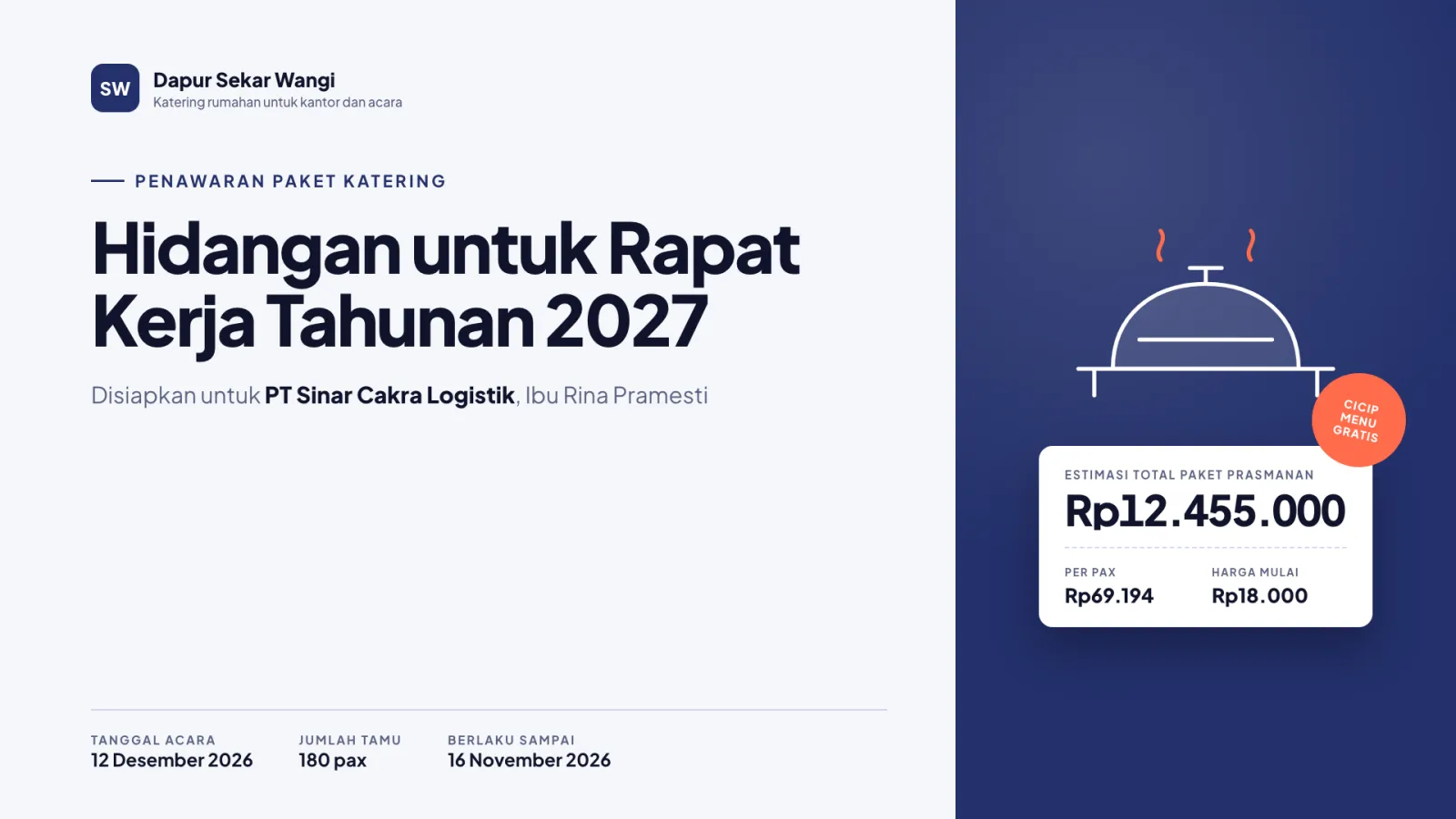
Cover: the client's event, guest count, validity, and the estimated total of the recommended package
SKILL.md contents
Premium subscribers can read, copy, and install this skill.
Unlock with Premium Sign inCatering Offer Deck
Description
A 10-slide offer deck to send to offices, schools, and event committees: a cover with the estimated total, the kitchen profile and hygiene standards, package options (boxed meals, buffet, snack box, cone rice) with price per guest, menu choices per package marked with how many to pick, a price breakdown that works out the subtotal, guest-count discount, extra costs, total, price per guest, and deposit by itself, sample events served, ordering steps dated from 14 days before to the event day, and a closing slide with a chat button. One data object, one HTML file that saves straight to PDF.
Verified by SkillFlow
We checked every file in this skill automatically: no command that downloads and runs a program, no hidden code, no instruction telling your AI to ignore you.
- Loads from outside
- Fonts: Google Fonts
See the 5 files inside
skill.json12 KBSKILL.md8 KBprompt.md5 KBprompt.en.md5 KBfiles/deck.html43 KB
Checked 14 Nov 2026
Included in Basic and Pro
Basic copies the prompt. Pro also downloads the ZIP, sends to AI, installs into agents, and opens every category.
Get Pro Get Basic Already subscribed? Sign inWhat you get
- A one-file 16:9 HTML deck, 10 slides in catering offer order, arrow navigation, PDF via Print in Chrome
- A document header on every slide: client name, event, offer number, and validity date
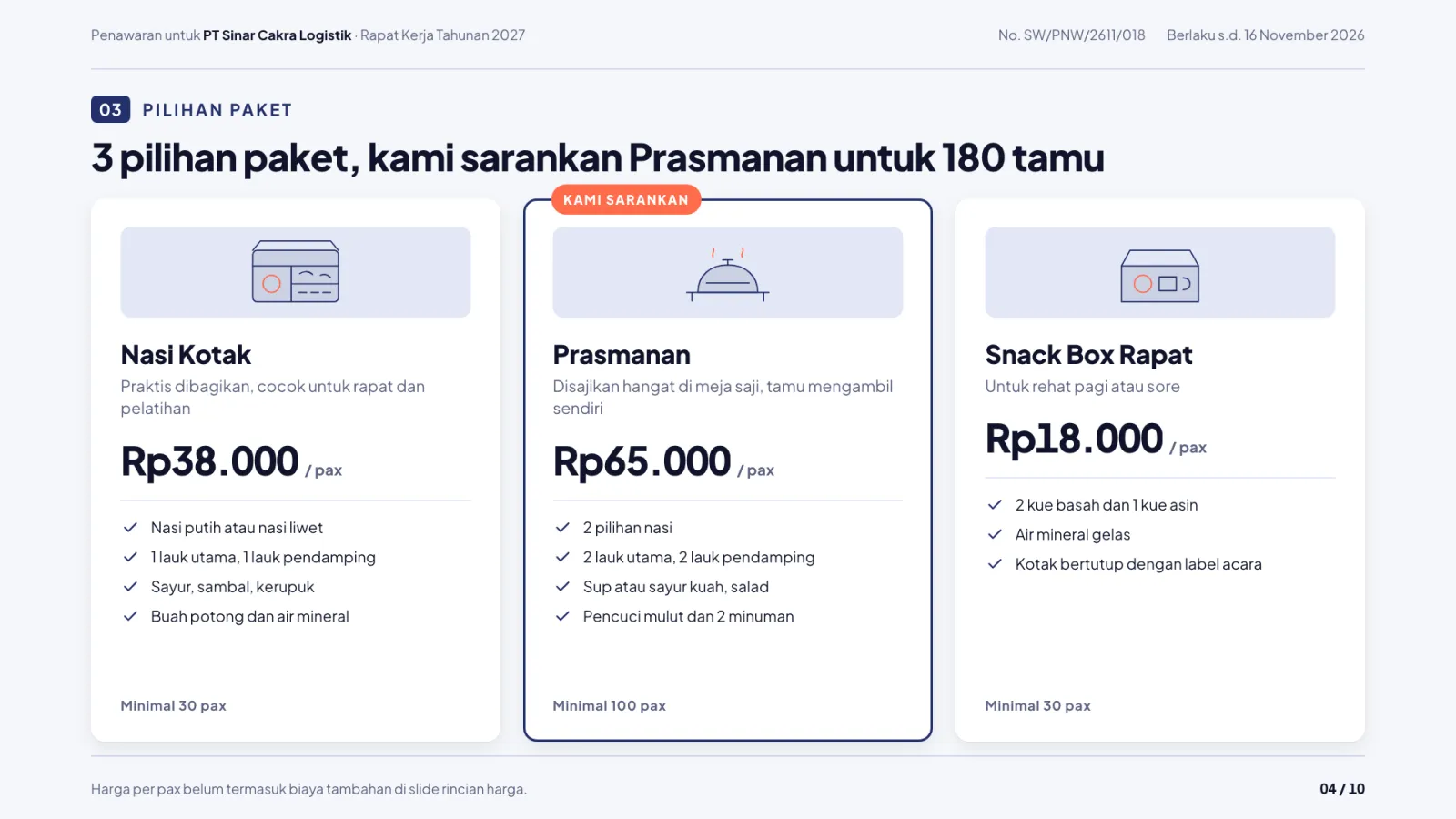
- Package options with price per guest, minimum guests, contents, and one recommended package
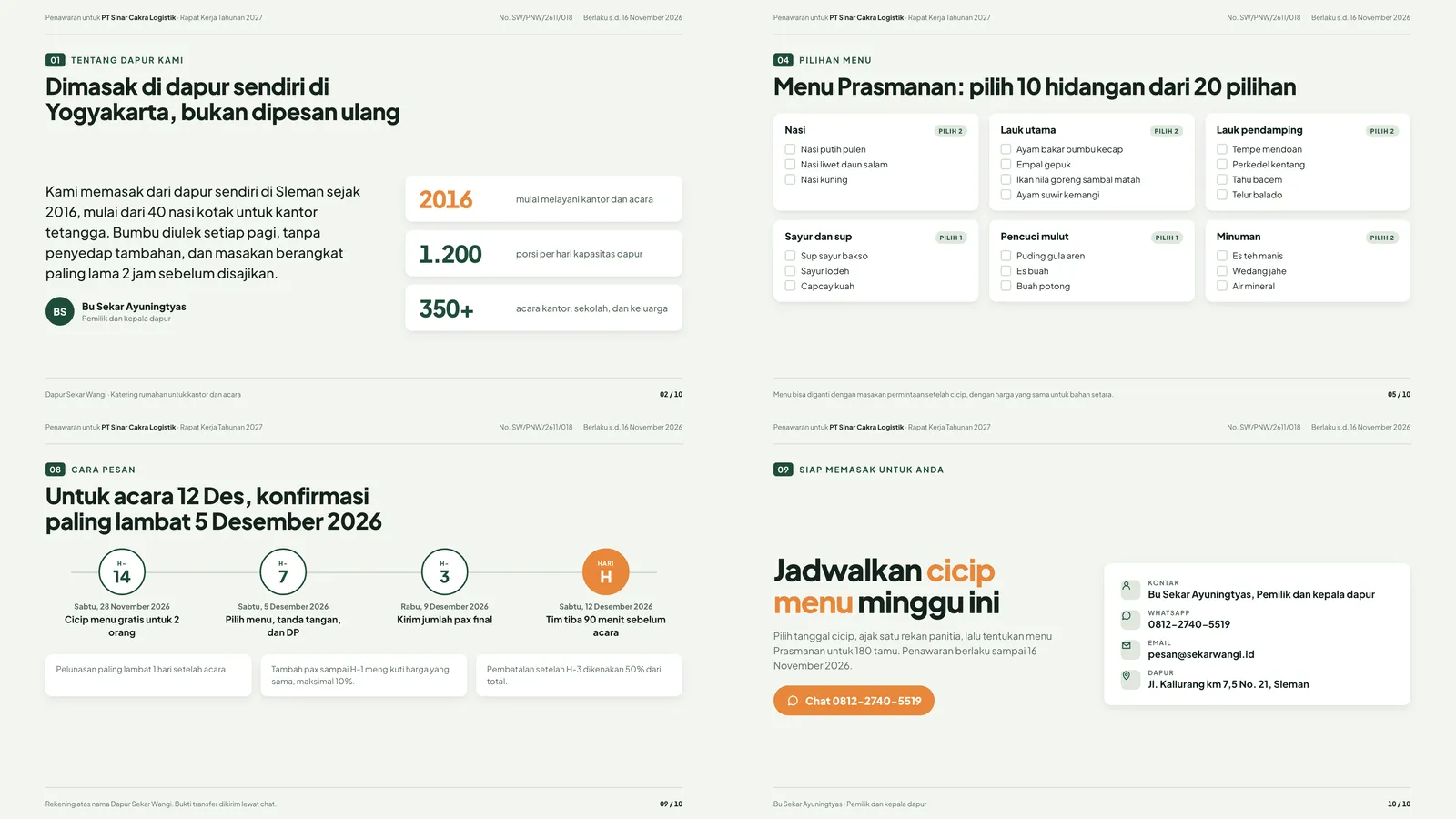
- A menu slide per package: dish groups, how many to pick, and checkboxes for the client
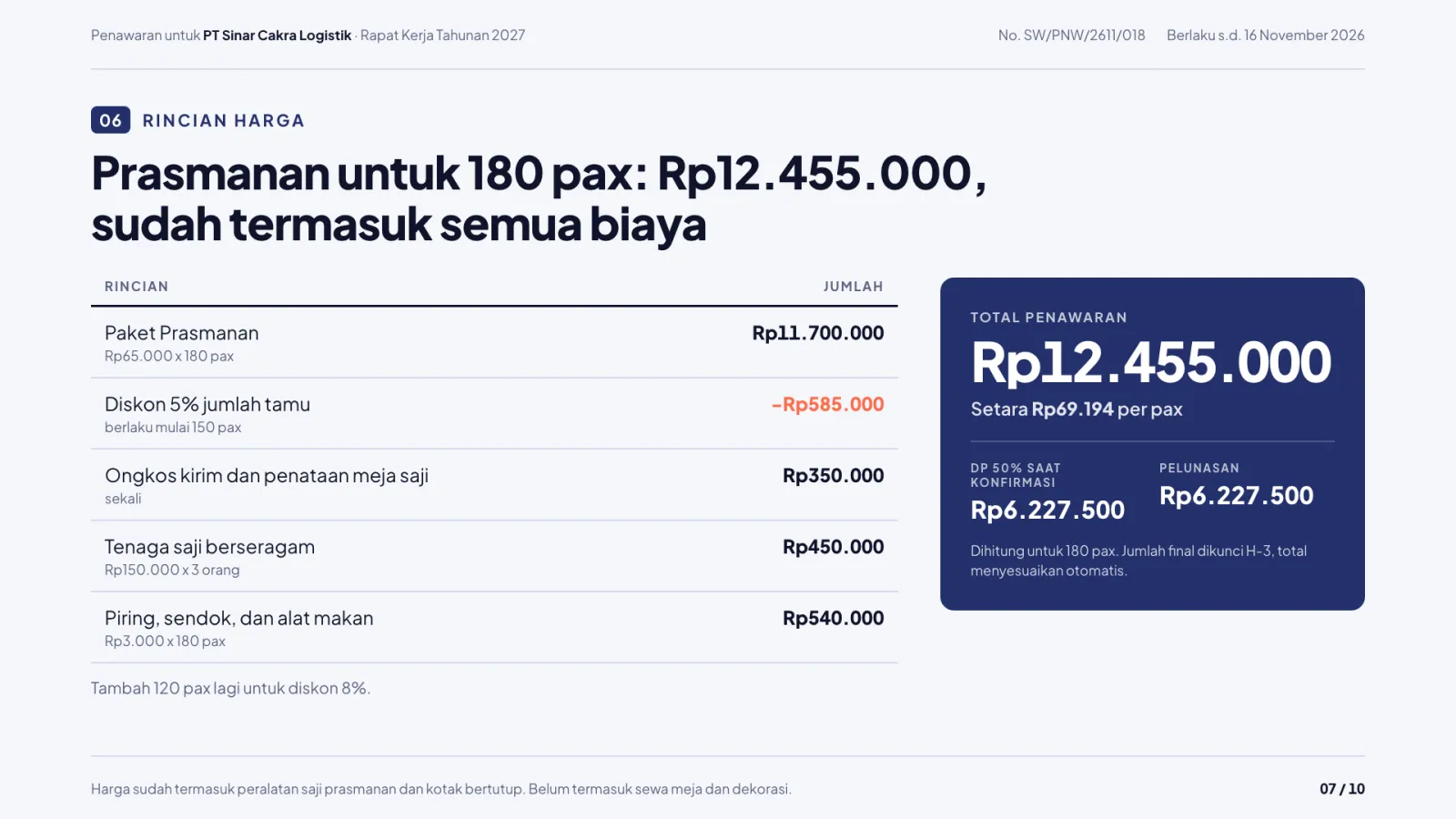
- An automatic price breakdown: subtotal, guest-count discount, extra costs, optional tax, total, per guest, deposit
- Ordering steps dated from the event date (tasting, confirmation and deposit, final count, event day) and terms
- Recalculate without editing through ?pax= and ?paket=, a deckReport() data check, 3 palettes
Good fit
- Home caterers and small kitchens serving offices, schools, and family events
- Catering owners often asked for a written offer by HR teams or committees
- Anyone who wants price per guest, discounts, and deposits to stay correct when the guest count changes
Not for
- Not a daily or subscription menu; use Weekly Daily Catering Menu for that
- It does not make food photos; package images are line illustrations, add your own photos
- Not a contract: this is an offer, legal terms stay in a separate agreement
About this skill
/penawaran-paket-katering Make a catering offer deck for a company's year-end meeting on 12 December, 180 guests, with boxed meal, buffet, and snack box options, a price breakdown, and a 50% deposit
Show more
A 10-slide offer deck to send to offices, schools, and event committees: a cover with the estimated total, the kitchen profile and hygiene standards, package options (boxed meals, buffet, snack box, cone rice) with price per guest, menu choices per package marked with how many to pick, a price breakdown that works out the subtotal, guest-count discount, extra costs, total, price per guest, and deposit by itself, sample events served, ordering steps dated from 14 days before to the event day, and a closing slide with a chat button. One data object, one HTML file that saves straight to PDF.
User reviews
FAQ
If the guest count changes, do I recalculate everything?
No. Change the guest number in the data, or open the deck with ?pax=250. The subtotal, guest discount, per-guest costs, total, price per guest, and deposit all update automatically.
What if the guest count is below the package minimum?
The price slide shows a minimum warning and deckReport() in the console lists it, so the offer is not sent with a number you cannot serve.
Where do the dates on the ordering slide come from?
They count back from the client's event date, including the weekday. The slide title states the confirmation deadline from the deposit step.
Which AI can I use it with?
Copy the prompt into a chat AI (ChatGPT, Claude, Gemini, DeepSeek); or download the ZIP and install it in an AI agent (Claude Code, Codex, Antigravity, Hermes Agent, Cursor, GitHub Copilot, Gemini CLI, OpenCode, Kimi Code, Trae), which then builds the files for you.
What is in the ZIP?
One folder named penawaran-paket-katering with SKILL.md (the instructions an AI agent reads) and the prompt, 5 files in all. Extract it into your agent's skills folder, or install it with npx skillflow-ai add penawaran-paket-katering. Pro only.
Is there a per-use fee or credits?
Not from SkillFlow. The skill runs on the AI you already use, so any cost follows that plan.
Which plan includes it?
Basic and Pro. Basic copies the prompt; Pro also downloads the ZIP, sends to AI, installs into agents and shares results by link.
Can I use my own colours and brand?
Yes. Pick a colour theme on this page, or fill in your brand profile once; both go into the prompt you copy and into the ZIP.
Can I share what I made?
Pro members can upload the result and get a page at share.skillflow.ai.id to send to anyone. The page carries a small "Made with SkillFlow AI" mark.
Is there a download limit?
Yes, per day: 50 skills on Pro, 10 on other plans. Downloading a skill again on the same day does not count.



