

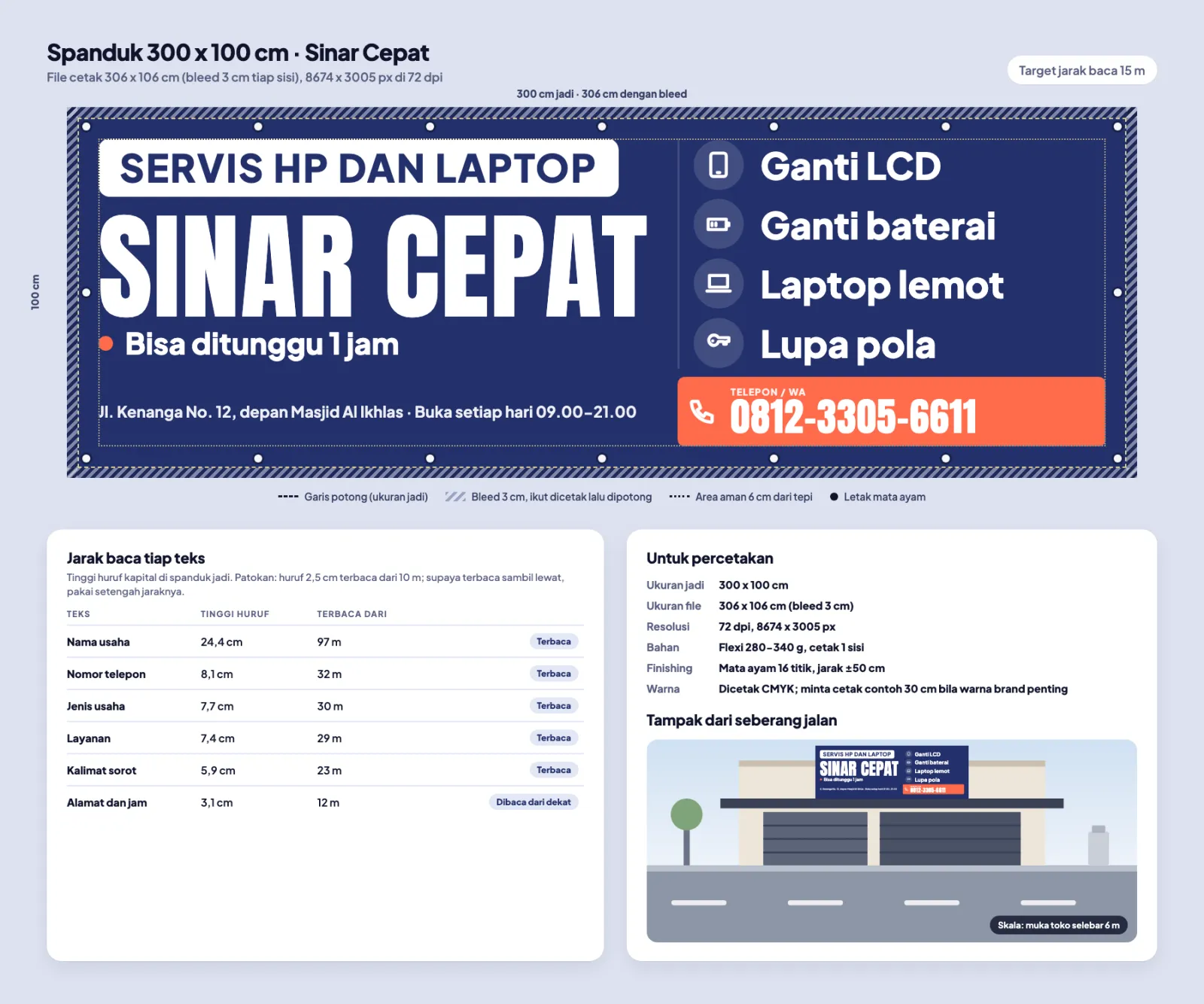
300x100 cm check sheet: trim, bleed, safe area, eyelets, reading distance, and the view on a shopfront
SKILL.md contents
Premium subscribers can read, copy, and install this skill.
Unlock with Premium Sign inPrint-Ready Storefront Banner
Description
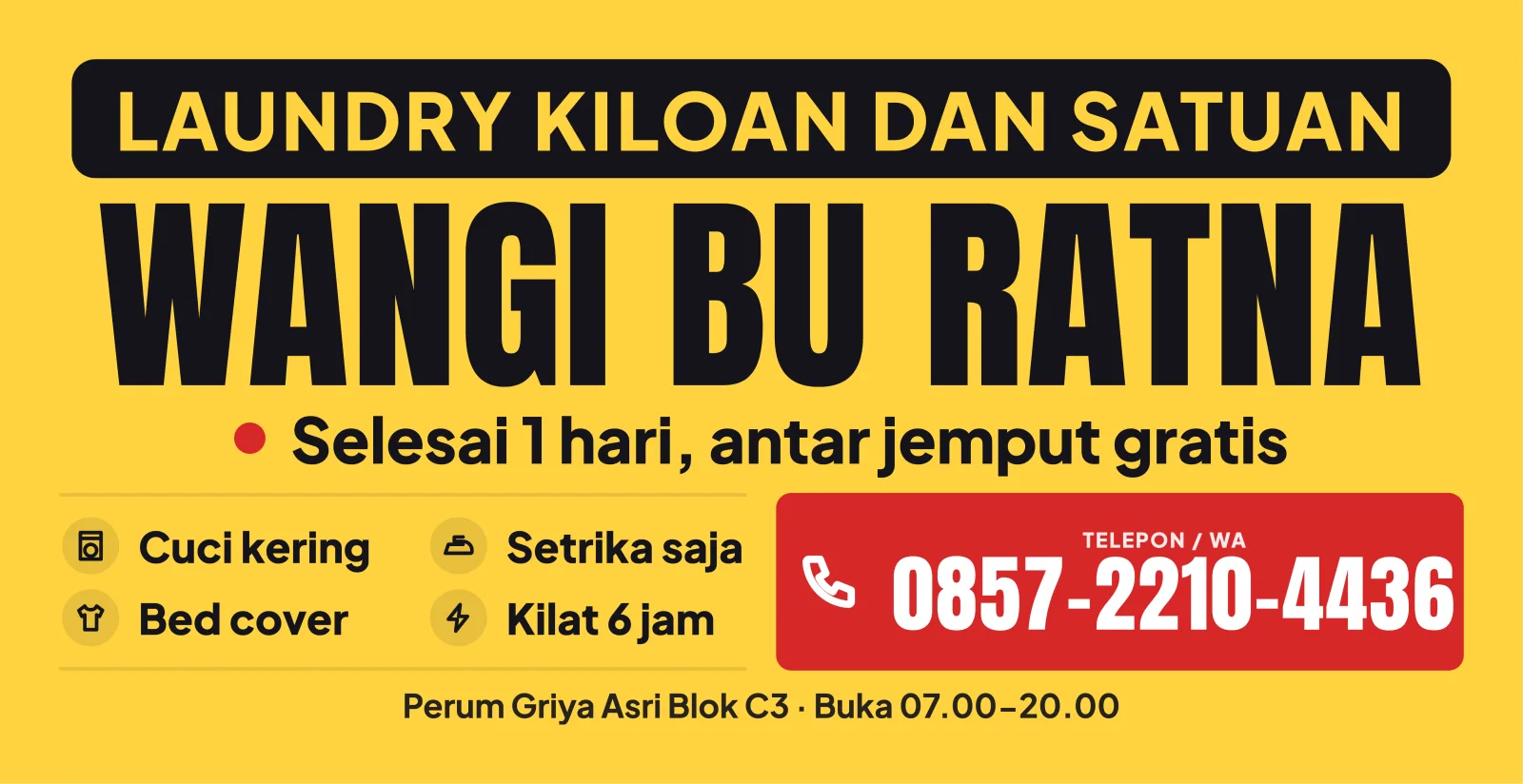
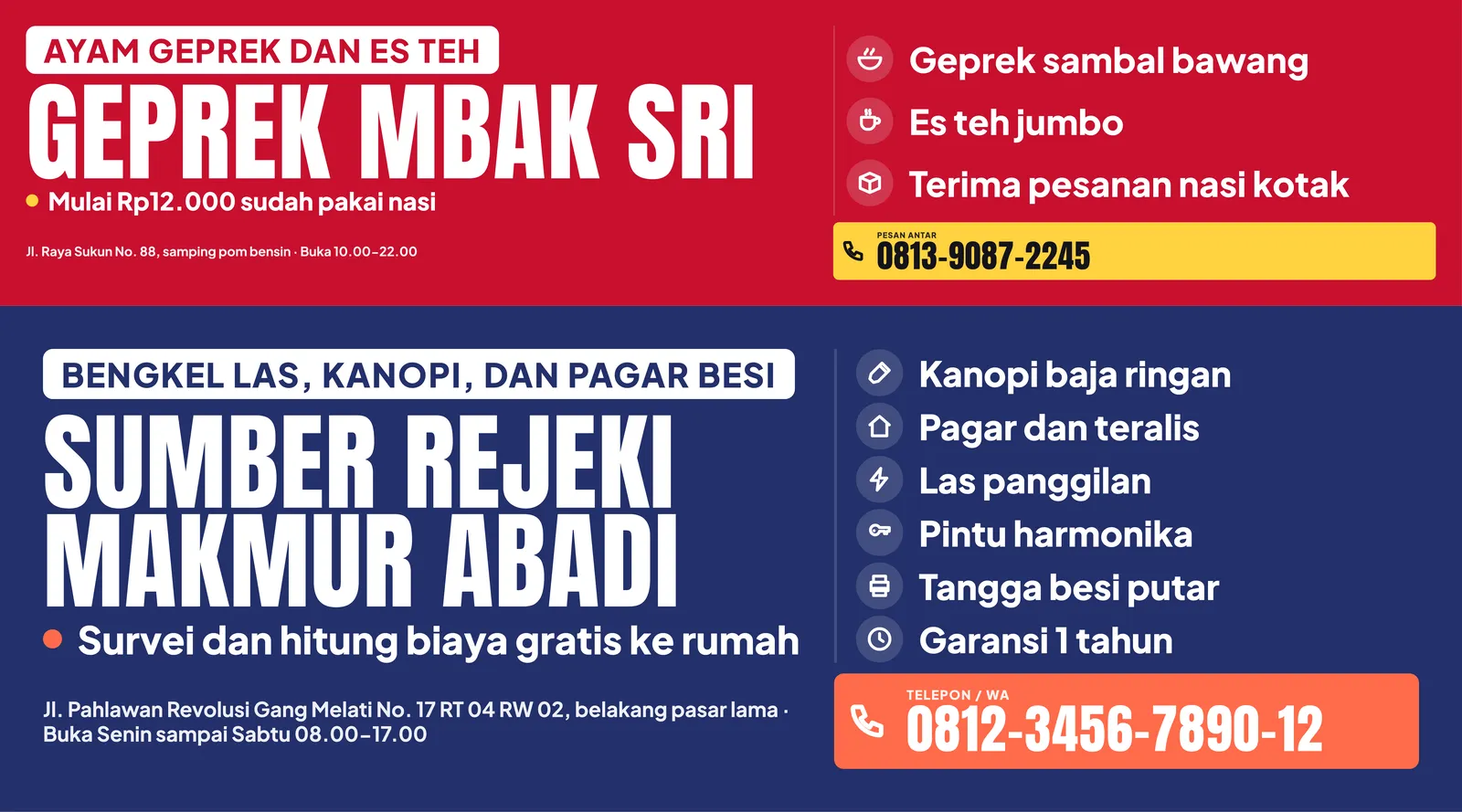
A wide banner to hang in front of a shop or food stall: the type of business, a huge business name, one highlight line, 3 to 6 services with icons, the phone number in the boldest colour block, plus address and opening hours. Driven by one data object in finished centimetres (200x100, 300x100, 400x100, 500x100, and more), then exported as a print PNG with bleed at 72 to 100 dpi. A check sheet draws the trim line, safe area, eyelet points, a reading distance table for every line of text, and the banner mounted on a shopfront.
Verified by SkillFlow
We checked every file in this skill automatically: no command that downloads and runs a program, no hidden code, no instruction telling your AI to ignore you.
- Loads from outside
- Fonts: Google Fonts
See the 5 files inside
skill.json9 KBSKILL.md7 KBprompt.md4 KBprompt.en.md4 KBfiles/spanduk.html25 KB
Checked 14 Nov 2026
Included in Basic and Pro
Basic copies the prompt. Pro also downloads the ZIP, sends to AI, installs into agents, and opens every category.
Get Pro Get Basic Already subscribed? Sign inWhat you get
- An HTML banner template in centimetres, driven by one data object, 2 layouts and 3 palettes
- A print-ready PNG including bleed, at the dpi you choose (72 dpi by default)
- A check sheet: trim line, bleed, safe area, eyelet positions, and file size
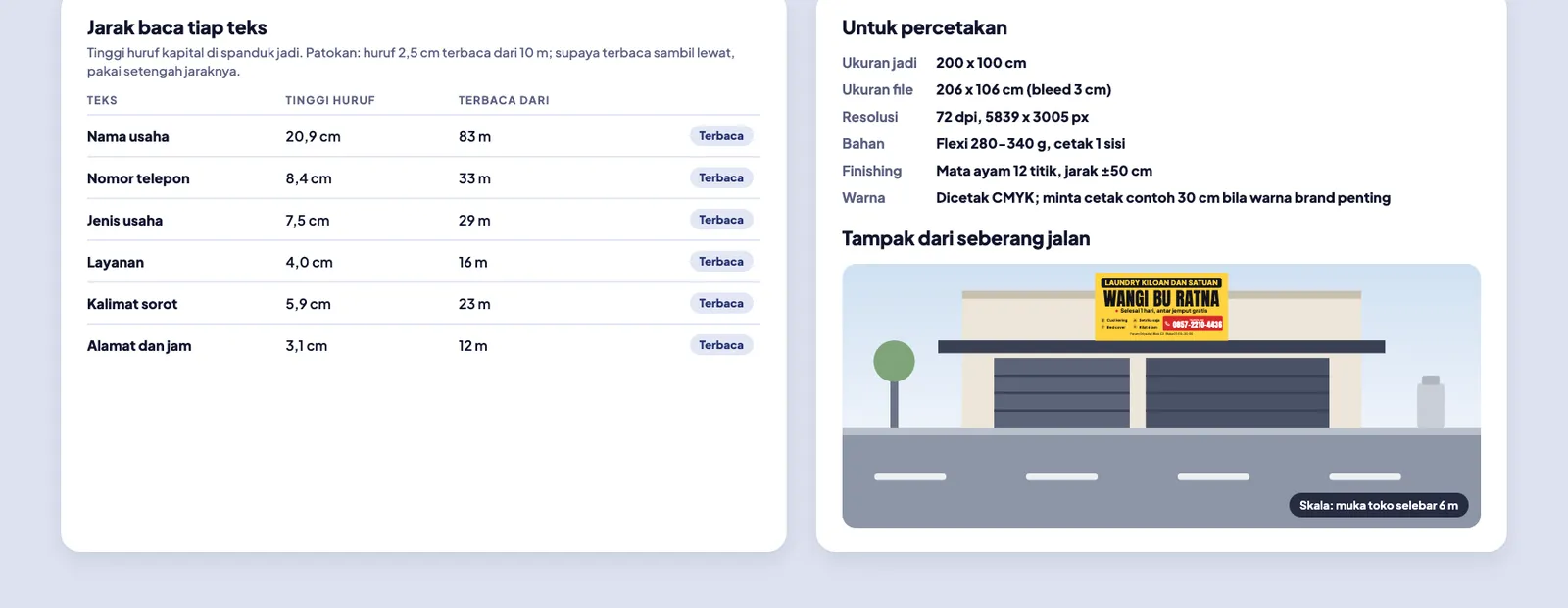
- A reading distance table for every line from its letter height, flagging a name or number that is too small
- The banner mounted on a 6 m shopfront to judge its proportions
- Specs for the print shop: finished size, file size, material, and finishing
Good fit
- Food stalls, garages, laundries, phone repair, and other services people find by walking past
- New shops that need an opening banner or a temporary sign
- Owners who want to send a print-ready file to the print shop without rounds of revisions
- Designers who need a quick banner template with a reading distance check
Not for
- It does not write the promo wording; use the Banner and Billboard Copy skill for that
- It does not produce vector PDF or CMYK files; the output is an RGB PNG that banner printers accept
- No product or people photos; it is text, icons, and colour blocks
- Not an online store banner or a social media ad
About this skill
/spanduk-depan-toko Make a 300x100 cm banner for the front of my phone repair shop: LCD and battery replacement, slow laptops, forgotten pattern locks, my number, readable from across the street
Show more
A wide banner to hang in front of a shop or food stall: the type of business, a huge business name, one highlight line, 3 to 6 services with icons, the phone number in the boldest colour block, plus address and opening hours. Driven by one data object in finished centimetres (200x100, 300x100, 400x100, 500x100, and more), then exported as a print PNG with bleed at 72 to 100 dpi. A check sheet draws the trim line, safe area, eyelet points, a reading distance table for every line of text, and the banner mounted on a shopfront.
User reviews
FAQ
What dpi should a banner use?
Banners are seen from a distance, so 72 to 100 dpi at finished size is sharp enough. 300 x 100 cm at 72 dpi is about 8,700 x 3,000 px. Above 100 dpi the file gets very large with no visible difference from the street.
How is reading distance worked out?
From the capital letter height on the finished banner. The rule of thumb is that 2.5 cm letters are readable from 10 metres. The business name and phone number must be readable from your target distance; if not, the check sheet marks them Too small.
What bleed and safe area should I use?
Ask your print shop. The default is 3 cm bleed per side and a 6 cm safe area, enough for hems and eyelets on most flex banners. Both numbers can be changed in the data.
Which AI can I use it with?
Copy the prompt into a chat AI (ChatGPT, Claude, Gemini, DeepSeek); or download the ZIP and install it in an AI agent (Claude Code, Codex, Antigravity, Hermes Agent, Cursor, GitHub Copilot, Gemini CLI, OpenCode, Kimi Code, Trae), which then builds the files for you.
What is in the ZIP?
One folder named spanduk-depan-toko with SKILL.md (the instructions an AI agent reads) and the prompt, 5 files in all. Extract it into your agent's skills folder, or install it with npx skillflow-ai add spanduk-depan-toko. Pro only.
Is there a per-use fee or credits?
Not from SkillFlow. The skill runs on the AI you already use (and, for image prompts, the image AI you pick), so any cost follows that plan.
Which plan includes it?
Basic and Pro. Basic copies the prompt; Pro also downloads the ZIP, sends to AI, installs into agents and shares results by link.
Can I use my own colours and brand?
Yes. Pick a colour theme on this page, or fill in your brand profile once; both go into the prompt you copy and into the ZIP.
Can I share what I made?
Pro members can upload the result and get a page at share.skillflow.ai.id to send to anyone. The page carries a small "Made with SkillFlow AI" mark.
Is there a download limit?
Yes, per day: 50 skills on Pro, 10 on other plans. Downloading a skill again on the same day does not count.



